Check a Car with Reg: What to Look Up and How to Read It
Follow four steps to check car with reg: free MOT, tax and mileage results, plus write-off, theft and finance checks before you buy.

Check a Car with Reg: What to Look Up and How to Read It
To check car with reg, type the number plate into a free vehicle checker, read the MOT, tax and mileage results, then add a paid check for write-off, theft and finance records before you pay anything. The free stage takes under a minute and needs only the plate. The paid stage covers the risks that cost real money.
The trouble is that a plate lookup returns a lot of data and very little guidance. A tidy MOT list can sit beside a doubtful mileage. A valid tax date means nothing if a finance company still owns the car. Many buyers see the right make and colour, spot a green tick, and stop reading.
This guide walks you through four steps in the order that works: run the free lookup, read the MOT, tax and mileage results, add the premium checks, then match everything to the car on the driveway. Vehiclepedia's free check draws on DVLA and DVSA records, so the examples below show what you will see on a real result.
What you need before you check a car with reg
You need three things: the registration number, a way to confirm it belongs to the car you are looking at, and a clear idea of what free and paid results cover. Get these right and the later steps take minutes.
Find the right registration number
Always take the reg from the car itself or its paperwork, not only from an advert. Typos and photoshopped plates happen. Any reg UK check starts from the same place, the plate, so a wrong character gives you a different vehicle's record.
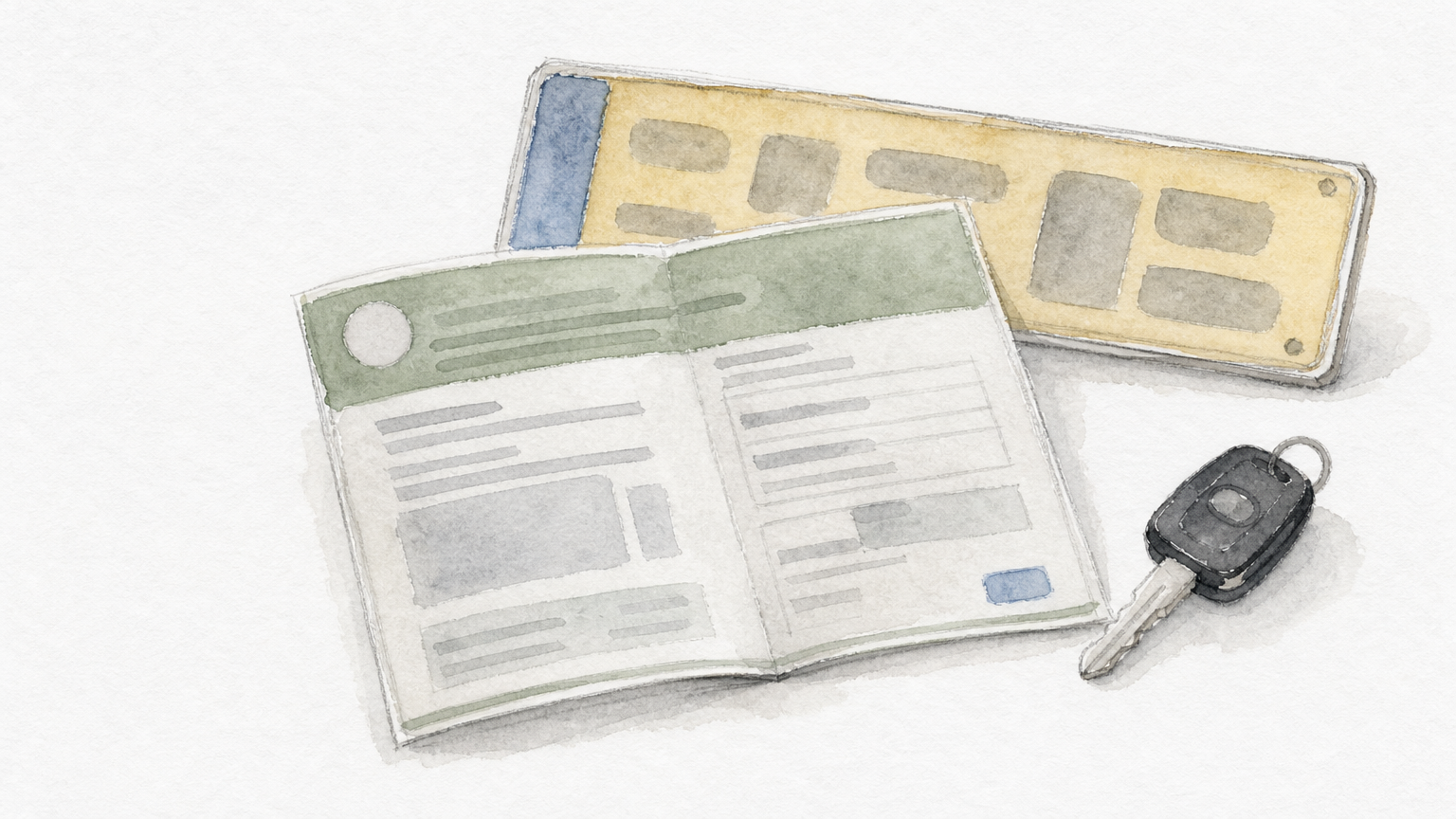
- The number plates on the front and rear of the car
- The V5C registration certificate (log book), which you can ask the seller to photograph
- The seller's message or advert, as a last resort, then confirm it in person
What free and paid checks cover
The free check handles the basics and the premium check handles the hidden risks. Vehiclepedia takes DVLA data directly from the DVLA API, MOT history from the DVSA, and refreshes its data nightly from official sources.
| What you want to know | Free check | Premium check (£6) |
|---|---|---|
| MOT status, history and expiry | Yes | Yes |
| Road tax status and yearly cost | Yes | Yes |
| Make, model, age, engine size, CO2 | Yes | Yes |
| Outstanding recall and export status | Yes | Yes |
| Mileage trend warnings | Yes | Yes |
| Insurance write-off record | No | Yes |
| Stolen vehicle check | No | Yes |
| Outstanding finance | No | Yes |
Free results confirm what the car is. Only the premium records tell you whether it is safe to buy.
Step 1. Enter the reg and run the free check
Enter the plate on Vehiclepedia's free check, submit it, and read the vehicle summary that comes back instantly. This step answers one question: is this the car the seller described?
Run the lookup
Follow these actions in order:
- Open the free check and find the reg box.
- Type the reg exactly as shown on the plate. Check every O against 0 and every I against 1.
- Submit the search. Results appear in seconds.
- Keep the result open next to the advert.
Confirm the basics match the advert
Compare make, model, age, engine size and CO2 emissions with the listing and with the car itself. A 1.0 petrol advert that returns a 2.0 diesel record means a wrong plate, a mistake or something worse. Treat any mismatch as a reason to stop and ask questions.
For a second opinion, GOV.UK offers a free vehicle enquiry service that needs only the reg. It shows tax, SORN and MOT expiry. It does not show write-off, theft or finance records, so use it as a cross-check, not a replacement.
If the basic details do not match the advert, nothing else in the report matters yet.
Step 2. Read the MOT, tax and mileage results
Read the MOT history for patterns, the tax line for status, and the mileage readings for consistency. These three results show how the car has been treated and whether its numbers add up.
Read the MOT history
A car needs an MOT every year once it is three years old. Look at the expiry date, then scroll through earlier tests for failures and advisories. One old advisory is normal. The same advisory repeated on test after test, such as corrosion or worn brakes, suggests the owner ignored it.
Check tax and SORN status
The tax line shows whether the car is taxed, untaxed or on SORN, plus the yearly cost. SORN means the keeper declared the car off the road, so it cannot legally be driven until taxed again. Vehicle tax does not transfer to you on purchase, so budget to tax it yourself on day one.
Test the mileage for jumps
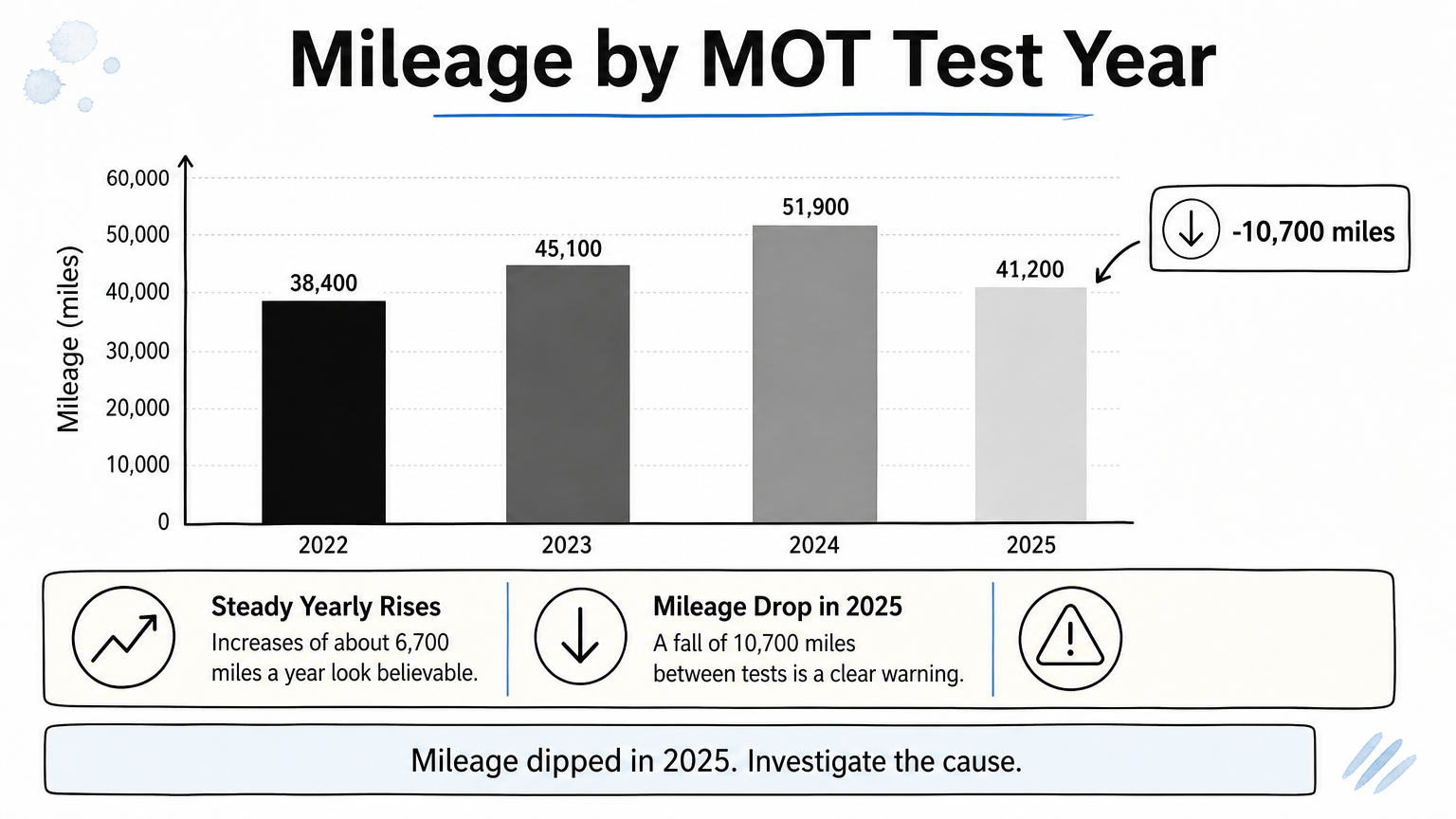
List the mileage from each MOT and look at the gaps. Here is a worked example:
| Test year | Recorded mileage | Change |
|---|---|---|
| 2022 | 38,400 | |
| 2023 | 45,100 | +6,700 |
| 2024 | 51,900 | +6,800 |
| 2025 | 41,200 | -10,700 |
Steady yearly increases of about 6,700 miles look believable. The 10,700-mile drop in 2025 does not. Vehiclepedia flags sudden drops and DVLA discrepancies automatically, but read the numbers yourself too.
A mileage that falls between tests is the clearest warning a free check can give you.
Step 3. Add write-off, theft and finance checks
Run the premium check at £6 before you view the car or pay a deposit. The free result cannot show the three problems that make a used car expensive or illegal to own: a write-off history, a theft marker, or finance still owed.
What the premium check adds
Premium includes everything in the free check plus finance, police, write-off and scrapped checks, ownership history, and plate and colour changes. Write-off data comes from the MIAFTR insurance database. Stolen vehicle data comes from the Police National Computer via Experian, and finance data from a direct Experian Automotive feed. Each premium report carries a data guarantee of up to £30,000 for non-trade users.
What each alert means
- Write-off: Categories S and N are repairable and can return to the road after repair. Categories A and B must never be driven again. A repaired S or N car should sell for much less than a clean one.
- Stolen: Walk away. Buying a stolen car means losing the car, and your money.
- Outstanding finance: The lender may still own the car. Do not buy until the seller settles the agreement and gives written proof.
No database claims a complete record of every finance agreement. So a clear result is strong evidence, not a guarantee, and you should still ask the seller directly.
Pay £6 for the premium check before you pay any deposit.
Step 4. Match the report to the car and decide
Match the report to the physical car, then decide: buy, negotiate or walk away. A perfect report on the wrong car protects you from nothing.
Match the paperwork to the car
Find the VIN on the car, usually at the base of the windscreen on the driver's side or on the door pillar. It must match the V5C. Check that the seller's name and address match the V5C too. Then compare colour and plate history with what you see. A colour that differs from the record should have a change on file.
Decide what to do
- Walk away: stolen marker, category A or B, a mileage drop, or a seller who refuses to show the V5C.
- Negotiate: repaired category S or N, unfixed repeated advisories, MOT due within weeks.
- Proceed: details match, mileage rises steadily, no write-off, theft or finance flags.
Buy only when the report, the paperwork and the car all tell the same story.
Run the check before you pay
To check a car with its reg, run the free lookup, read the MOT, tax and mileage history, add the premium write-off, theft and finance checks, then match it all to the VIN and V5C. Every step is cheap, and each one can stop an expensive mistake.
If you want to know exactly what the paid report looks like before you buy it, view the sample report. Then enter the plate of the car you are considering and start with the free check.