DVLA Vehicle Licence Check Code: How to Get and Share One
Get a DVLA vehicle licence check code in minutes: what you need, how to share it, how to check someone else's licence, and fixes for common errors.
DVLA Vehicle Licence Check Code: How to Get and Share One
To get a DVLA vehicle licence check code, go to the GOV.UK "view or share your driving licence" service. Enter your driving licence number, your National Insurance number and the postcode on your licence record. Then choose the option to share your licence. You receive a code made of letters and numbers. It is free and lasts 21 days. Give that code, plus the last 8 characters of your licence number, to the car hire firm, employer or insurer. They enter both on GOV.UK's check service and see your record. The code belongs to the driver, not to a vehicle.
Most people search for this at the hire desk or after an email from HR. The paper counterpart disappeared in June 2015, so there is nothing to hand over any more. The phrase "vehicle licence check" also mixes up two different things, the driver's record and the car's record. Search results are full of sites that charge for something GOV.UK gives away. When the details are rejected or the code expires, you can lose a booking.
This guide covers the process in order. First it explains what the code is and how a driver check differs from a vehicle check. Then it covers four steps: gathering your details, generating the code, sharing it safely and checking someone else's licence. It ends with fixes for common errors and scam warnings. Vehiclepedia works on the vehicle side, from MOT history to finance records, so we also show where the driver check stops and the vehicle check begins.
What a DVLA check code is and when you need one
A DVLA check code is a temporary code that lets a named third party view part of your driving record, with your permission. You create it yourself on GOV.UK. It costs nothing and stops working after 21 days. Without it, a hire desk or an employer has no official way to see what your photocard does not show.
What the code lets someone see
The recipient sees the record behind your licence, not a copy of the card. That means the vehicle categories you are entitled to drive, any penalty points and endorsements, and any disqualification. Your photocard carries no penalty points at all and gives limited detail about entitlements. A card alone therefore cannot answer the questions a hire company or a fleet manager asks.
The code exists because the paper counterpart was abolished on 8 June 2015. Before that, the paper part carried your endorsements and you handed it over at the desk. Now the record lives online, and the check code is your permission slip.
A check code gives one organisation permission to see your driving record for 21 days, and nothing beyond that.
When you will be asked for one
Requests come from a short list of organisations. Each wants proof that you may legally drive what you are about to use.
- Car and van hire companies ask for it before you collect the keys.
- Employers ask for it when you drive a company vehicle, or your own car for work.
- Insurers, brokers and leasing companies sometimes ask when they assess a driver.
You can also generate a code simply to see your own record. It is a quick way to confirm that points have dropped off or that a new entitlement has appeared.
Driver checks and vehicle checks are not the same
A search for "vehicle licence check" often means a driver check, but the two checks answer different questions. The check code covers the person. A registration number covers the car. This table sets them side by side.
| Driver check (check code) | Vehicle check (number plate) | |
|---|---|---|
| What it is about | A person's driving record | A car, van or motorbike |
| What you need | Check code and last 8 characters of the licence number | The registration number |
| What it shows | Entitlements, penalty points, disqualifications | MOT, road tax, owners, and in a full report finance, stolen and write-off records |
| Who usually asks | Hire firms, employers, insurers | Used car buyers and sellers |
A vehicle check runs from the number plate alone, so you never need a seller's driving licence details to check a car. Vehiclepedia's free check returns MOT status and history, road tax status, make and model, number of owners and salvage status from the plate. The premium report adds finance, police, write-off and scrapped checks. Neither is a substitute for the driver check, and the driver check tells you nothing about a car.
Step 1. Gather your details
You need three details before you start: your driving licence number, your National Insurance number and the postcode DVLA holds for your licence. Collect them first. A form that sits half-finished while you hunt for a payslip can time out and send you back to the start.
Where to find each detail
Each detail lives in a different place, and the postcode causes the most trouble.
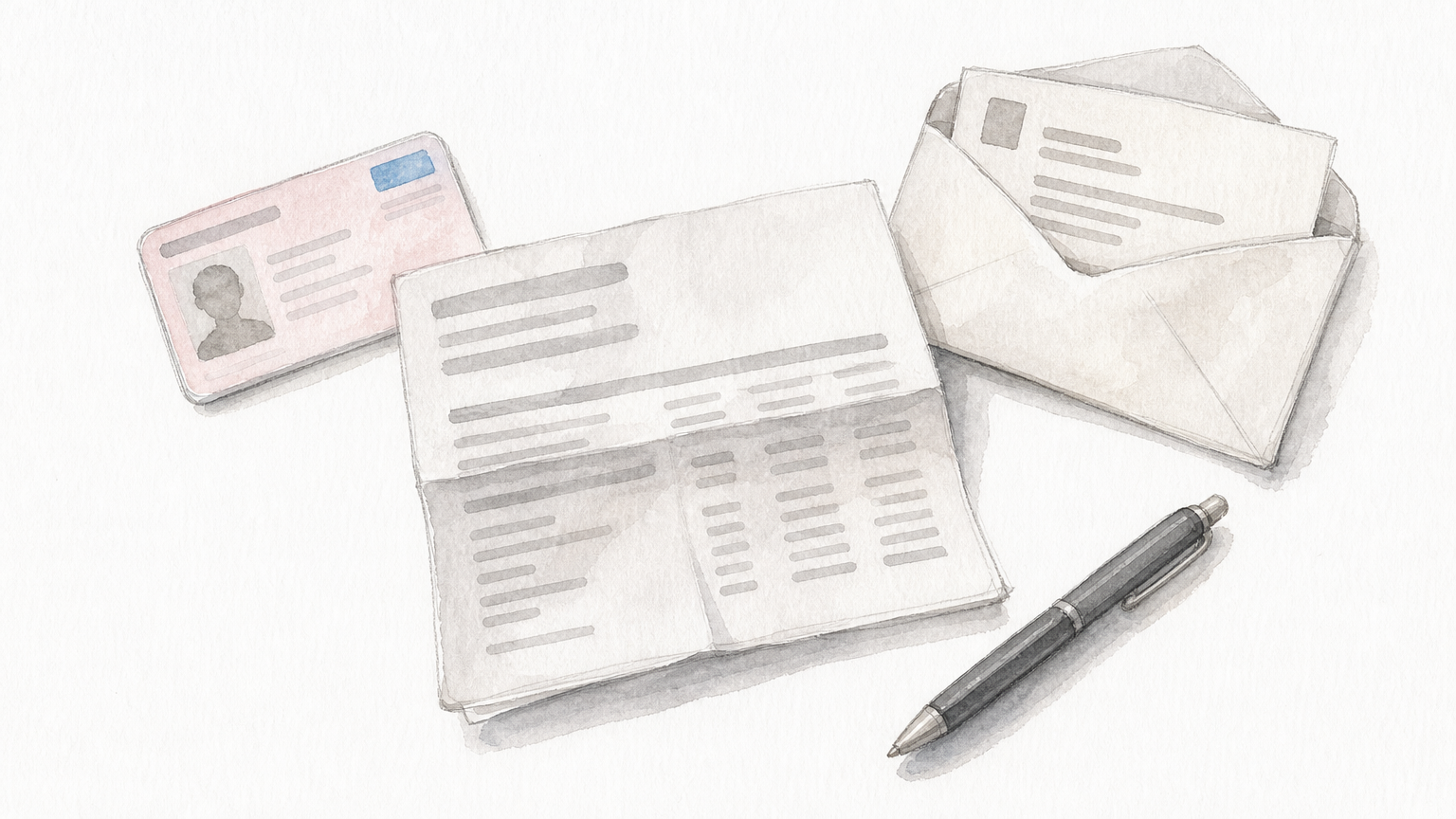
- Driving licence number: section 5 on the front of your photocard. It is 16 characters long.
- National Insurance number: on your payslip, your P60, letters from HMRC, or in your HMRC online account.
- Postcode: the postcode of the address printed in section 8 of the photocard, which is the address DVLA holds for you.
That last point matters. The service matches what you type against the DVLA record, not against where you live today. If you moved and never updated your licence, enter the old postcode. Then tell DVLA your new address, which is free on GOV.UK, so the next check goes smoothly.
Enter the postcode DVLA holds for your licence, which is not always the one you live at now.
Know which part of the number the other side needs
You use the full 16 characters to create the code. The person checking you only needs the last 8 characters of the number. The first five characters of a GB licence number come from your surname, so the end of the number reveals much less about you. This made-up number in DVLA's format shows the split.
| Full licence number (example) | Last 8 characters (shared) |
|---|---|
| MORGA657054SM9IJ | 054SM9IJ |
If you cannot find a detail
If you have lost your licence number, check old DVLA letters, a previous paper counterpart or your insurance documents, since insurers usually hold it. If none of those work, call the DVLA contact centre on 0300 083 0013 or apply for a replacement licence on GOV.UK. If you have no National Insurance number, the online form will not accept you, so ask the contact centre what they can offer instead.
Step 2. Generate your check code on GOV.UK
You generate the code on the official GOV.UK page at gov.uk/view-driving-licence. It takes a few minutes once your details are ready. Type the address yourself or reach it through GOV.UK, and make sure the web address ends in gov.uk. Any site that asks for a fee is not the DVLA.
The online route in order
Follow these steps on a phone or computer.
- Open GOV.UK's view or share your driving licence page.
- Select Start now.
- Enter your driving licence number, National Insurance number and postcode.
- Check that every character is correct, then continue.
- Look over the record on screen, including entitlements and penalty points.
- Choose the option to share your driving licence information.
- Copy the code, or download the summary so you have it saved.
- Note the time. The 21 days run from the moment you generate it.
GOV.UK also lets you get a code through your driver and vehicles account if you already use one. The code is the same either way.
Getting a code by phone
You can also ask the DVLA contact centre for help on 0300 083 0013. The line has been open Monday to Friday 8am to 7pm and Saturday 8am to 2pm. Check GOV.UK for current hours before you call. The phone route is the best fallback when the online form keeps rejecting your details or when you cannot use the internet. Have your licence in front of you.
Time the code to the request
Generate the code close to when the other side needs it. For a hire booking, do it a day or two before pick-up, not the week before. For an employer, do it when they ask. A code that expires on Tuesday is useless on Wednesday, and you will have to repeat the process with a fresh one.
Generate the code a day or two before you need it, because the 21 days start the moment you create it.
Step 3. Share the code with the right person
Send the code and the last 8 characters of your licence number to the organisation that asked, and to nobody else. Treat each code as meant for one recipient. If a second company asks, generate a new code rather than reusing the first.
What to send
The recipient needs two things only. Here is a message you can copy and adapt.
Hello [name],

Here are the details to check my driving licence on GOV.UK:

Check code: [code]
Last 8 characters of my licence number: [last 8 characters]

The code was generated on [date] and is valid for 21 days.
Please use it only for [car hire booking / employment check]
and let me know once you have completed the check.

Thanks,
[your name]
State the purpose and the date in the message. It gives the recipient a clear boundary and it reminds you when the code expires.
Keep your details safe
Never hand over more than the check needs. Nobody checking your licence needs your National Insurance number or your full licence number. Follow these rules.
- Send the code only after you have confirmed the request is genuine, using a phone number or email address you already trust.
- Do not post a code on social media or in a public forum.
- Do not forward an unrelated link that asks you to "verify" the code on another website.
- Keep the PDF summary private, because it shows your points and entitlements.
At the hire desk
If a hire company asks for a code on arrival, generate it on your phone while you wait. It works as long as your phone has a signal and your details to hand. Some companies run their own verification process in addition to the GOV.UK check, so follow the instructions in your booking confirmation. If they ask for something unusual, such as your National Insurance number by email, ask them to confirm the request in writing.
Share the code and the last 8 characters, and keep your National Insurance number to yourself.
Step 4. Check someone else's driving licence
To check someone else's licence, you need their permission, their check code and the last 8 characters of their licence number. Enter both on GOV.UK's check service at gov.uk/check-driving-information. Without the code, there is no lawful way in. The driver has to generate it.
What you need from the driver
Ask for both pieces in one message, so you do not chase them twice. This request works for an employer or a private lender.
Hello [name],

Before you drive [vehicle / company car], I need to check your
driving licence. Please generate a check code at
https://www.gov.uk/view-driving-licence and send me:

1. The check code
2. The last 8 characters of your licence number

The code lasts 21 days, so please send it today or tomorrow.
I will use it only to confirm your entitlements and penalty points.

Thanks,
[your name]
If you drive for a living or manage drivers, ask for a fresh code each time you run a check, rather than keeping old ones on file.
Enter the code and read the result
Go to GOV.UK's check service, enter the code and the last 8 characters, and read the record that appears. Work through these points in order.
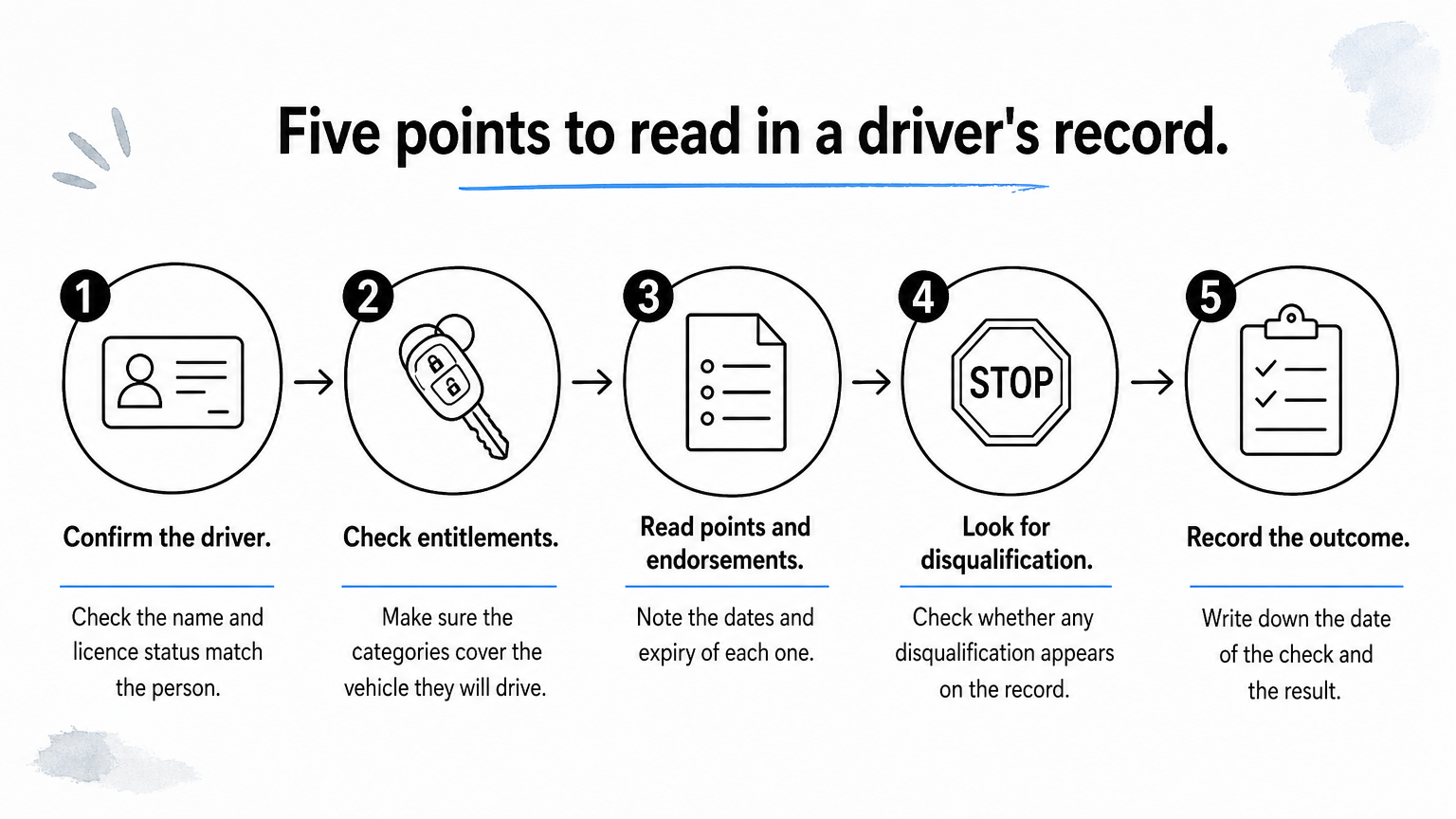
- Confirm the name and licence status match the person in front of you.
- Check that the entitlements cover the vehicle they will drive.
- Read the penalty points and endorsements, including dates and expiry.
- Look for any disqualification.
- Record the date of the check and the outcome.
This table shows what a result can mean in practice.
| What you see | What it means |
|---|---|
| Category missing | The driver is not entitled to drive that vehicle type |
| 12 or more points within three years | The driver can face disqualification under the totting up rules |
| 6 points within two years of passing | A new driver's licence is revoked at this point |
| Disqualification shown | The driver must not drive until it ends |
Your own policy decides how many points are acceptable for a role. The law only sets the limits in the table.
Permission and data protection
You may only look at a licence with the driver's permission. Third parties who access a driving record without authorisation can commit an offence under data protection law. Tell the driver why you need the check. Keep the result only as long as you have a reason to, and store it securely. If you run a fleet, write down how often you check and what happens when a record changes. A consistent policy protects you and treats drivers fairly.
No code means no check: the driver controls access, and you control what you do with the result.
Fixing errors and avoiding check code scams
Most failures come from mismatched details, and most scams involve a fee or a rush. The fixes below cover the problems people report most. The scam signs come after.
Common problems and fixes
| Problem | Likely cause | Fix |
|---|---|---|
| "Details not recognised" | Old postcode, or a typo in the licence number | Enter the postcode printed on the card, and check letter O against zero |
| National Insurance number rejected | Spaces or a wrong character | Retype it without spaces and check it against a payslip |
| Northern Ireland licence | The DVLA service does not cover Northern Ireland records | Use the Northern Ireland driver services instead |
| Recipient says the code is invalid | Expired, mistyped or already used | Generate a fresh code and resend it |
| Record looks wrong or shows revoked | Data error or a genuine action | Call the DVLA contact centre on 0300 083 0013 |
If the details keep failing, do not keep trying. Call the DVLA with your licence in hand and ask them to look at your record. The agent can see what the system sees.
How to spot a scam
Generating a check code is free, so anyone charging for it is not the DVLA. Watch for these signs.
- An email or text that says you must hand over a code urgently. The DVLA will not email you to ask for a check code.
- A website that asks for payment before it produces a code.
- A link that does not lead to GOV.UK.
- A person or company you do not know asking you for your code.
- Threats or deadlines meant to rush you.
If something feels off, close the page and start again from GOV.UK yourself. Report suspicious messages through the official GOV.UK channels, and do not reply to them.
When to call the DVLA
Call the DVLA when the online route fails twice, when your record shows something you do not recognise, or when you cannot use the internet. The number is 0300 083 0013. Have your licence number and the postcode on your record ready. Be specific about what you tried and what the screen said. A clear description gets you to the right department faster.
Generating a check code costs nothing, so a request for payment is a red flag.
Share your licence, then check the vehicle
A DVLA check code is a free, 21-day permission slip. Gather your licence number, National Insurance number and postcode, generate the code on GOV.UK, send it with the last 8 characters of your licence number, and generate a new one for each request. If you are the one checking, ask for the code, enter it on the check service and keep the result private.
The driver check covers the person only. If you are about to buy or hire a car, check the car as well. See what a full report covers in the Vehiclepedia sample report, then run a free registration check on the car you have your eye on.