How to Check a Vehicle by Number Plate Before You Buy
Step-by-step guide to check vehicle by number plate: run the free DVLA check, read MOT and recall data, and spot finance and write-off risks.
How to Check a Vehicle by Number Plate Before You Buy
To check a vehicle by number plate, type the registration into a UK vehicle checker and run the free search. It confirms the make, model, colour, tax, MOT history and recalls. Then compare those details with the car in front of you. If you're buying, add a paid check for finance, stolen and write-off records before you hand over any money.
The problem is that a plate on its own tells you nothing. Adverts contain mistakes, sellers can be vague, and a car with outstanding finance or an insurance write-off in its past looks the same on a driveway as a clean one. Many guides online also describe US-style lookups that need a state. UK plates don't work that way. They link to a national DVLA record, and you can check it in seconds.
This guide takes you through the process in four steps. You'll see what each stage shows, what it can't show, and how to read the results. The checks described here use the same data Vehiclepedia pulls from the DVLA, the DVSA and insurance databases.
Why a number plate is the right place to start
A number plate is the quickest way to identify a UK vehicle because every registration points to one DVLA record. That record is the base for every other check you can run.
What your number plate unlocks
Every UK registration number is tied to a record held by the DVLA. Vehiclepedia takes that data directly from the DVLA API, pulls MOT history from the DVSA, and refreshes its data nightly. Paid reports add other sources: finance and stolen data come through Experian, and write-off data comes from the MIAFTR insurance database.
The table shows what the free and premium checks cover.
| Information | Free check | Premium check (£6) |
|---|---|---|
| Make, model, year, colour, body type | Yes | Yes |
| Performance (0-60mph, fuel efficiency, top speed) | Yes | Yes |
| Tax and emissions | Yes | Yes |
| MOT history | Yes | Yes |
| Export check | Yes | Yes |
| Recall check | Yes | Yes |
| Stolen vehicle (police) check | No | Yes |
| Outstanding finance | No | Yes |
| Write-off check | No | Yes |
| Ownership history | No | Yes |
The premium report also covers plate changes, colour changes, scrapped status and technical details.
A plate is a key to official records, so what you learn depends on which records you open.
What a plate check cannot show
A plate check will not give you the owner's name or address. That is personal data, and a lookup tool has no right to it. You'll see how many owners a car has had, not who they were.
It also won't list every accident. The records capture vehicles that an insurer wrote off, not a scrape that never became a claim. Treat the check as a filter that catches serious problems early. It doesn't replace looking at the car.
Step 1. Get the registration exactly right
Copy the registration from the plate on the car, not from the advert. Spaces don't matter, but every character does, and a single wrong letter returns a different vehicle.
Read the plate on the car
Current-style UK plates run two letters, two digits and three letters, such as AB12 CDE. The two digits are an age identifier, which gives you a quick sense of the car's age to compare with the advert.
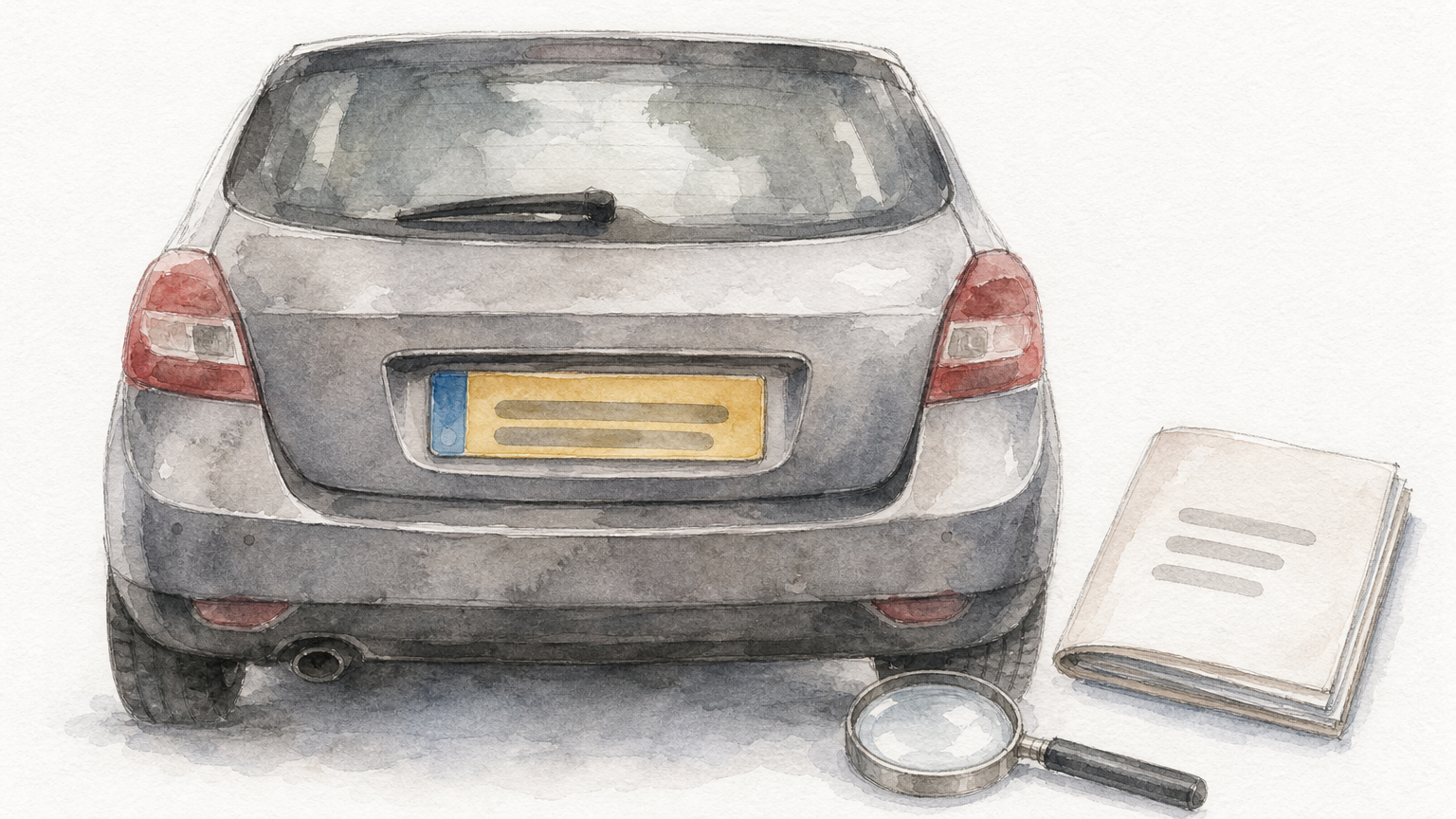
The usual mix-ups are 0 and O, 1 and I, 8 and B, and 5 and S. If the lookup returns a different colour or model from the one you're looking at, retype the plate before you draw any conclusions.
Compare it with the V5C
Ask the seller to show you the V5C registration certificate, often called the logbook. The registration on it must match the plate on the car. The V5C also lists the number of previous keepers.
Don't be alarmed if a plate isn't the car's original one, because private plates are common and legal. It does mean you should look closely at the plate-change history in Step 3.
Always take the plate from the car, never from the advert.
Step 2. Run the free check and read it
Enter the plate into the free check and compare the first results line by line with the car. Most problems show up here, because a mismatch is hard to explain away.
Compare the basics
Check each of these against what you can see:
- Make and model
- Colour
- Body type and number of doors
- Year of registration
- Fuel type
A wrong colour can be an unrecorded respray, which the premium report would show. A different model or body type can point to a cloned plate, where one car carries another's identity. If the basics don't match, walk away.
Read the MOT history for mileage and failures
Free MOT history shows each test, its result, the mileage and any advisories. Look for mileage that falls between tests and for repeated advisories that were never fixed. Here is an example of what a warning sign looks like:
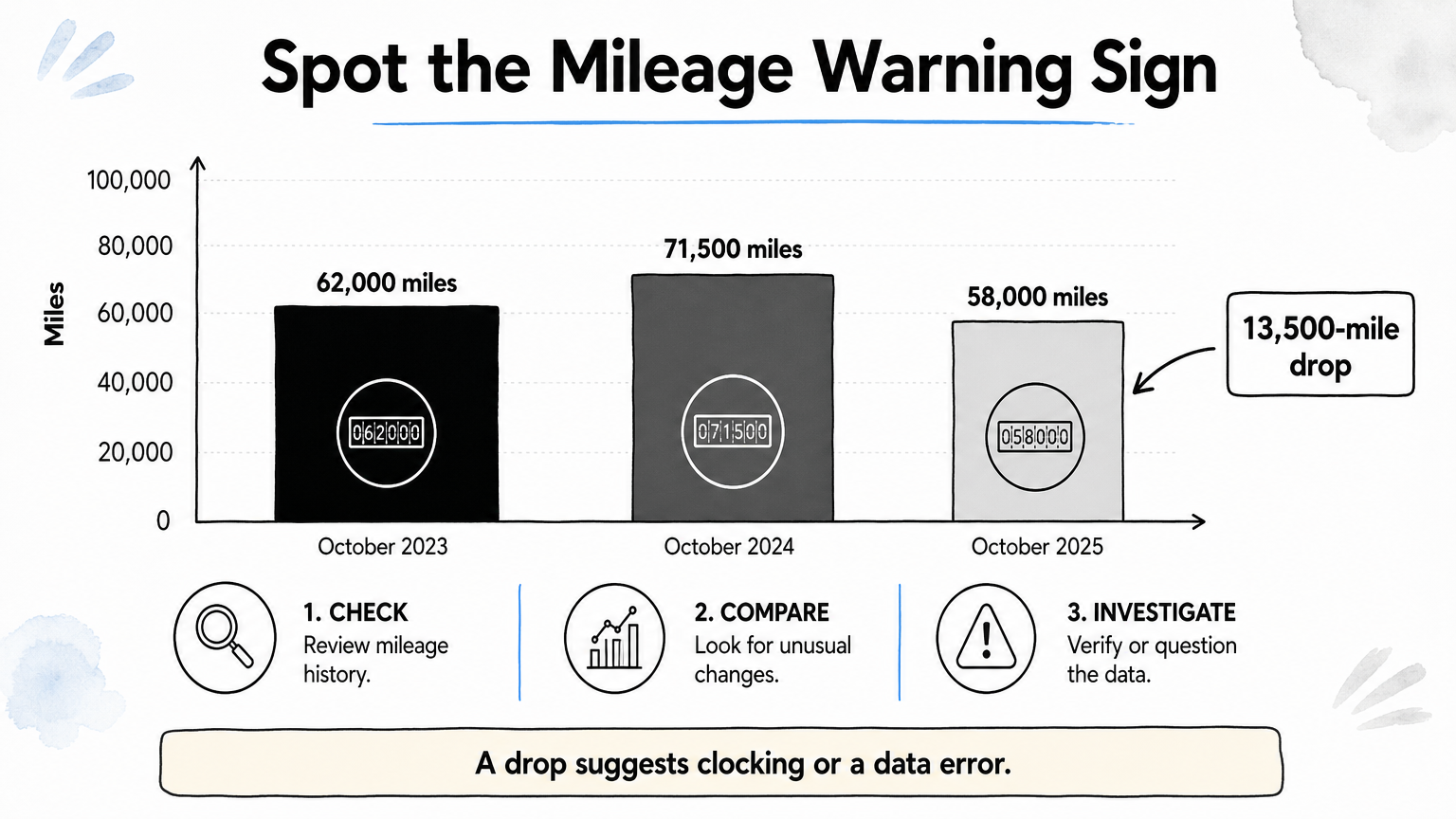
| Test date | Recorded mileage |
|---|---|
| October 2023 | 62,000 |
| October 2024 | 71,500 |
| October 2025 | 58,000 |
Mileage dropping by 13,500 miles in a year suggests clocking or a data error. Either way, you need an answer from the seller.
Check tax, emissions and recalls
Tax status tells you whether the car can legally be driven. Vehicle tax doesn't transfer to a new keeper, so you must tax the car yourself before you drive it away. The recall check uses DVLA and DVSA data going back to 1992. An open recall is usually fixed free by a franchised dealer, but you should know about it before you buy.
Mismatched basics or falling mileage are reasons to pause, not to negotiate.
Step 3. Run a premium check for hidden history
The free check shows what the car is. A premium check shows what has happened to it. It covers the three risks that can cost you the most: outstanding finance, a stolen record and a write-off.
Finance, stolen and write-off records
Outstanding finance data comes from a direct Experian Automotive feed. If a car has an unpaid loan, the lender can reclaim it, even from an innocent buyer. Stolen data comes from the Police National Computer via Experian.
The write-off check uses the MIAFTR insurance database. UK write-offs are graded:
- Category A: scrap only
- Category B: break only, with parts reusable
- Category S: structural damage, repairable
- Category N: non-structural damage, repairable
A Category S or N car can be legal to drive after repair. It is worth much less than a clean one, and you should know before you offer.
Is the £6 worth it?
At £6, the Premium Check costs less than 0.1% of a £7,000 car. It also adds ownership history, plate changes, colour changes, scrapped status and technical details. Premium reports for non-trade users carry a data guarantee of up to £30,000.
If you'd like to see the layout before paying, the sample report shows what a finished report looks like.
Six pounds against a £7,000 car is cheap insurance against finance, theft and write-off surprises.
Step 4. Check the car in person and decide
Use the report to guide your inspection, then decide with a clear rule. A clean report doesn't prove the car is sound, and an odd one doesn't always mean you should walk away.
Match the VIN and paperwork
Find the VIN on the car, usually at the base of the windscreen or on a plate in the door frame. Compare it with the V5C and with the VIN in the report. Any mismatch is a hard stop, because it can mean a cloned or rebuilt vehicle.
Check that the seller's details are consistent too. A seller who isn't the registered keeper on the V5C needs a good explanation.
Decide with a simple checklist
Use this list before you pay:
- The plate, VIN and V5C all match
- The basics in the report match the car
- MOT mileage rises steadily
- There is no outstanding finance, stolen marker or unexplained write-off
- The seller can explain every plate or colour change
If any item fails, ask the seller to explain it in writing or walk away. Plenty of other cars are for sale.
Never pay until the car, the logbook and the report all tell the same story.
Check first, then commit
Checking a vehicle by number plate takes minutes. Read the plate carefully, run the free check and compare it with the car, add a premium check for finance, stolen and write-off records, and finish with an in-person VIN and paperwork match. Each step catches a different kind of problem, and together they make the common used-car traps easy to spot.
If you're about to buy, see what a premium report contains and then run your own check before you commit.