How to Do a V5C Logbook Check Online
Learn how to run a V5C logbook check online with DVLA or Vehiclepedia, spot red flags and verify a used car before you buy.
How to Do a V5C Logbook Check Online
You're staring at a V5C logbook the seller handed you, and something feels off. Maybe the paper looks too new for a ten-year-old car, or the previous keeper section has been changed one too many times. Running a v5c logbook check online is the quickest way to confirm what you're looking at matches reality before any money changes hands.
You can verify a vehicle's registration certificate details in minutes using nothing more than the registration number. This tells you the logbook issue date, how many registered keepers the car has had, and whether the paperwork lines up with what the seller is telling you. It won't replace holding the physical document, but it flags mismatches fast, before you're stood on a driveway trying to work out if something's wrong.
This guide walks through exactly how to run that check, what each result actually means, and which red flags should make you walk away from a deal. We'll also cover where to pull official DVLA data from, so you're not relying on guesswork or a seller's word alone.
What a V5C check reveals and why it matters
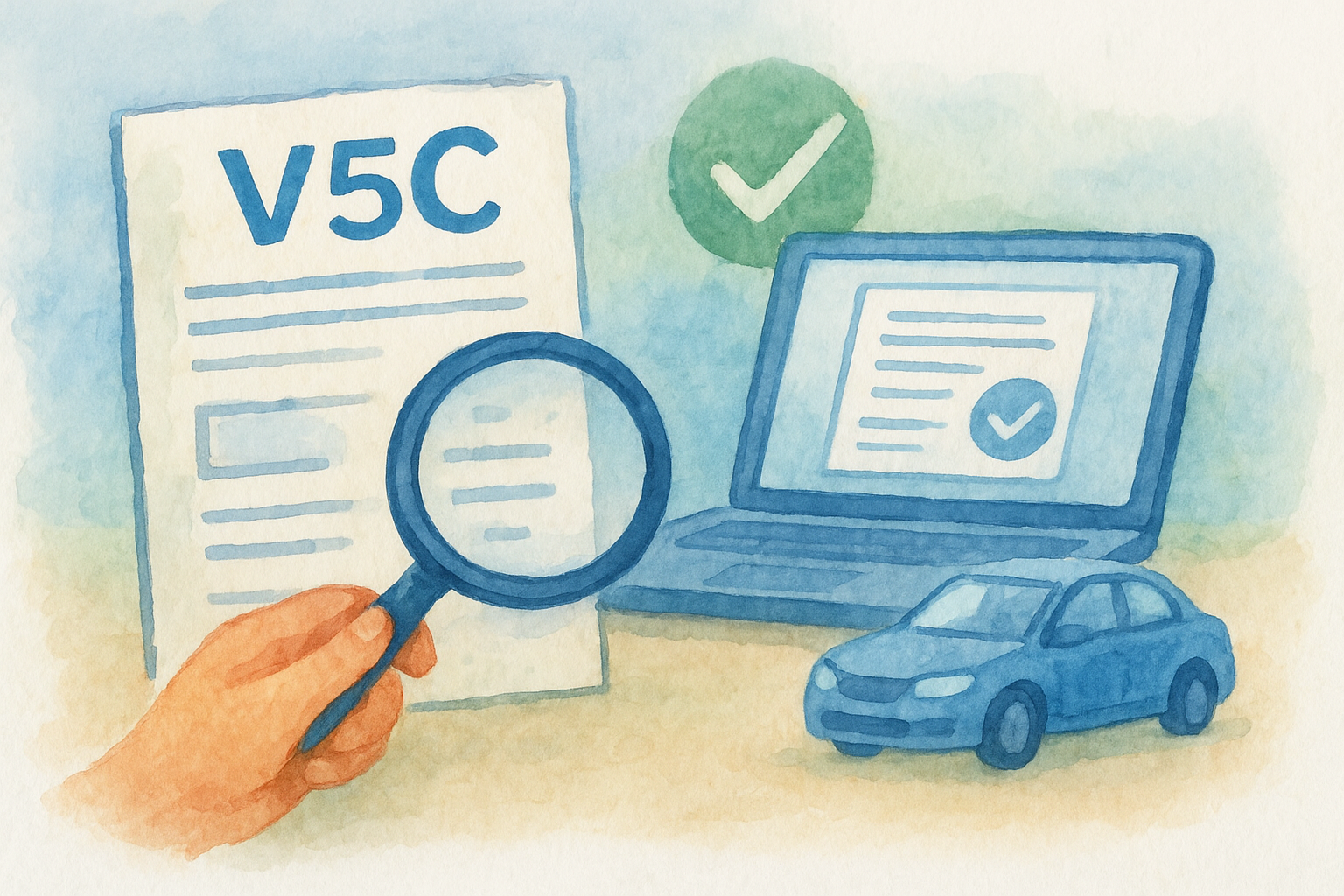
A V5C, or vehicle registration certificate, isn't just proof of ownership. It's a running record of the car's official history with the DVLA, and checking it online pulls that record straight from the source rather than trusting whatever's printed on paper. When you run a DVLA logbook check, you're comparing the government's live data against the document sitting in front of you, which is exactly where discrepancies show up first.
What the data actually tells you
A proper check surfaces several specific data points, not just a yes or no answer:
- Registration date and the current logbook issue date
- Number of registered keepers, including how recently the last change happened
- Vehicle make, model, colour, and engine size, so you can spot mismatches with the car in front of you
- Tax and MOT status, which often reveals gaps in usage or unexplained SORN periods
- Import or export markers, useful if the car has moved between the UK and another country
Why this matters before you buy
Sellers occasionally alter or reissue a logbook to hide a problem, like a recent keeper change linked to a quick flip, or a colour change that doesn't match the original registration. A vehicle history check run against DVLA records catches these inconsistencies because the database doesn't care what's printed on paper, it only reflects what's actually registered.
If the online record and the physical logbook don't match, trust the database, not the document.
This matters most on private sales, where there's no dealer warranty backing you up if something's wrong. Spending five minutes on a check now is far cheaper than discovering a keeper history that doesn't add up after you've already paid.
Step 1. Gather your vehicle's registration number and details
Before you run any check, grab the vehicle registration number off the number plate itself, not from a text message or a listing photo that could be outdated or doctored. Type it exactly as it appears, including the space between the two halves, since some tools are fussy about formatting and will throw an error over a missing character.
What to have on hand
Having a few extra details ready speeds up the comparison later and helps you spot mismatches the moment results appear.
- The registration plate as shown on the car
- The physical V5C document the seller has provided
- The car's make, model, and colour as advertised
- The seller's claimed number of previous keepers
Why accuracy matters here
Getting the registration wrong, even by one character, pulls up an entirely different vehicle's record, and you'll waste time chasing details that don't belong to the car you're viewing.
One mistyped character can pull up someone else's car entirely, so double-check the plate before you search.
Seeing the seller's actual logbook in hand also matters. Without it, you're checking a car you haven't confirmed exists in front of you.
Step 2. Run a free V5C check with the DVLA or Vehiclepedia
Head to the government's own vehicle enquiry service first if you want the raw DVLA logbook check straight from source. Enter the registration number, and you'll see tax status, MOT history, and basic vehicle details within seconds. It's free, official, and a good starting point, though it doesn't flag every red flag a buyer needs.
Alternatively, running a v5c logbook check online through Vehiclepedia pulls the same official DVLA data but presents it alongside extra context, like colour change history and import records, all in one free report. That combination saves you jumping between multiple sources mid-viewing.
Either way, follow the same process:
- Type the registration plate exactly as shown on the car
- Submit the check and wait for results to load
- Note the logbook issue date, keeper count, and vehicle specs shown
- Screenshot or write down the results before moving to the physical document
Run the free check before you touch the logbook, so you know what you're comparing against.
This step gives you an independent baseline before anything the seller shows you enters the picture.
Step 3. Compare the results against the physical logbook
Now put your online results next to the seller's paper V5C and check each field one by one. This is where a v5c logbook check online earns its keep, because any gap between what the DVLA shows and what's printed on the document tells you something the seller might not want to explain.
Fields to match line by line
Go through these in order, ticking off each as you confirm it:
- Registration number and VIN match exactly, no transposed digits
- Make, model, colour, and engine size align with both the document and the car itself
- Logbook issue date matches or postdates the last recorded keeper change online
- Number of previous keepers matches what the DVLA record shows
- Address section hasn't been altered or overwritten
A mismatched issue date is usually the first sign the logbook has been reissued for a reason worth asking about.
What a mismatch actually means
Sometimes there's an innocent explanation, like a recent DVLA update that hasn't synced with an older printed document. Other times it points to something the seller's hoping you won't notice. Either way, ask directly rather than assuming.
Step 4. Spot red flags and decide your next move
Once you've compared every field, weigh up what you found. Some discrepancies are minor admin lag, others are dealbreakers. Knowing which is which stops you either walking away from a good car or paying for a bad one.
Red flags worth walking away from
- Keeper count that jumps by more than one since the last logbook issue
- A logbook issue date within weeks of the sale, suggesting a rushed reissue
- Colour or engine changes with no explanation on the DVLA record
- Import markers the seller never mentioned
- Address details that look altered or don't match the seller's ID
Multiple mismatches together, not just one, are the real warning sign that something's being hidden.
When to push forward or pull out
A single date discrepancy might just mean the DVLA hasn't updated yet, so ask the seller for proof of the recent change. But if your v5c logbook check online turns up two or three of the flags above at once, treat that as a reason to negotiate hard or walk. No car is worth the risk of buying someone else's problem.
Buying with confidence
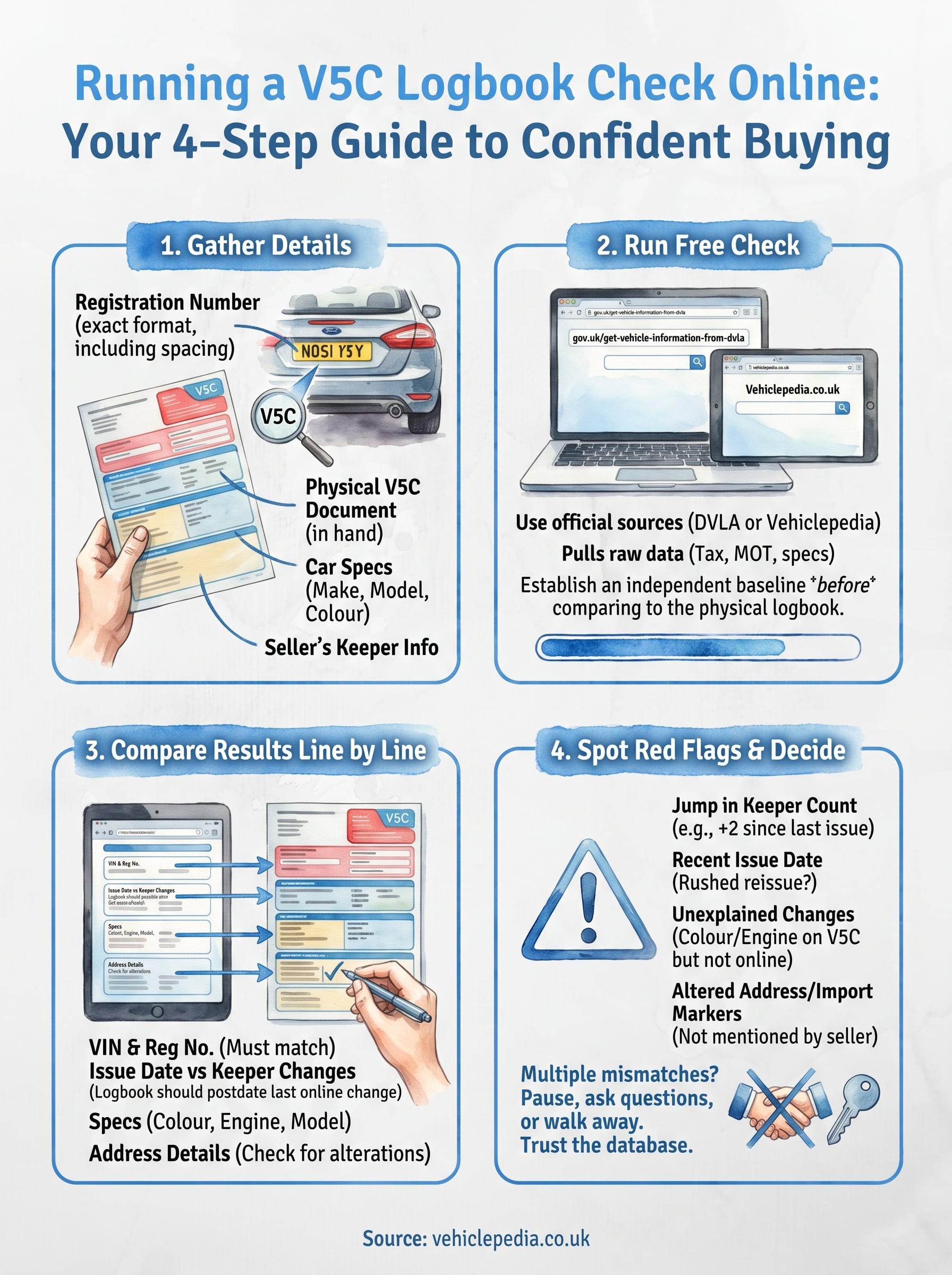
Running a v5c logbook check online takes five minutes, but it can save you from months of dealing with a car that's got a hidden problem baked into its paperwork. You've now got a clear process: gather the registration details, pull the free data, compare it line by line against the physical document, and treat repeated red flags as a reason to pause rather than press on.
Trust builds from checking, not from a seller's word or a logbook that looks convincing enough. Every mismatch you catch before payment is a problem you don't inherit after it. If you want to see exactly what a full vehicle history report looks like before you commit to one, browse a sample report first and judge for yourself whether the extra detail is worth it for your next purchase.