Car History Check DVLA: How To Check MOT, Tax & Finance (UK)
Run a car history check dvla to verify MOT, tax, and mileage. Learn how to spot hidden risks like outstanding finance and write-offs before you buy.

Car History Check DVLA: How To Check MOT, Tax & Finance (UK)
Every used car in the UK leaves a paper trail, MOT results, tax records, mileage readings, finance agreements, and more. The problem is that this information sits across multiple databases, and sellers aren't always upfront about what they know. Running a car history check DVLA lookup before you hand over any money is one of the simplest ways to spot red flags early and avoid a costly mistake.
The good news: much of this data is publicly accessible. You can check a vehicle's MOT history, tax status, and registration details for free through official government services. For deeper checks, like outstanding finance, stolen vehicle markers, and write-off records, you'll need a paid report from a provider like Vehiclepedia, which pulls data directly from the DVLA, UK police databases, and insurance registers.
This guide walks you through exactly how to run each check, what the results mean, and where free tools end and premium reports begin. Whether you're buying privately or from a dealer, you'll know precisely what to look for and how to verify a vehicle's full history before committing.
What a DVLA car history check covers
A car history check DVLA lookup pulls data from several official UK records, giving you a detailed picture of a vehicle's background before you commit to buying it. The DVLA database holds registration details, tax status, MOT records, and mileage history. Some of this data is freely available to the public; other parts require a paid report to access.
Not all history checks are equal. Free tools give you a solid starting point, but they won't reveal finance agreements, stolen vehicle flags, or write-off categories.
Free data from official sources
Two government services give you instant, no-cost access to core vehicle data. The GOV.UK vehicle enquiry service confirms whether a car is currently taxed and shows when the tax expires. The DVSA MOT history tool shows every MOT result dating back to 2005, including the mileage recorded at each test and any advisory notices or failure reasons. Together, these two tools cover the basics you need before even speaking to a seller.
| Data point | Source | Cost |
|---|---|---|
| Tax status and expiry | GOV.UK | Free |
| SORN status | GOV.UK | Free |
| MOT pass/fail history | DVSA | Free |
| Mileage readings per test | DVSA | Free |
| Vehicle make, model, colour | DVLA | Free |
What requires a paid check
Free tools stop short of the checks that matter most when real money is at stake. To find out whether a car has outstanding finance attached to it, carries a stolen vehicle marker from the UK police database, or has been written off and categorised by insurers, you need a premium report. These records sit in private databases that government services do not publish openly, so a provider with direct access to those sources is your only reliable option for a complete picture.
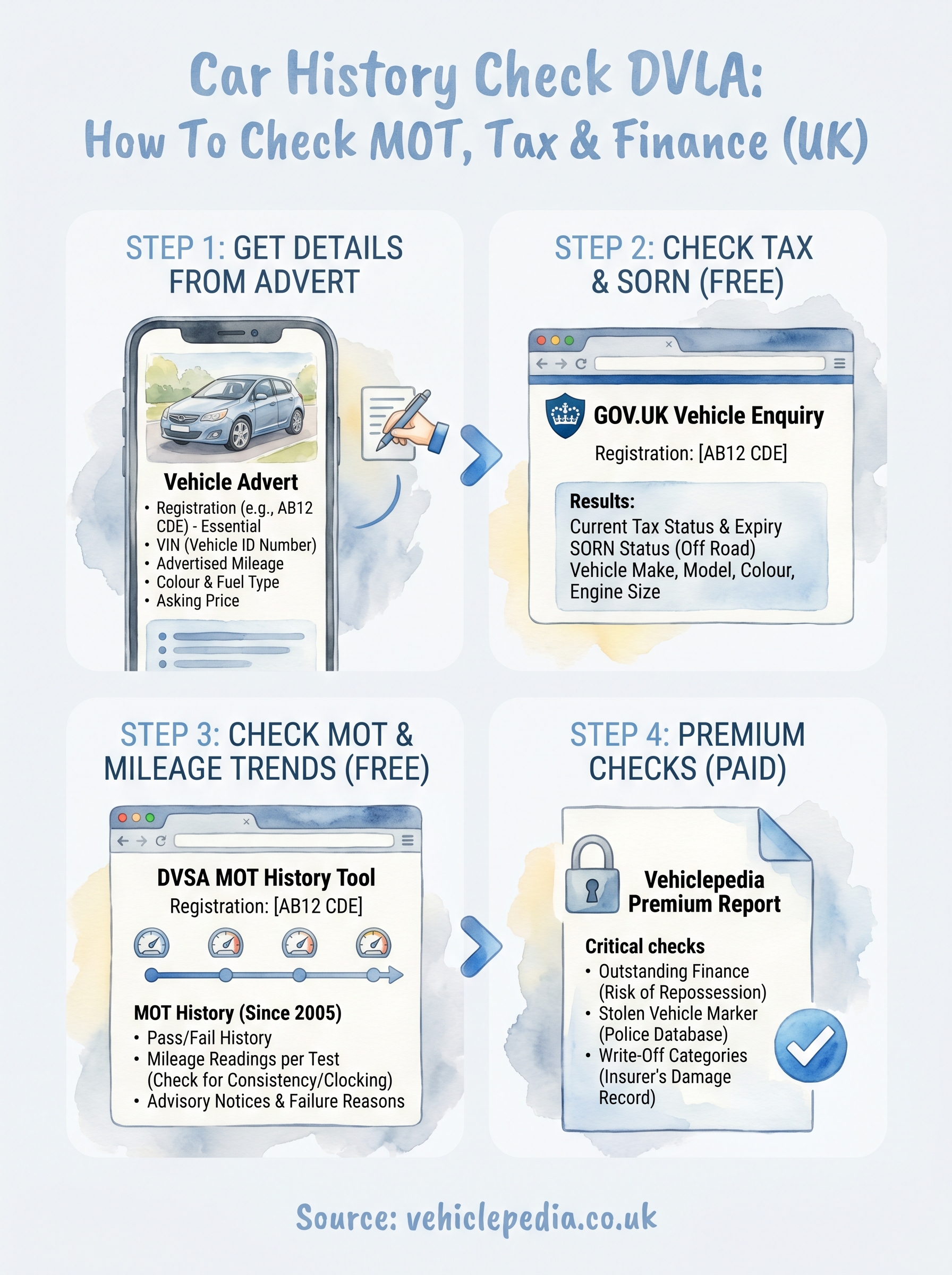
Step 1. Get the right details from the advert
Before you run any car history check DVLA lookup, you need at least one key piece of information: the vehicle registration number. Most private sale adverts and dealer listings include it, but some sellers leave it out intentionally. Ask for it directly if it's missing, and note the VIN (Vehicle Identification Number) too if the advert includes it, as this gives you a second layer of verification when you start cross-referencing records.
What to collect before you search
Pull these details from the advert before you open any check tool. Having them written down lets you compare what the seller claims against what official records actually show once the results come back.
- Registration plate (e.g. AB12 CDE): required for all free and paid checks
- VIN or chassis number: a 17-character code that confirms the vehicle's identity
- Advertised mileage: you'll compare this against MOT history readings in Step 3
- Colour and fuel type: verify these match the DVLA registration data
- Seller's asking price: useful context if a finance flag or write-off category appears
If a seller refuses to share the registration plate before a viewing, treat that as a warning sign worth noting.
Once you have these details to hand, you're ready to run your first official check.
Step 2. Check tax and SORN on GOV.UK
The GOV.UK vehicle enquiry service is your first official stop in any car history check DVLA process. Go to gov.uk/get-vehicle-information-from-dvla, enter the registration plate, and the results load in seconds. The page confirms the car's current tax status and expiry date, along with the make, model, colour, and engine size, all pulled directly from DVLA records at no cost.
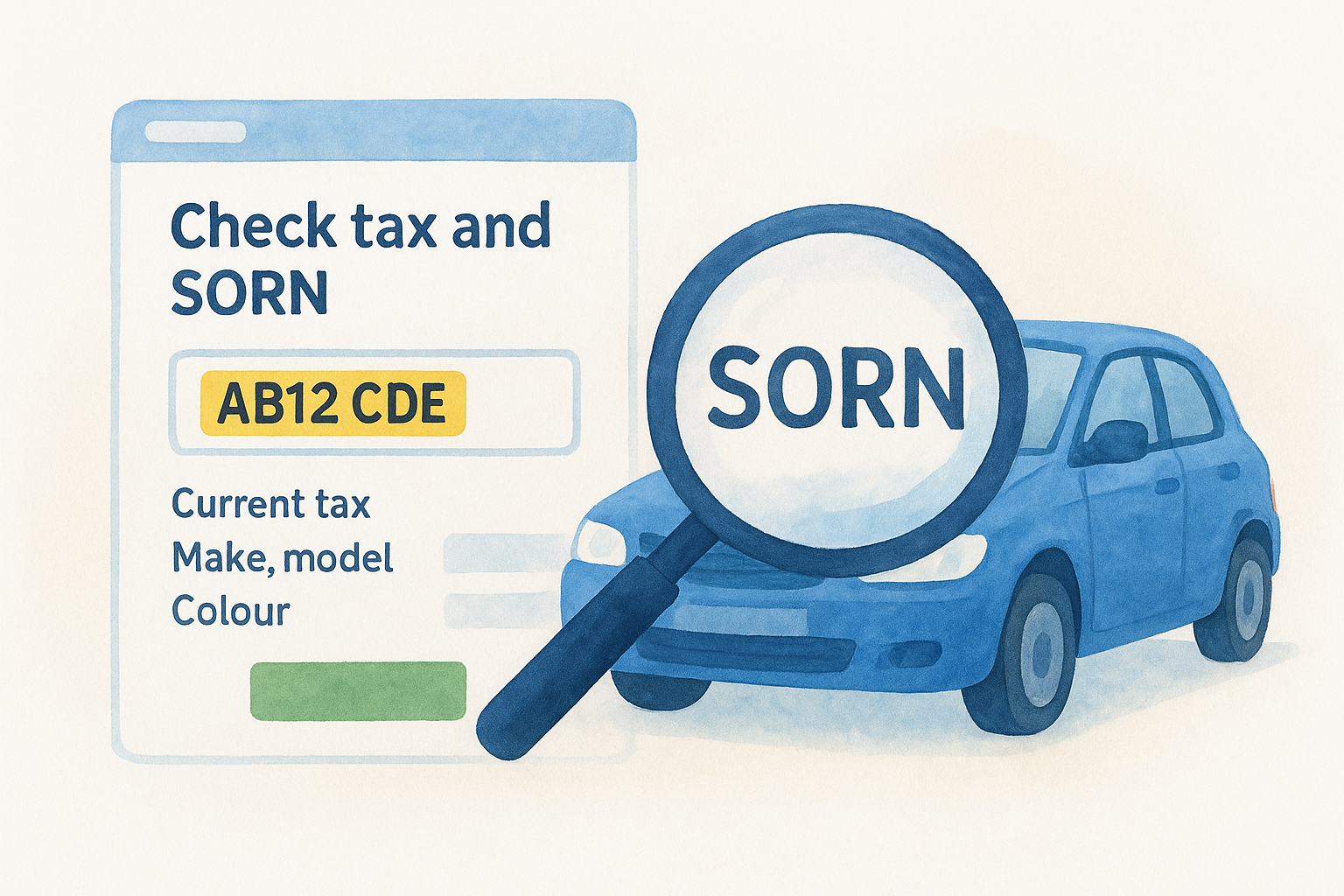
If the car shows as SORN (Statutory Off Road Notification), the seller cannot legally drive it on public roads until it is taxed again, and you should ask why it's been taken off the road.
What to check against the advert
Compare the make, model, and colour shown in the DVLA results against what the seller listed in the advert. A colour mismatch could indicate a respray that was never disclosed. Also verify that the engine size and vehicle age match the asking price, since sellers sometimes list incorrect specs to justify a higher figure.
| Result | What it means |
|---|---|
| Taxed | Legal to drive; note when it expires |
| SORN | Off road; must be taxed before use |
| No record found | Double-check the plate and investigate further |
Step 3. Check MOT history and mileage trends
Go to the DVSA MOT history tool, enter the registration plate, and you'll see every MOT result recorded since 2005. This is one of the most valuable steps in any car history check DVLA process, because the mileage recorded at each test builds a timeline you can compare directly against the advertised mileage in the seller's listing.
How to spot mileage discrepancies
Look at the mileage readings across each MOT year and confirm they increase consistently. If the numbers drop between tests or show an unusually flat line over several years, that is a strong sign of clocking (tampering with the odometer). For example, if a car shows 80,000 miles in 2021 and then 65,000 miles in 2022, the figures do not add up and the seller needs to explain that gap.
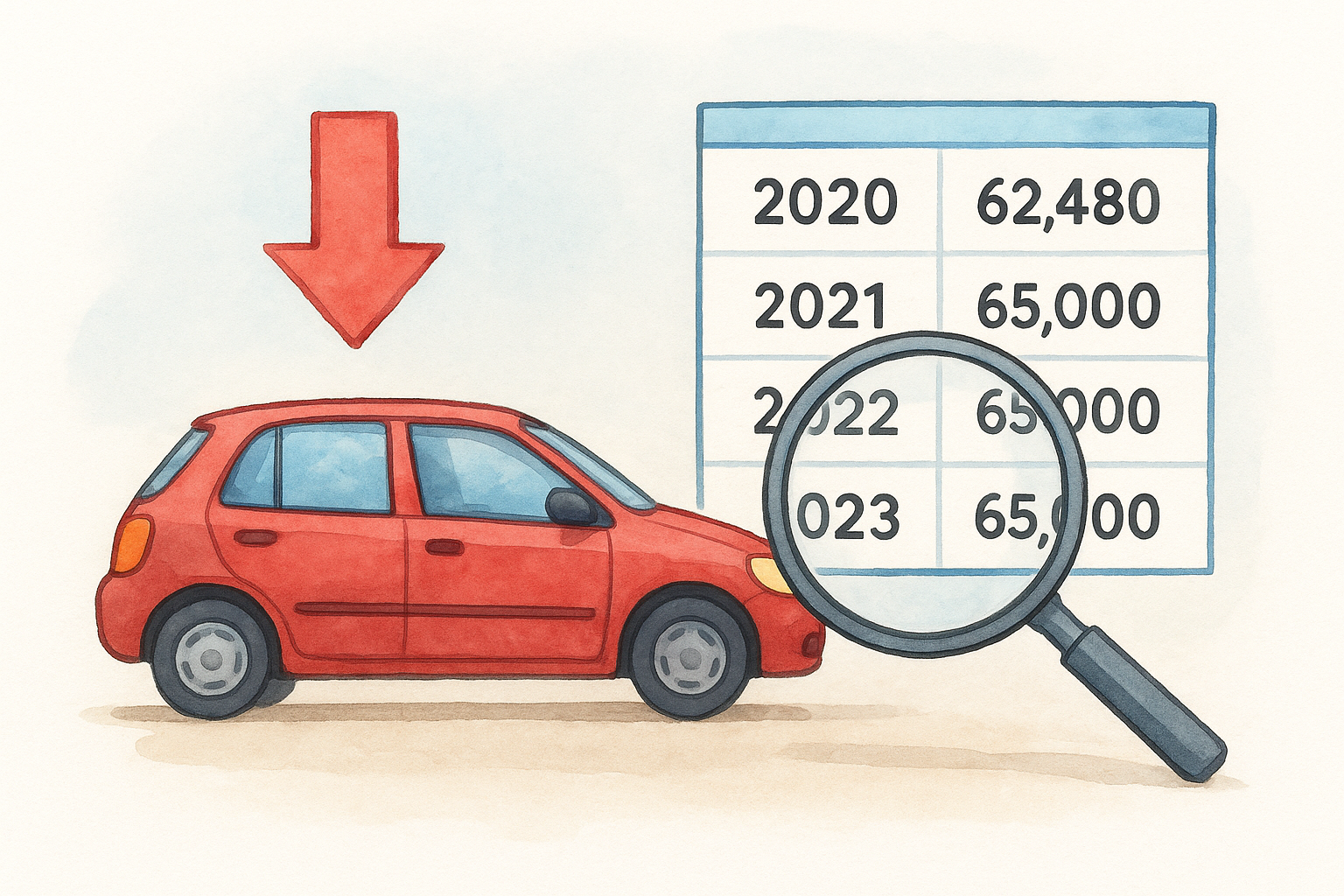
A single mileage drop between MOT tests is enough reason to walk away from a deal unless the seller can prove the discrepancy with documentation.
Reading failure reasons
Pay close attention to recurring failure items across multiple MOTs. Repeated brake or suspension failures suggest ongoing mechanical neglect rather than a one-off issue, which signals that the maintenance history has serious gaps worth investigating before you commit to buying.
Step 4. Check finance, theft and write-off status
Free government tools cannot tell you whether a car has outstanding finance, carries a stolen vehicle marker, or has been categorised as a write-off by an insurer. This is where a paid car history check DVLA report becomes essential. A premium check from Vehiclepedia searches private databases that official government services do not publish openly, giving you the full picture on three critical risk areas before you hand over any money.
Buying a car with outstanding finance means the lender can legally repossess it from you, even if you paid a fair price in good faith.
What each check reveals
A finance check confirms whether a lender holds a registered interest in the vehicle. A stolen vehicle search queries the UK police database for any active markers that could result in the car being seized after you buy it. A write-off check identifies the insurer's damage category, which tells you whether the car suffered structural damage or was simply uneconomical to repair, and directly affects what you should pay for it.
| Check | Risk if you skip it |
|---|---|
| Finance | Lender repossesses the car |
| Stolen vehicle | Police seizure with no refund |
| Write-off (Cat S/N) | Hidden structural or cosmetic damage |
Next steps before you buy
Running a complete car history check DVLA process takes less than 15 minutes, but it can save you thousands. Check tax and SORN status on GOV.UK, pull the MOT history to verify mileage trends, and run a premium report to confirm there's no finance, theft marker, or write-off category attached to the car.
Once your checks are clear, arrange a physical inspection with a qualified mechanic before signing anything. Ask the seller for a full service history and receipts for any recent repairs. If results show a mismatch between advertised details and official records, walk away without hesitation.
Before you commit to any purchase, take a look at a sample premium report to understand exactly what Vehiclepedia's full check covers. Then, when you're ready, run your own report with confidence, knowing every data point comes directly from trusted official UK sources.