Car Tax Status: How To Check If A Car Is Taxed In The UK
Learn how to check if a car is taxed for free using the official DVLA service. Verify tax status, MOT history, and avoid legal risks before buying a car.

Car Tax Status: How To Check If A Car Is Taxed In The UK
Driving an untaxed car on UK roads can land you a fine of up to £1,000, and that's before the DVLA clamps or impounds your vehicle. Whether you're buying a used car, checking your own vehicle's status, or just curious about a car parked on your street, knowing how to check if a car is taxed takes less than a minute when you know where to look.
The good news? You don't need to pay anyone or create an account. The DVLA offers a free online tool that lets you check any vehicle's tax status using just its registration number. But there's more to a vehicle's tax status than a simple "taxed" or "untaxed" label, things like SORN declarations, tax rate bands, and expiry dates all matter, especially if you're about to hand over money for a used car.
At Vehiclepedia, we help UK car buyers get the full picture on any vehicle through our free registration plate lookup. In this guide, we'll walk you through exactly how to check a car's tax status, what the results mean, and what else you should verify before making a purchase.
What car tax status means in the UK
When you check a vehicle's tax status in the UK, you're looking at Vehicle Excise Duty (VED), commonly called road tax. VED is a legal requirement for any vehicle used or kept on a public road, and the DVLA maintains a live register showing which vehicles are taxed, which are declared off-road, and which are simply untaxed. Understanding what each status actually means helps you act correctly, whether you're the registered owner, a prospective buyer, or running a quick check on a vehicle before committing to a purchase.
What Vehicle Excise Duty (VED) is
VED is the annual tax that vehicle owners must pay to legally drive on UK public roads. The amount you pay depends primarily on your vehicle's CO2 emissions, fuel type, and the date it was first registered. Cars registered after April 2017 follow a different rate structure than older vehicles, and electric cars have historically paid £0 per year, though that changed from April 2025. The DVLA collects VED and enforces compliance using ANPR cameras that automatically flag untaxed vehicles on public roads.
Your tax runs on a rolling monthly cycle, and you can pay it annually, every six months, or monthly by Direct Debit. Crucially, when a vehicle changes hands, the tax does not transfer to the new owner. The seller gets an automatic refund for any complete months remaining, and the buyer must tax the vehicle before driving it.
If you buy a car without taxing it first, driving it away is illegal, even if the previous owner's tax still shows as valid on the DVLA register.
SORN: what it means for buyers and owners
A Statutory Off Road Notification (SORN) is a formal declaration that a vehicle is off the road and kept on private land. Once a SORN is active, the vehicle cannot legally be driven or parked on a public road. Owners use SORN to avoid paying VED when a car is in storage, under restoration, or otherwise not being used.
For buyers, a SORN status is worth investigating before viewing the vehicle. It does not mean something is wrong with the car, but it does mean you must tax it before moving it on a public road. If the seller offers a test drive on public roads, they need to tax it first.
How tax bands affect running costs
VED rates vary significantly depending on the vehicle. The table below covers the main rate categories for cars registered after April 2017, based on current DVLA rates for 2025/26:
| CO2 emissions | Standard annual rate |
|---|---|
| Zero emissions (electric) | £195 |
| 1-50g/km | £10 |
| 51-75g/km | £30 |
| 76-90g/km | £135 |
| 151-170g/km | £615 |
| Over 255g/km | £2,745 |
Checking the tax band before you buy gives you a clearer picture of the vehicle's running costs beyond the purchase price. A car sitting in a high-emission band can cost you hundreds of pounds more per year in VED alone, which adds up quickly over multiple years of ownership.
Step 1. Check tax online with the DVLA
The fastest way to check if a car is taxed is through the DVLA's free Vehicle Enquiry Service, which runs 24 hours a day and requires no account, no payment, and no registration. All you need is the vehicle's registration plate number, and you'll have a result within seconds.
Where to find the DVLA vehicle enquiry service
The official service sits on gov.uk, and that is the only source you should use for this check. Some third-party sites replicate the process and charge for the result, but going directly to the government source means you're seeing live, accurate data pulled straight from the DVLA's own database.
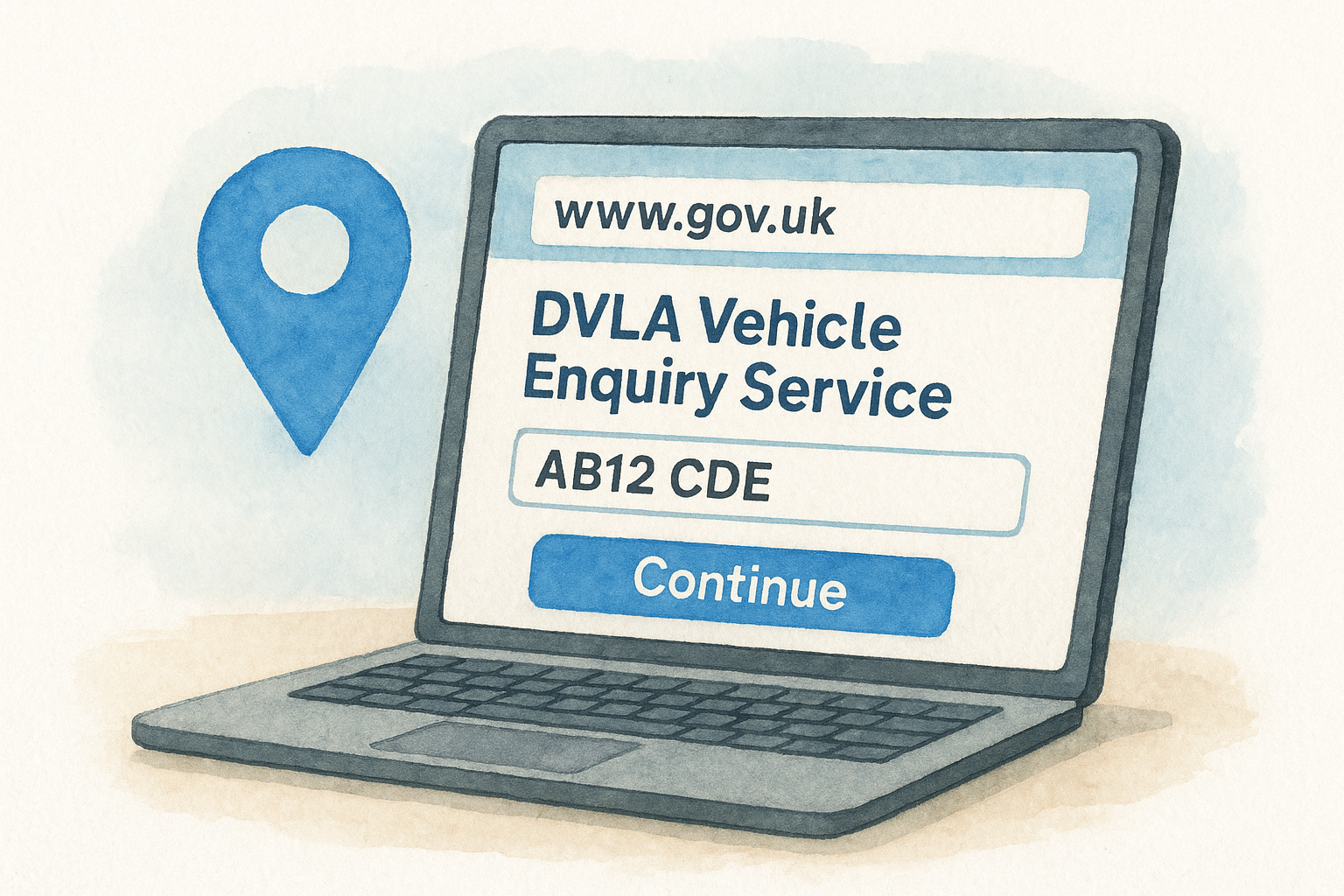
Here's the exact process to follow:
- Open your browser and navigate to gov.uk/check-vehicle-tax
- Type the vehicle registration number into the search field (for example: AB12 CDE)
- Click "Continue"
- Read the results page, which displays the current tax status, the expiry date, and the MOT status alongside it
Always use the official gov.uk address. Unofficial sites may charge you for information the DVLA provides at no cost.
What you need before you start
You only need one piece of information to complete this check: the vehicle's registration plate. You do not need the V5C logbook, the owner's name, or any login details. That makes it straightforward to run on any device, whether you're at home researching a car or standing in a seller's driveway before handing over cash.
If you're checking your own vehicle, the registration appears on both number plates and on your V5C document. For a car you're thinking about buying, use the registration shown on the plates or listed in the seller's advert. The DVLA service works identically regardless of ownership, so knowing how to check if a car is taxed takes the same effort whether it's your car or one you've never seen before.
Step 2. Read the result and spot red flags
Once you've run the check, the DVLA results page shows you more than a single yes or no. Knowing what each field means helps you make sense of the data quickly, and knowing which combinations signal a problem can save you from buying a vehicle that needs immediate attention.
What the DVLA result shows you
The results page displays several pieces of information about the vehicle at once. You'll see the current tax status, the date the tax expires, the MOT expiry date, the vehicle's make and colour, and its engine size. Each field on the page comes directly from DVLA records, which means the information reflects the current state of the vehicle on the official register.
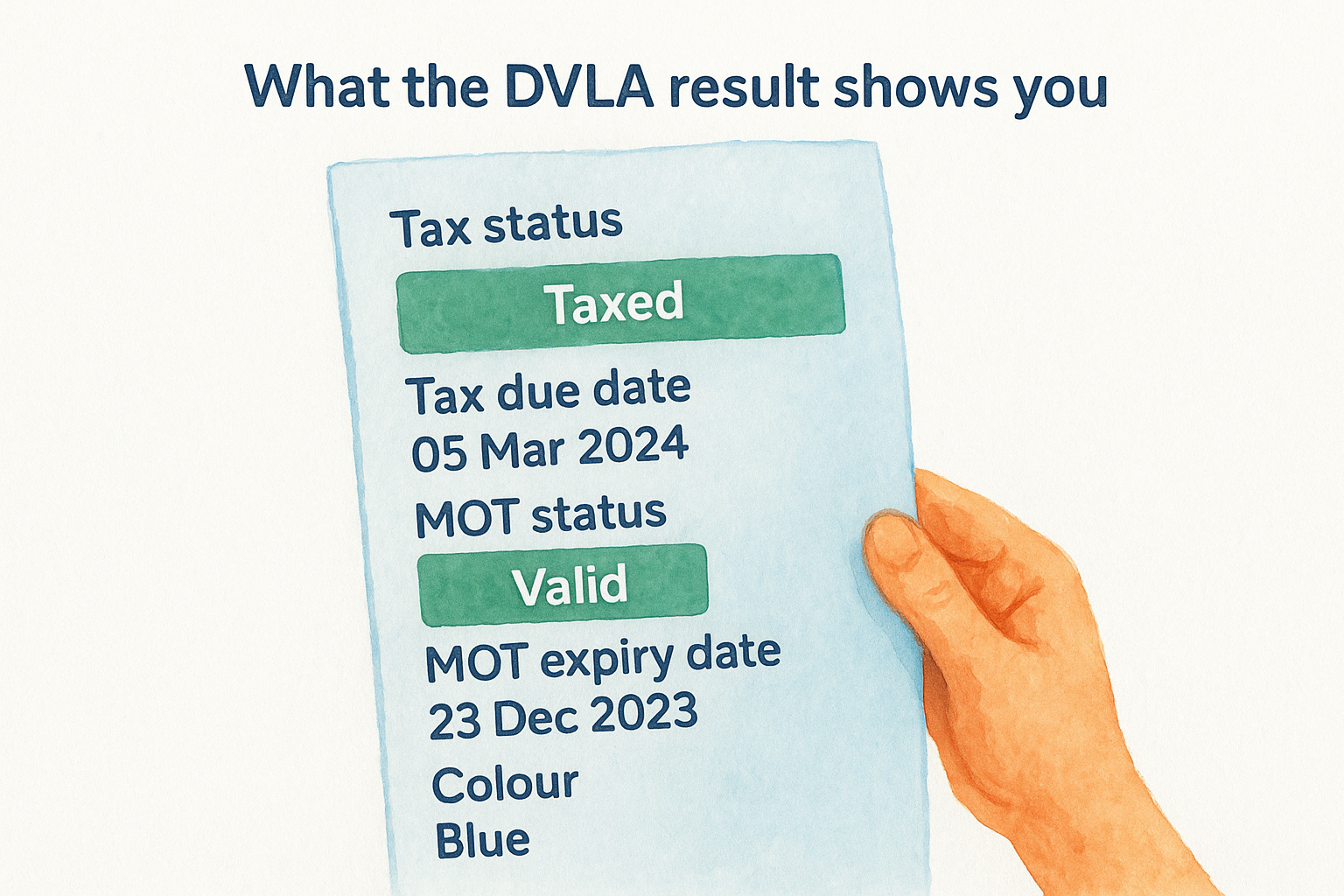
Here's what the key fields tell you:
| Field | What to look for |
|---|---|
| Tax status | "Taxed" or "Untaxed" - untaxed means the car cannot be legally driven on public roads |
| Tax due date | The expiry date - check how soon it runs out |
| MOT status | "Valid" or "No MOT" - no MOT means the vehicle is not roadworthy under UK law |
| MOT expiry date | Check the date - an MOT expiring very soon may flag recent issues |
| Colour | Cross-check this against the physical car to spot a potential colour change |
Red flags to watch out for
Some results point to a straightforward situation, while others warrant further investigation before you hand over any money. A vehicle showing "Untaxed" is not automatically a dealbreaker, but it does mean the seller should be ready to explain the gap and tax it before any public road test drive.
The following combinations are worth treating with extra caution:
- Untaxed and no valid MOT: the vehicle has likely been sitting unused for a period and may have hidden issues
- Tax or MOT that expired very recently: could mean the owner stopped maintaining the car
- Colour on the register that doesn't match the car: this may indicate the vehicle has been resprayed, which is sometimes done to conceal damage or a stolen identity
Knowing how to check if a car is taxed is the starting point, but pairing the tax result with the MOT status gives you a much clearer picture of the vehicle's recent history.
Step 3. Fix an untaxed vehicle the right way
Finding that a vehicle is untaxed does not always mean walking away. If the car is yours, or you've just bought one, sorting the tax is straightforward and takes a few minutes online. What matters is that you act before driving the vehicle on any public road, because enforcement cameras operate continuously and penalties arrive quickly.
How to tax your vehicle online
The DVLA's online vehicle tax service at gov.uk/vehicle-tax handles the entire process without a phone call or a Post Office visit. You'll need a few documents ready before you start, and having them on hand prevents the process from stalling halfway through.
Here's what you need to gather first:
- V5C logbook (the 11-digit reference number from the V5C, or the 12-digit number from a new keeper slip if you've just bought the vehicle)
- A valid MOT certificate (the DVLA checks this automatically, but the MOT must be in place before you can tax the vehicle)
- Payment details: debit or credit card, or Direct Debit information if you want to pay monthly
Once you have those ready, follow these steps:
- Go to gov.uk/vehicle-tax
- Enter your V5C reference number when prompted
- Confirm the vehicle details shown on screen
- Choose your payment period: 6 months or 12 months (or monthly by Direct Debit)
- Complete payment - your tax activates immediately on confirmation
You cannot tax a vehicle that has no valid MOT. Sort the MOT first, then return to the tax process.
What to do if you've just bought an untaxed car
When you buy a used car, the previous owner's tax does not transfer to you. This applies even if the DVLA register still shows a valid tax date at the moment of sale. You must tax the vehicle in your name before you move it on a public road, which is another reason knowing how to check if a car is taxed matters before you complete any purchase.
Use the new keeper slip (green section of the V5C) given to you by the seller. The 12-digit reference number on that slip is what you need for the gov.uk/vehicle-tax service. Tax the vehicle immediately after purchase, before you drive it anywhere.
Extra checks when buying or selling a used car
Tax status is just one part of the picture when money is changing hands on a used vehicle. Knowing how to check if a car is taxed gets you started, but a thorough check covers MOT history, outstanding finance, and whether the vehicle matches its paperwork. Spending ten minutes on these checks before you commit protects you from problems that are far more expensive to fix after the sale.
Check the MOT history alongside the tax status
The DVLA result you saw in Step 2 shows the MOT expiry date, but it does not show the full MOT history. For that, use the official government MOT history checker at gov.uk/check-mot-history. Enter the registration number and you'll see every recorded MOT test, including the date, the mileage at the time, and any failures or advisories.
Look for these patterns in the history:
- Mileage that drops between tests: this is a sign the odometer may have been tampered with
- Repeated failures on the same component: worn brakes or suspension issues appearing multiple times suggest ongoing neglect
- A long gap with no tests: the vehicle may have been declared SORN or sitting unroadworthy
A clean tax status combined with a patchy MOT history is a common pattern in vehicles that have been quickly tidied up for sale.
Verify the vehicle details match the V5C
Before you hand over payment, compare the V5C logbook against the physical car and the DVLA result you retrieved earlier. The make, colour, and engine size shown on the DVLA register should match what you see in front of you and what the V5C states. Any discrepancy is worth questioning directly with the seller.
Sellers are also required to disclose any outstanding finance on the vehicle. If the car has finance attached to it, the finance company holds an interest in the vehicle and the debt follows the car, not the seller. A full vehicle history check through Vehiclepedia's premium report covers finance checks, DVLA data, and stolen vehicle records in one place, giving you everything you need before signing anything.
A quick wrap-up
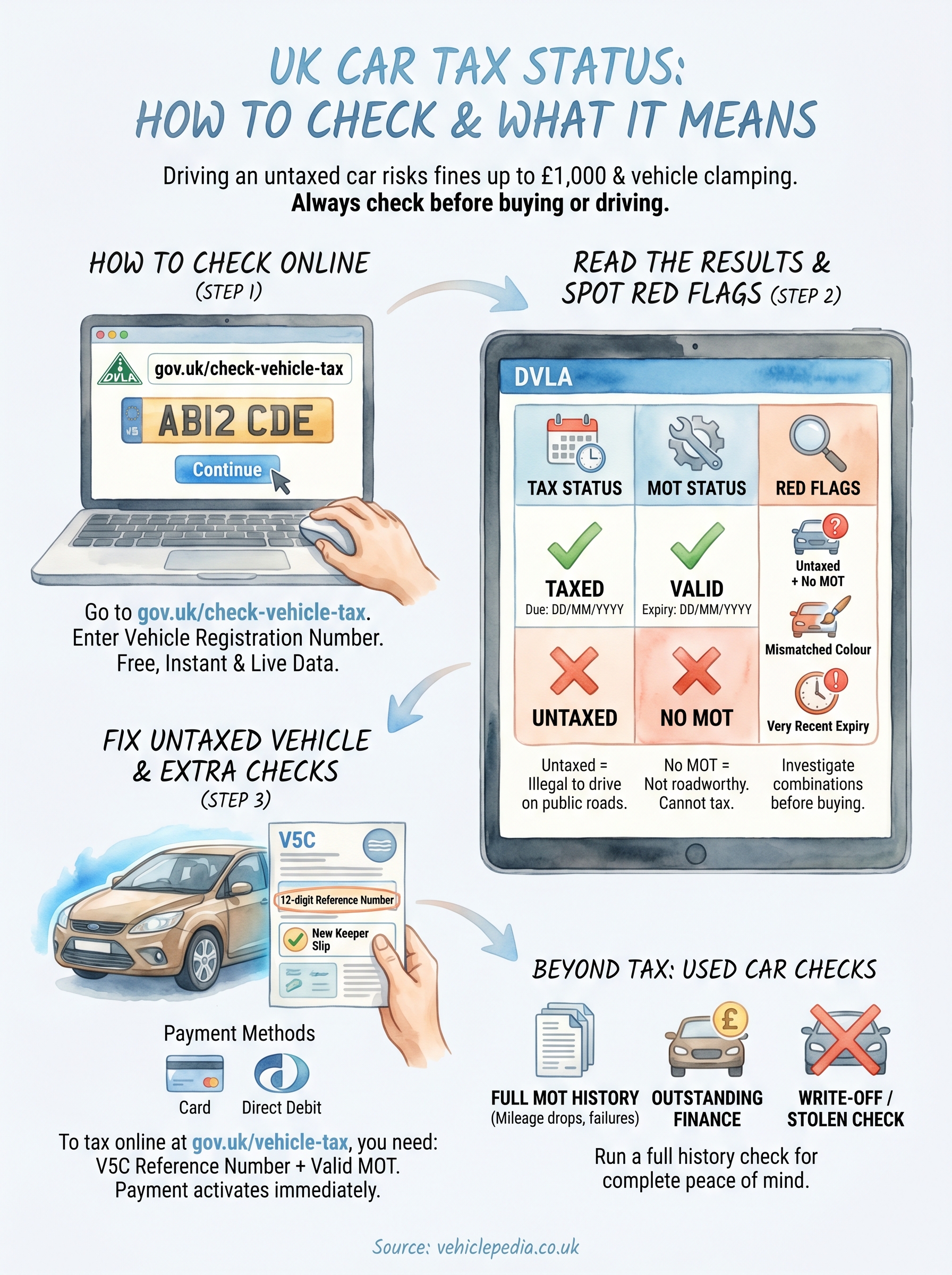
Knowing how to check if a car is taxed takes under a minute using the DVLA's free Vehicle Enquiry Service at gov.uk. Enter the registration, read the result, and check the expiry date alongside the MOT status. If the vehicle is untaxed, you can sort it immediately through gov.uk/vehicle-tax using your V5C reference number, as long as a valid MOT is already in place.
Tax status alone does not tell the whole story on a used car. Outstanding finance, written-off status, and stolen vehicle records stay invisible in a basic DVLA check, and any one of those issues can turn a good-looking deal into a serious financial problem. Before you hand over any money, run a full vehicle history check to cover every angle. View a sample premium report to see exactly what Vehiclepedia checks before you commit to a purchase.