Car Tax Check: How to See Your Road Tax Cost by Reg
Run a car tax check for free by reg on Vehiclepedia to see tax status, expiry date and cost—no login needed, results load instantly from DVLA data.

Car Tax Check: How to See Your Road Tax Cost by Reg
Buying a used car and not knowing what it'll cost you in road tax is asking for a nasty surprise. Rates vary wildly depending on the vehicle's age, fuel type, and CO2 emissions, so the number the seller quotes isn't always the one you'll actually pay. Running a car tax check for free before you commit gives you the real figure, straight from official records, in under a minute.
All you need is the registration number. A proper car tax checker with reg pulls current tax status, expiry date, and cost directly from DVLA data, so you can see whether the vehicle is taxed, SORN, or overdue, and what it'll cost to keep on the road going forward. No guesswork, no relying on what's printed on an old V5C.
In this guide, we'll walk you through exactly how to check road tax cost by registration, what the results actually mean, and how to spot warning signs like a lapsed tax status that could point to bigger problems. We'll also show you how this fits into a wider vehicle history check, so you're not just looking at tax, but the full picture before you hand over any money.
What you'll need before you check your car tax
You don't need paperwork, a login, or a credit card to run a car tax check for free. The whole process takes seconds once you've got the right details in front of you, and most of what you need is either on the vehicle itself or in your memory if you've seen the car in person.
The registration number
This is the only essential piece of information. The road tax cost checker by reg works entirely off the number plate, so make sure you've got it copied down accurately, including any spaces. Number plates follow a standard format (two letters, two numbers, a space, then three letters), and a single mistyped character will pull up the wrong vehicle or return no result at all. If you're checking a car you're about to view, photograph the plate before you leave so you're not relying on memory later.
Get the registration number right and everything else in the check follows automatically.
A device with internet access
You'll need a phone, tablet, or laptop with a browser. There's no app to download and no software to install. If you're standing in a driveway looking at a potential purchase, your phone is all you need to run the check on the spot before you agree to anything.
A few minutes and an open mind
Give yourself a moment to actually read the results rather than skimming past them. A tax check can throw up more than just a cost figure, it can hint at gaps in the vehicle's history too. Here's a quick checklist of what to have ready:
- The full registration number, copied or photographed accurately
- A phone or computer with internet access
- Two minutes of uninterrupted time to review the results properly
- The seller's asking price, so you can compare it against what you find
Why the seller's word isn't enough
Sellers sometimes quote outdated tax figures, especially on older listings that haven't been refreshed in months. Rates change, vehicles get reclassified, and a car that was cheap to tax last year might not be this year. Running your own check car tax price by registration number search takes the guesswork out completely and gives you a figure straight from DVLA records rather than whatever's written on the listing.
Step 1. Enter your registration number
Head to Vehiclepedia's free car check tool and you'll see a single search box waiting for a registration number. Type it in exactly as it appears on the number plate, spaces and all, then hit search. That's the entire input stage. No account creation, no email address, no captcha puzzles standing between you and the result.
Getting the format right
UK plates follow a set pattern, and getting it wrong is the most common reason a search fails. Current-style plates (issued since September 2001) run as two letters, two numbers, a space, then three letters, for example AB12 CDE. Older plates use different formats, but the tool recognises them too. Before you search, run through this quick check:
- Confirm there's no mix-up between the letter O and the number 0
- Double-check the letter I against the number 1
- Make sure you've included the space in the right place
- Compare the plate to the V5C or the photo you took, not just memory
A single mistyped character on the plate returns the wrong car entirely, not an error message.
What happens after you submit
Once you press search, the road tax cost checker by reg queries DVLA records in real time and pulls back the vehicle's current data. There's no waiting page, no email to check later. Results load straight onto the screen, showing the make, model, and year first, followed by the tax and MOT details you're actually there for. From here, the next step is reading what those results mean for the vehicle you're considering.
Step 2. Check the tax status and expiry date
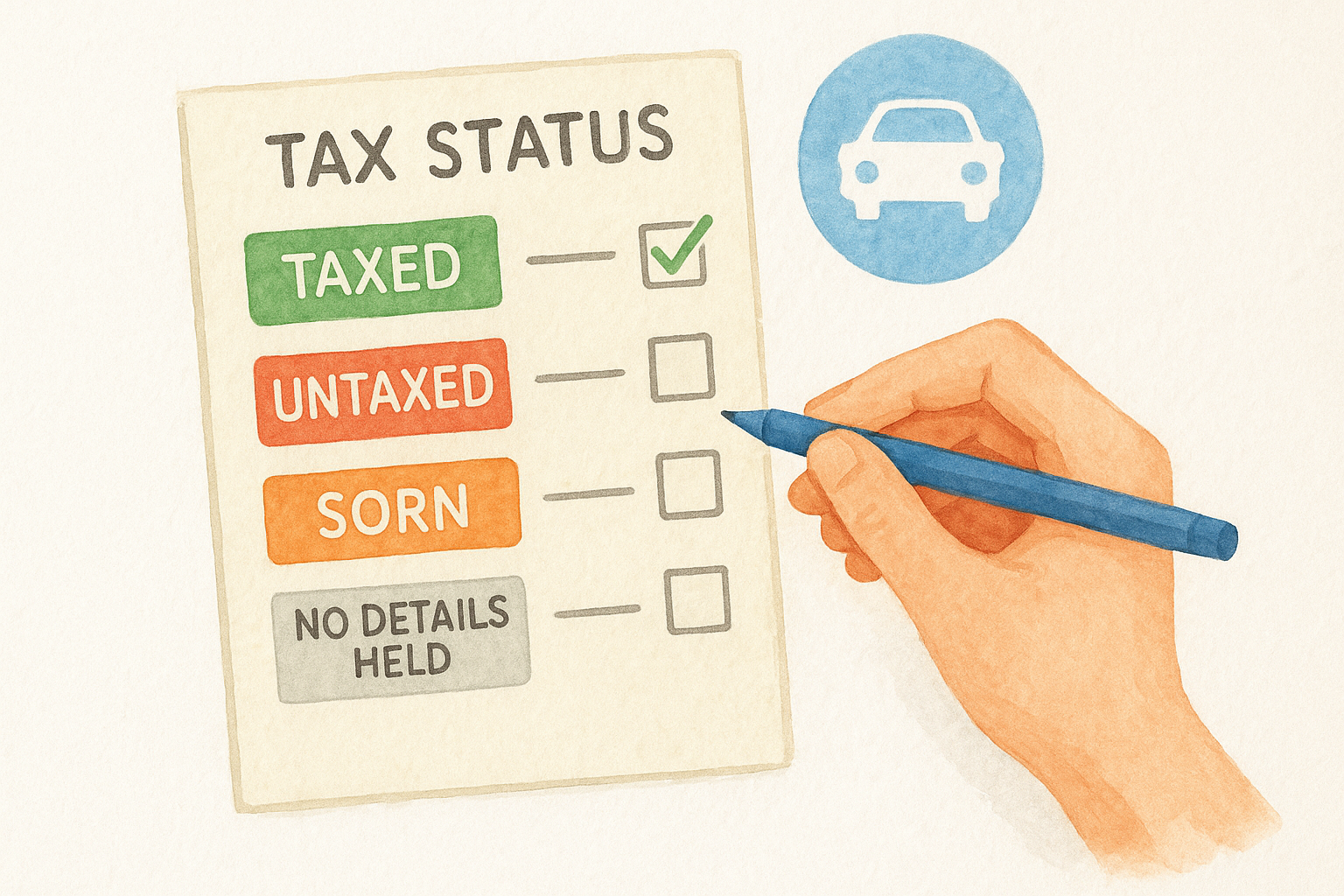
Once the results load, look for the tax status field first. This is where a car tax check for free earns its keep, because it tells you instantly whether the vehicle is legally allowed on the road right now. You'll see one of a handful of statuses, and each one means something different for a buyer.
Reading the status correctly
Here's what each result actually means in practice:
| Status shown | What it means | What to do next |
|---|---|---|
| Taxed | Vehicle is currently taxed and legal to drive | Note the expiry date and move on |
| SORN | Statutory Off Road Notification, not taxed or insured | Ask why, and confirm it hasn't been driven |
| Untaxed | Tax has lapsed and hasn't been renewed | Factor this into negotiations immediately |
| No details held | Rare, usually a data mismatch | Re-check the registration for typos |
An untaxed vehicle isn't just an admin gap, it's a legal red flag the seller needs to explain.
Why the expiry date matters
Next to the status, you'll see an expiry date. This tells you exactly when the current tax runs out, which matters if you're buying the car and won't be driving it away the same day. If the expiry date is days away, you'll need to tax it yourself before you can legally use it, and that cost should factor into your final offer. Vehicles showing SORN or untaxed status deserve extra scrutiny too, since a gap in tax history sometimes lines up with a gap in usage, storage, or even ownership that's worth asking the seller about directly before you go any further.
Step 3. See the road tax cost for the vehicle
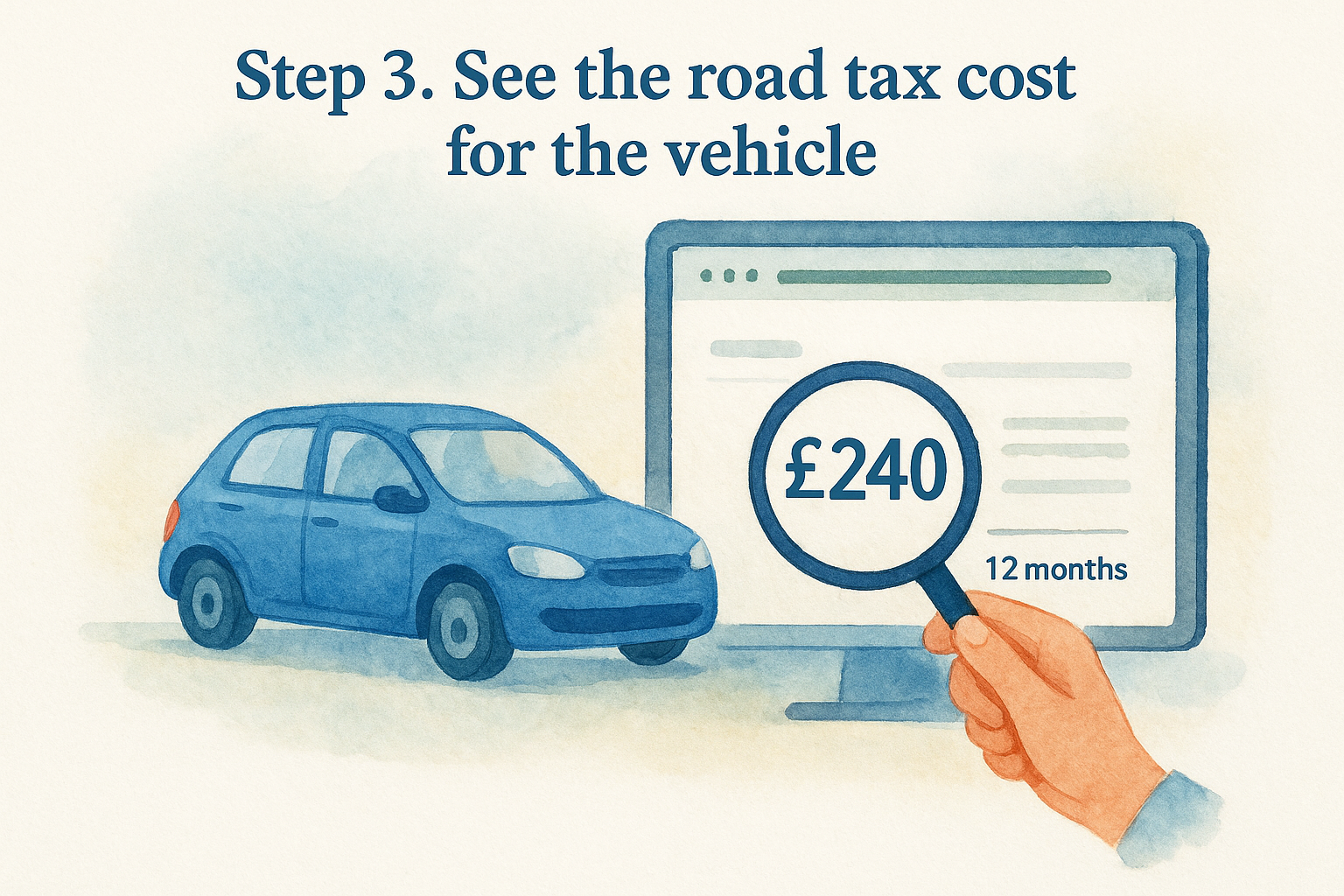
Below the status and expiry date sits the figure most buyers are actually there for: the road tax cost. This is the amount you'll pay to keep the vehicle taxed going forward, shown as both an annual figure and a six-monthly option. Unlike the seller's asking price, this number comes straight from DVLA rates, so it reflects what you'll genuinely be charged rather than an estimate copied from an old listing.
What determines the figure
Several factors combine to set the cost, and the tool has already worked them out for you based on the registration:
- Registration date, since pre-2017 and post-2017 rules use different bands
- Fuel type, with petrol, diesel, hybrid, and electric all taxed differently
- CO2 emissions, which drive the first-year rate on newer cars
- List price when new, triggering a premium supplement above £40,000
The road tax figure isn't guesswork, it's the exact rate DVLA applies to that specific vehicle.
Annual versus six-monthly payments
Most results display both payment options side by side. Paying annually usually works out cheaper overall, while six-monthly payments cost slightly more but spread the outlay. If you're checking this vehicle before agreeing a price, factor the annual figure into your running-cost comparison against other cars you're considering, not just the purchase price on the listing.
Comparing against the seller's claim
Sellers occasionally quote a tax band from memory or an outdated listing template, and it's easy for that number to drift from reality. Cross-referencing the figure here against what you were told costs nothing and takes seconds, and it's the clearest way to confirm the check car tax price by registration number result matches what you've been promised.
Step 4. Tax the vehicle if it's due or untaxed
If your check flagged the vehicle as untaxed, SORN, or close to expiry, you can't legally drive it away until that's sorted. Vehiclepedia's tool tells you where you stand, but the actual taxing happens through DVLA directly, and it takes a few minutes once you know what's needed.
What you'll need to hand
Before you start the DVLA process, gather these:
- The vehicle's 11-digit reference number from the V5C log book (or the new keeper slip if you've just bought it)
- A valid MOT certificate, since you can't tax a car without one in place
- A payment method, either a debit card, credit card, or bank details for Direct Debit
Taxing through DVLA
Head to the official DVLA vehicle tax service and enter your reference number when prompted. You'll see the same cost figures your Vehiclepedia check already showed you, so there shouldn't be any surprises at this stage. Choose annual or six-monthly payment, confirm the vehicle details match, and pay. Tax typically becomes active immediately, though it can take a few days to reflect on some systems.
Never drive an untaxed vehicle, even to move it, without a SORN in place first.
If you're the seller, not the buyer
If you're selling and the check reveals a lapsed tax, sort it before listing. A car with valid road tax and a clear status reassures buyers and removes one obvious objection before they've even asked a question.
Staying on top of your car tax
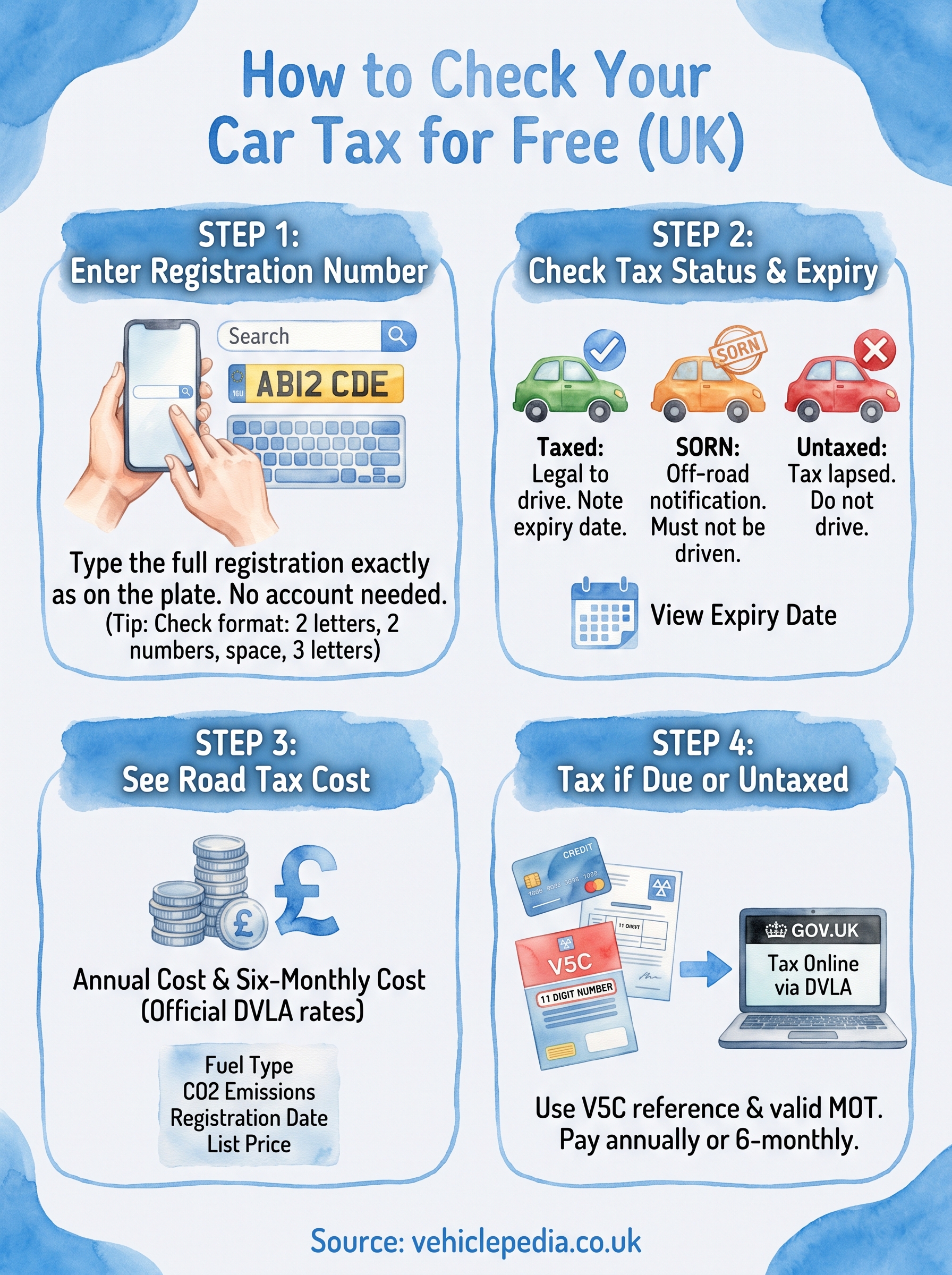
Running a car tax check for free before you buy takes minutes and saves you from inheriting someone else's problem. You've now seen how to pull the registration, read the tax status, check the expiry date, and work out the exact cost you'll be paying going forward. That's the core of it, and it costs you nothing but a bit of time.
Tax status is only one piece of the puzzle though. A vehicle can be perfectly taxed and still hide a write-off record, outstanding finance, or a mismatched mileage history. If you want the fuller picture before you hand over any money, take a look at a sample premium report to see exactly what else gets checked. Get the tax right, then check everything else before you sign anything.