How to Tax a Car in the UK: Online, Phone, or Post Office
Learn how to tax a car UK-wide: online, by phone or Post Office. Get required documents, rates, penalties and Direct Debit setup explained.
How to Tax a Car in the UK: Online, Phone, or Post Office
Driving without valid tax is illegal in the UK, and the DVLA doesn't send reminders you can afford to miss. Whether you've just bought a used car, renewed your V5C, or simply let the date slip your mind, working out how to tax a car UK drivers actually need takes minutes once you know which documents to have ready. Get it wrong and you risk a fine starting at £80, plus the hassle of sorting it out under pressure.
This guide walks you through every route available: taxing online through the DVLA, by phone, or in person at a Post Office, so you can pick whichever suits you. You'll see exactly what paperwork you need, from your V11 reminder to a valid MOT certificate, and what to do if you've lost your documents or bought the car privately.
Before you tax anything, it pays to know what you're driving. A quick vehicle history check flags outstanding finance, MOT gaps, or a written-off record that could complicate registration and cost you down the line.
What you need before you tax your car
Getting your paperwork sorted before you start saves you from an abandoned application halfway through. The DVLA's online system checks your details against its own records in real time, so if your MOT has lapsed or your reference number doesn't match, you'll be stuck. Gather everything below first and the whole process takes less than ten minutes.
Documents you'll need
Most drivers only need one of two reference numbers, plus proof the car is roadworthy. Here's what to have on hand depending on how you're taxing:
| Document | Where to find it | When you need it |
|---|---|---|
| V11 reminder letter | Posted by DVLA before tax expires | Renewing an existing vehicle |
| V5C logbook (or new keeper slip V5C/2) | Sent when you register or buy a car | First tax after buying |
| Valid MOT certificate | Garage after test, or checked automatically by DVLA | Any vehicle over three years old |
| Insurance details | Your insurer's confirmation | DVLA checks this against the Motor Insurance Database |
| Debit/credit card or bank details | Your bank | Paying in full or setting up Direct Debit |
You don't need to post anything or scan documents for the online route. The 11-digit reference number on your V11, or the 12-digit one on a new keeper slip, is all the system asks for.
If you're missing paperwork
Bought the car privately and the seller forgot to hand over a new keeper slip? You'll need to apply for a V62 form instead, available at any Post Office that deals with vehicle tax, alongside your V5C or evidence of ownership. This route takes longer, since DVLA processes it manually rather than instantly, so expect a wait of a few days before your tax is confirmed. If you've lost your V5C entirely, order a replacement from DVLA first; you can't tax a car without one.
MOT and insurance must be valid
DVLA won't let you tax a car if its MOT has expired or there's no insurance record showing on the Motor Insurance Database, no matter which method you use. This catches out plenty of people who assume tax and MOT are separate problems.
No valid MOT means no valid tax, full stop, regardless of how you try to pay.
Check your MOT status and expiry date on the official GOV.UK MOT history checker before you do anything else. Sort that first, and the actual tax application becomes a formality rather than a fight.
Step 1. Check your car's tax status and rate
Before you pay anything, confirm exactly where you stand. The DVLA vehicle enquiry service lets you check any registration for free, showing the tax due date, MOT expiry, and whether the car is currently taxed at all. This matters most if you've bought a used car privately, since the previous owner's tax doesn't transfer with the sale, it ends the moment ownership changes hands.
Look up your registration
Head to the official GOV.UK vehicle check tool and enter the number plate. Within seconds you'll see the tax status, the date it runs out, and the vehicle's tax band based on CO2 emissions and fuel type. No login is required, and you can check as many vehicles as you like, which is handy if you're comparing cars before buying.
Work out how much you'll pay
Rates depend on when the car was first registered and its emissions figures. Roughly:
| Registration date | How the rate is set | Typical annual cost |
|---|---|---|
| Before 1 March 2001 | Engine size | £220 or £360 |
| 1 March 2001 to 31 March 2017 | CO2 emissions band | £20 to £735 |
| From 1 April 2017 | First-year CO2 rate, then flat standard rate | £190 standard rate (2024/25) |
Electric vehicles lost their exemption from April 2025, so don't assume yours is free without checking.
Always check the exact figure on GOV.UK before paying, since rates and thresholds change most years.
Spotting the correct band now avoids underpaying and getting chased for the difference later, or overpaying because you assumed the wrong rate applied.
Step 2. Tax your car online, by phone, or at the Post Office
Once you know your rate and have your reference number ready, picking a method comes down to convenience. Most drivers choose online since it takes minutes and confirms instantly, but phone and Post Office options exist if you'd rather speak to someone or pay with cash.
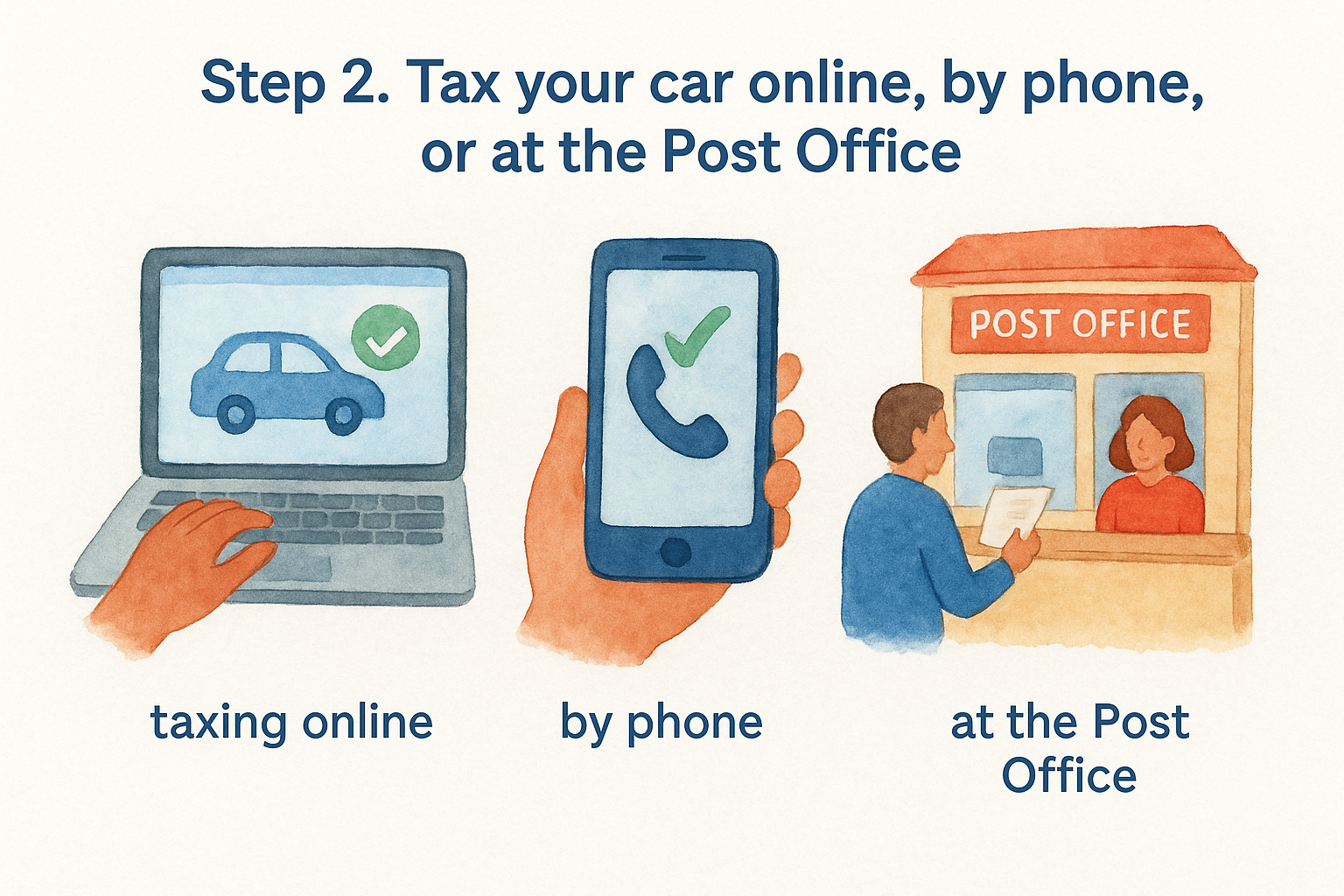
Taxing online
Go to the official GOV.UK vehicle tax service and enter your V11 or new keeper slip reference number. The system pulls your MOT and insurance details automatically, so you'll only confirm them rather than re-enter anything. Pay by debit or credit card, or set up a Direct Debit if you'd rather spread the cost.
Online is the fastest route, and it's the only one that confirms your tax the moment you finish paying.
Taxing by phone
Call the DVLA vehicle tax service on 0300 123 4321, available 24 hours a day. You'll need the same reference number as the online service, plus a card to pay with, since phone tax can't be set up on Direct Debit. Expect the automated system to talk you through each step; a human operator only gets involved if something doesn't match.
Taxing at a Post Office
Branches that handle vehicle tax accept your V11, V5C, or V62 alongside proof of a valid MOT if your car needs one. Bring:
- Your reference number document (V11, V5C, or V62)
- A valid MOT certificate, if applicable
- Payment by cash, cheque, or card
Staff process the application there and then, and you'll walk out with your tax confirmed rather than waiting for a letter. Not every branch offers this service, so check your nearest Post Office branch finder before travelling, particularly in smaller towns where fewer counters deal with DVLA transactions.
Step 3. Confirm your tax and set up a Direct Debit
Once you've paid, don't expect a tax disc through the post, since those were scrapped back in 2014. Confirmation now comes electronically, with the DVLA updating its database the moment your payment clears. If you taxed online, you'll see a confirmation screen straight away; keep a screenshot or print it if you want a paper record, though it's not legally required.
Checking your confirmation
Give it a few minutes, then run your registration through the official GOV.UK vehicle check tool again to see the new expiry date showing correctly. If nothing's changed after an hour, check your bank statement to confirm the payment actually went through before contacting DVLA. Phone and Post Office payments update just as quickly, so there's no reason to expect a longer wait just because you didn't pay online.
Setting up a Direct Debit
Spreading the cost makes sense if you'd rather not find a lump sum once a year. Direct Debit is only available online or by post, not by phone, and gives you three payment options:
| Payment frequency | How it works | Cost compared to annual |
|---|---|---|
| Annual | One payment, taken automatically each year | Cheapest option |
| Six-monthly | Two payments a year | 5% more than annual |
| Monthly | Twelve payments a year | 5% more than annual |
DVLA takes the first payment on the day you set it up, then collects future payments automatically before your tax runs out, so you never have to remember the date yourself.
Set up a Direct Debit once, and you'll never miss a renewal deadline again.
One thing to flag: if your MOT lapses, DVLA cancels the Direct Debit automatically rather than taking a payment against an unroadworthy vehicle. Keep your MOT current and the arrangement runs itself in the background, no annual admin required on your part.
Step 4. Avoid fines by renewing on time
Missing your renewal date isn't a minor slip. Driving an untaxed vehicle puts you in the DVLA's automatic number plate recognition net the moment you're on a public road, and the system flags untaxed cars within days of the record lapsing. You don't get a grace period just because you meant to sort it out at the weekend.
What happens if you're late
The penalties escalate quickly if you ignore the first warning. DVLA typically follows this sequence:
| Stage | What happens | Cost |
|---|---|---|
| Reminder missed | Late Licensing Penalty letter issued | £80 (reduced to £40 if paid within 33 days) |
| Still unpaid | Case passed to a debt collection agency | £80 plus collection fees |
| Car kept on the road untaxed | Court prosecution possible | Fine up to £1,000 |
| Vehicle clamped | DVLA enforcement action | Release fee plus £160 surety, refundable if you tax immediately |
Ignoring a Late Licensing Penalty doesn't make it go away, it just adds fees and risks a court summons.
Even a car parked on a private drive still needs tax unless you've registered a SORN (Statutory Off Road Notification). Forgetting that distinction catches out plenty of owners who assume an unused car is exempt automatically.
The easiest way to stay ahead
Relying on memory is how most people end up fined. Set a calendar reminder for two weeks before your V11 date arrives, on top of the letter itself, since post occasionally goes missing or gets buried under junk mail. Better still, set up the Direct Debit covered in Step 3 and let DVLA collect payment automatically before the deadline hits.
- Note your tax expiry date somewhere you'll actually see it
- Keep your MOT current, since a lapsed MOT cancels any Direct Debit
- SORN the car properly if it's off the road, rather than leaving it untaxed by accident
Stay on top of these three things and you'll never see a penalty letter land on your mat.
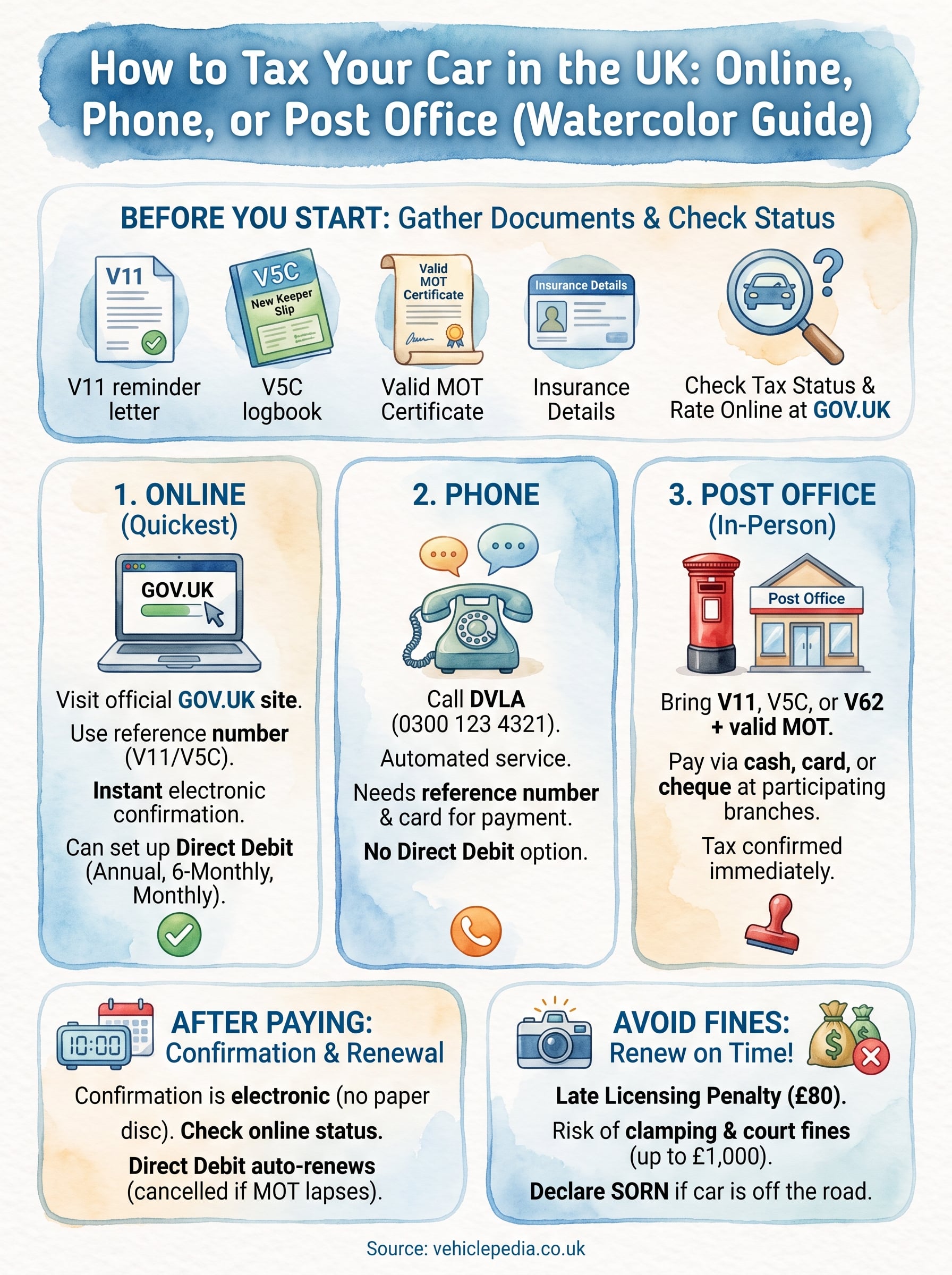
Staying road-legal without the hassle
Taxing a car isn't complicated once you've got the right reference number and a valid MOT sitting behind it. Online remains the quickest route, but phone and Post Office options exist for anyone who'd rather skip the screen. Whichever method you pick, the real work happens before you start: checking your tax status, confirming your rate, and making sure nothing's expired that could stall your application.
Getting the paperwork right matters just as much when you're buying a used car in the first place. Outstanding finance or a hidden write-off can turn a straightforward tax renewal into a much bigger headache down the line, so run the registration through a proper history check before you commit. Curious what a full report actually looks like? Take a look at our sample vehicle history report and see exactly what you'd be checking for.