Number Plate Check DVLA: How To Check Tax, MOT & Details
Run a number plate check DVLA to instantly verify tax status, MOT history, and details. Learn how to spot red flags and make a smarter used car purchase.
Number Plate Check DVLA: How To Check Tax, MOT & Details
Before buying a used car, a number plate check DVLA lookup is one of the quickest ways to verify what you're actually getting. The DVLA holds records on every registered vehicle in the UK, covering everything from tax status to MOT history, and much of this data is available for free.
The problem? Many people don't realise how much information they can access, or where exactly to find it. Some details sit on the DVLA's own tools, while others, like stolen vehicle checks or outstanding finance, require a more thorough search through services like Vehiclepedia, which pulls data from official sources including the DVLA and UK police databases.
This guide walks you through exactly how to check a vehicle's tax, MOT, and registration details using a number plate, what each check actually tells you, and when a free lookup is enough versus when you need a full vehicle history report.
What a DVLA number plate check can tell you
A number plate check DVLA lookup gives you instant access to some of the most useful vehicle data available in the UK. When you run a registration plate search, you can pull up key details about any car, van, or motorcycle registered with the DVLA, without needing to contact the DVLA directly or fill in any paperwork.
The DVLA holds records on over 40 million vehicles currently registered in the UK, covering everything from tax status to emissions data.
Free data available instantly
The free DVLA check returns a solid set of details that cover the basics most buyers need. You can see the vehicle's tax status (whether it's taxed, when it expires, or if it's been declared SORN) and its MOT expiry date, both of which confirm whether the car is legally roadworthy and ready to drive.
Beyond tax and MOT, a free lookup also surfaces:
- Make, model, and colour of the vehicle
- Engine size and fuel type
- Year of manufacture and date of first registration
- CO2 emissions, which affects road tax bands
- Wheelplan and body type
What free checks don't cover
Free DVLA data stops short of anything that requires cross-referencing with other databases. It won't tell you whether the car has been written off by an insurer, flagged as stolen on the police database, or whether there is outstanding finance attached to it.
These gaps matter when you're buying privately. A car can pass every free check and still carry serious financial or legal risks that only show up in a full vehicle history report from a service that accesses insurance, police, and finance registers alongside DVLA data.
Step 1. Use the official DVLA vehicle enquiry
The quickest way to get official vehicle data is through the DVLA's free Vehicle Enquiry Service on GOV.UK. This tool lets you run a number plate check DVLA lookup in seconds, with no account or payment required. All you need is the registration number from the vehicle you want to check.
The DVLA Vehicle Enquiry Service is the only official free tool provided by the UK government for checking a vehicle's tax and basic registration details instantly.
How to run the check
Go to the DVLA Vehicle Enquiry Service on GOV.UK and follow these steps:
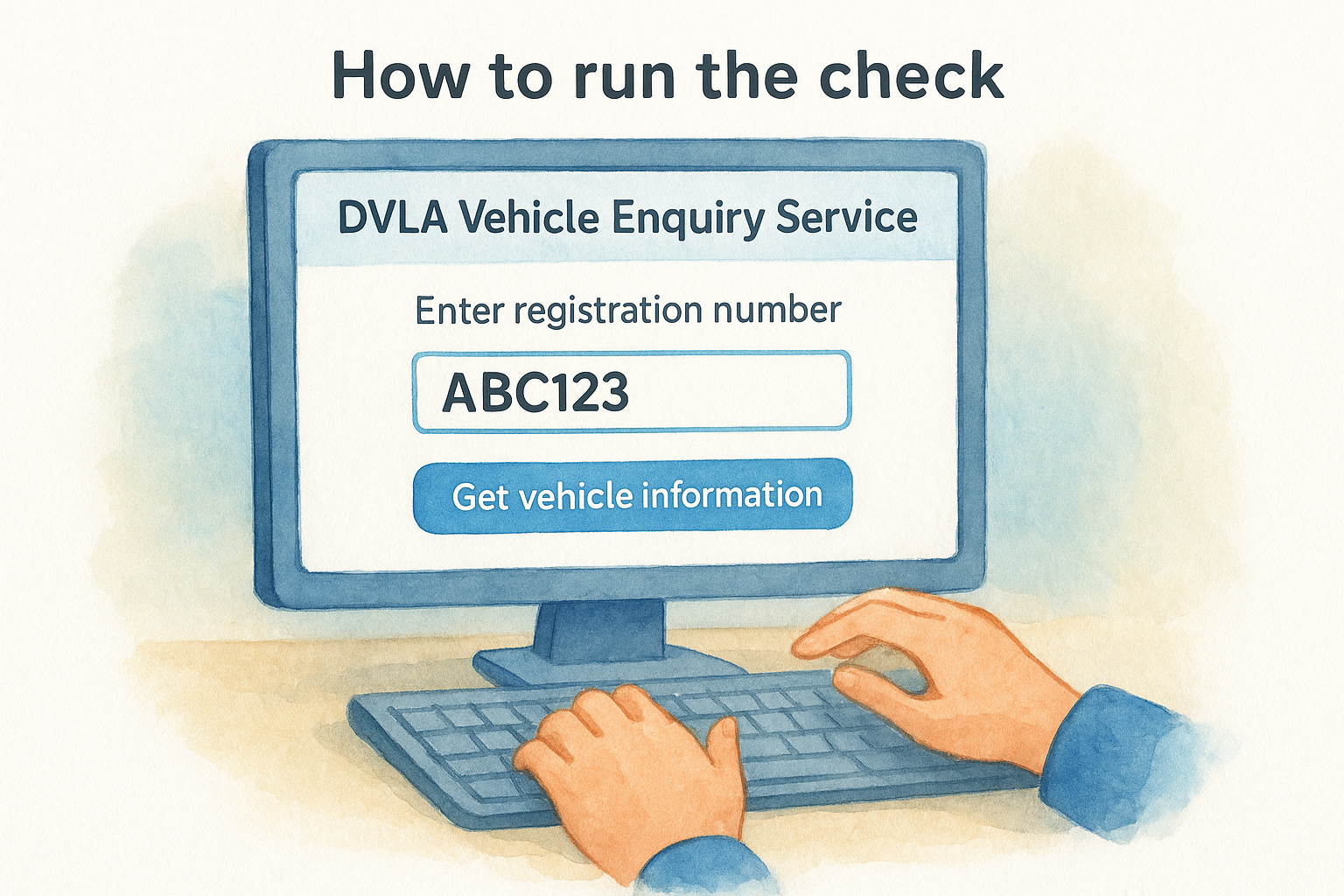
- Enter the full registration number exactly as it appears on the plate, including any spaces
- Click "Get vehicle information"
- Review the results, which load instantly on the same page
The results page shows the vehicle's tax status and expiry date, MOT expiry, make, colour, engine size, and CO2 emissions. If the car shows as SORN, that replaces the tax expiry date entirely. Write down or screenshot these details before moving on to the next checks.
Step 2. Check MOT expiry and MOT history
The DVLA vehicle enquiry shows your car's MOT expiry date, but it won't give you the full test history. For that, you need the DVSA MOT history service on GOV.UK, which is a separate free tool that logs every MOT result, advisory note, and failure reason going back years. Running this alongside your number plate check DVLA lookup gives you a much clearer picture of the vehicle's condition over time.
A vehicle with repeated failures for the same item, such as brake wear or corrosion, signals ongoing maintenance problems worth investigating before you buy.
How to check MOT history
Head to the DVSA MOT history service on GOV.UK and enter the vehicle's registration number. The results page shows every MOT test date, whether it passed or failed, the mileage recorded at each test, and any advisory notes left by the tester.
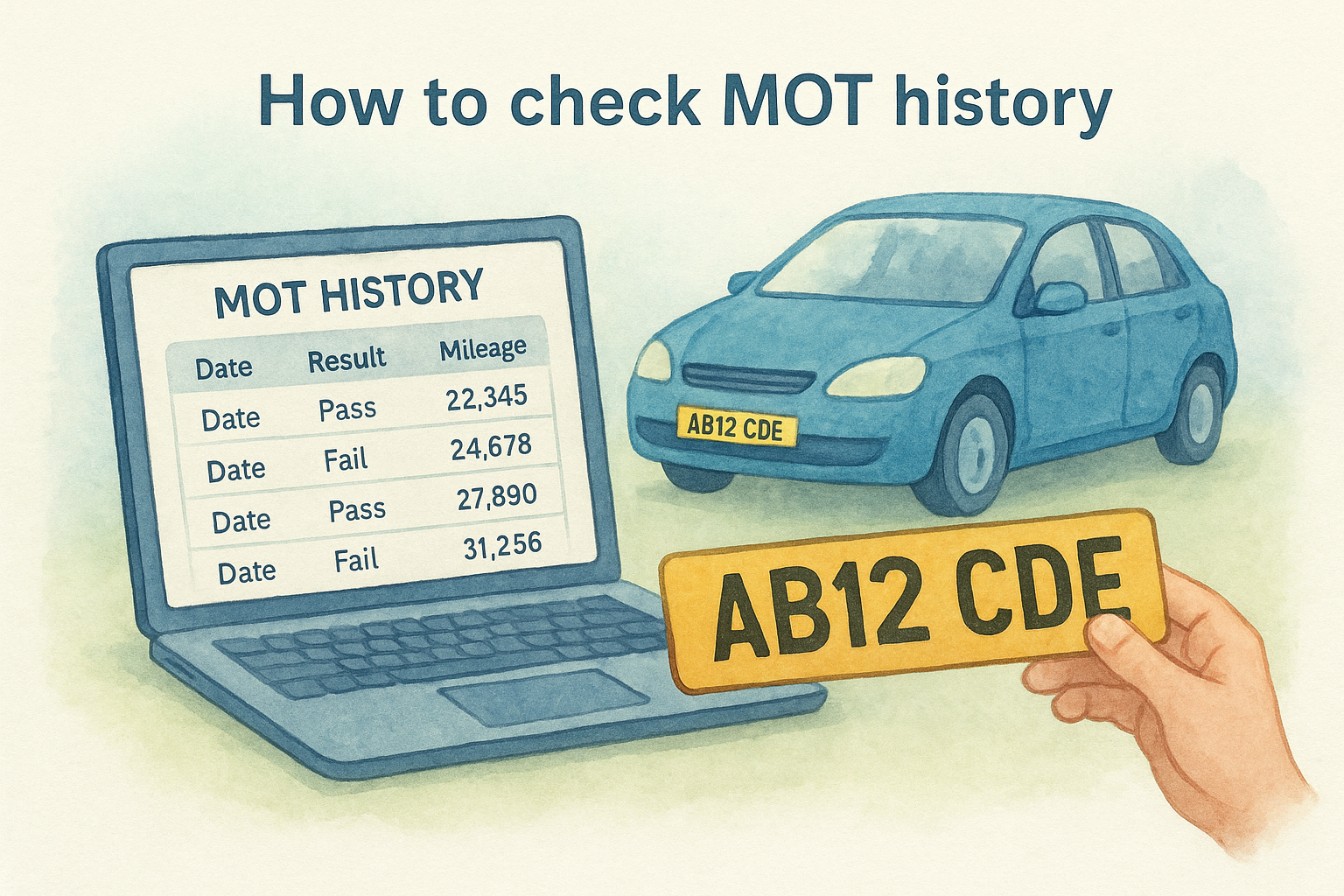
Pay close attention to the mileage recorded at each test. If the figures drop between tests or jump significantly in ways that don't match the car's claimed usage, that is a clear sign of odometer tampering and a strong reason to question the seller's honesty before you commit to buying.
Step 3. Check insurance, recalls and keeper info
After confirming tax and MOT status, your next step is to verify three further details that a standard number plate check DVLA lookup won't surface: whether the car holds active insurance, how many previous keepers it has had, and whether any outstanding manufacturer recalls exist against the vehicle.
A car with several keepers in a short period can signal recurring mechanical faults the current owner wants to pass on.
Check active insurance and keeper records
The Motor Insurance Database (MID) lets you confirm whether a vehicle is currently insured in the UK. You can run this check through the askMID service on GOV.UK using just the registration number. The result tells you:
- Whether the vehicle holds active motor insurance
- The general insurer name in some cases
- Whether the record is flagged as uninsured
Keeper history isn't fully public, but the number of previous registered keepers appears in a full vehicle history report, giving you useful context on how frequently the car has changed hands.
Check for outstanding safety recalls
Manufacturers issue recalls when a safety defect is identified after a vehicle leaves the factory. You can verify this through the DVSA recall checker on GOV.UK by entering the registration number. The tool flags any unresolved safety issues linked to that vehicle, which should be addressed before you drive it away.
Step 4. Decide if you need a full history check
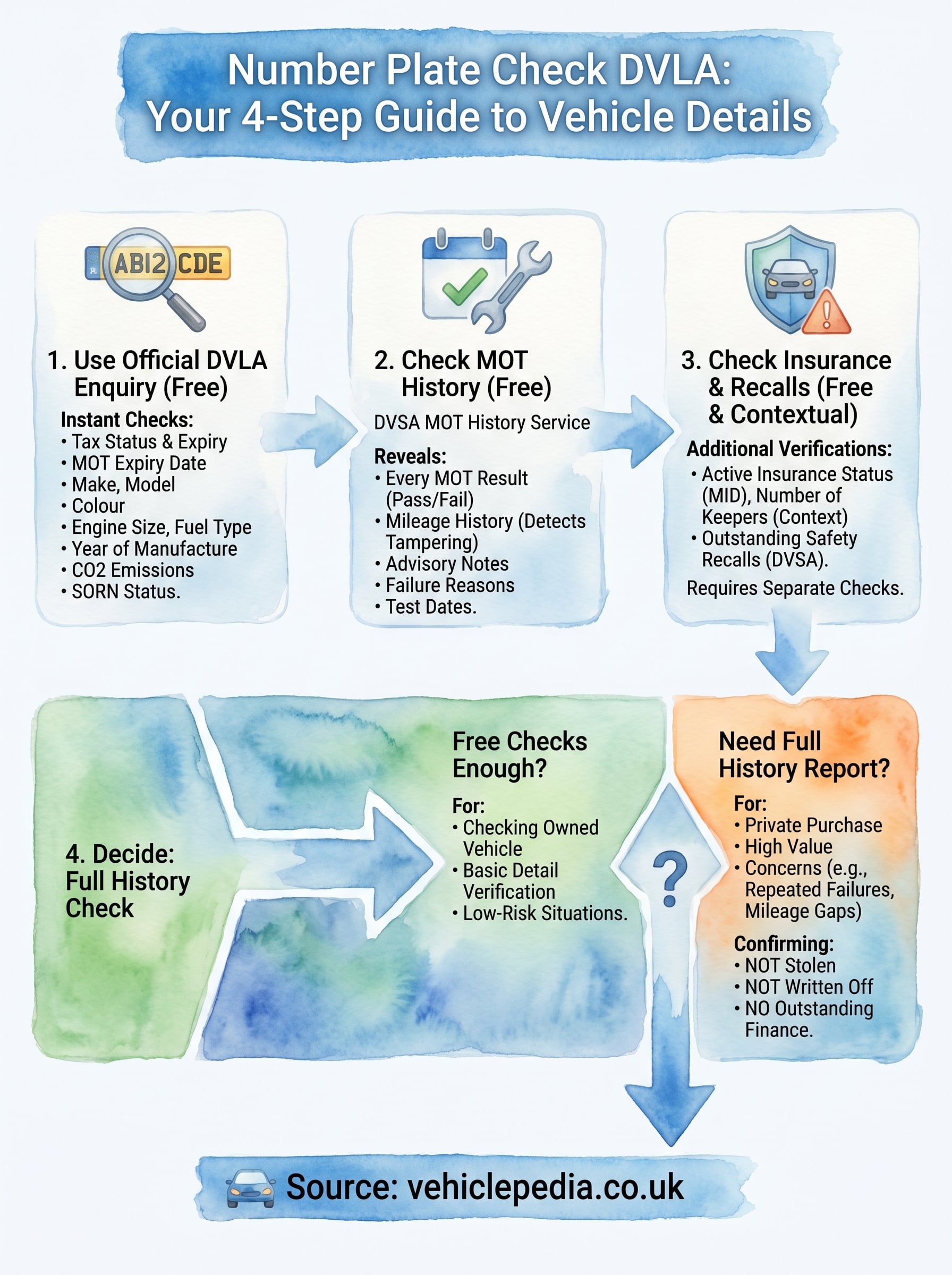
Once you have completed a number plate check DVLA lookup and reviewed the MOT history, insurance status, and recall data, you need to make a decision: is the free data enough, or does the vehicle warrant a deeper search?
If the car is being sold privately and the price is significant, a full history report is almost always worth the small cost.
When the free checks are enough
In some situations, the free tools cover everything you need. If you are checking a vehicle you already own, confirming tax or MOT expiry, or simply verifying basic registration details before a short trip, the official government tools give you accurate and sufficient answers without spending anything.
When you should go further
Buying privately carries risks that free tools cannot detect. You should run a full vehicle history report through a service like Vehiclepedia if any of the following apply to your situation:
- The seller is a private individual rather than a registered dealer
- The asking price is above a few hundred pounds
- The MOT history shows repeated failures or large mileage gaps
- The car has had multiple keepers in a short period
- You want confirmation the vehicle is not stolen, written off, or subject to outstanding finance
Next steps
Running a number plate check DVLA lookup takes less than five minutes and can save you from making a costly mistake on a used car purchase. The free government tools cover the basics well: tax status, MOT history, insurance records, and recall information are all accessible without spending anything.
Where those tools stop, a full history report picks up. If you are buying privately, or if anything in the free checks raises a question, the next step is to run a comprehensive vehicle history report that cross-references insurance write-off data, the UK police stolen vehicle database, and outstanding finance records alongside DVLA data.
Before you commit to any purchase, take a look at a Vehiclepedia sample report to see exactly what a full check covers. You can also visit the pricing page to compare options and choose the level of detail that fits your situation.