How to Check Tax and Car Insurance Using a Reg Number
Check tax and car insurance free with a reg number. Use GOV.UK and askMID, read tax expiry and SORN results, and know what to do if either check fails.

How to Check Tax and Car Insurance Using a Reg Number
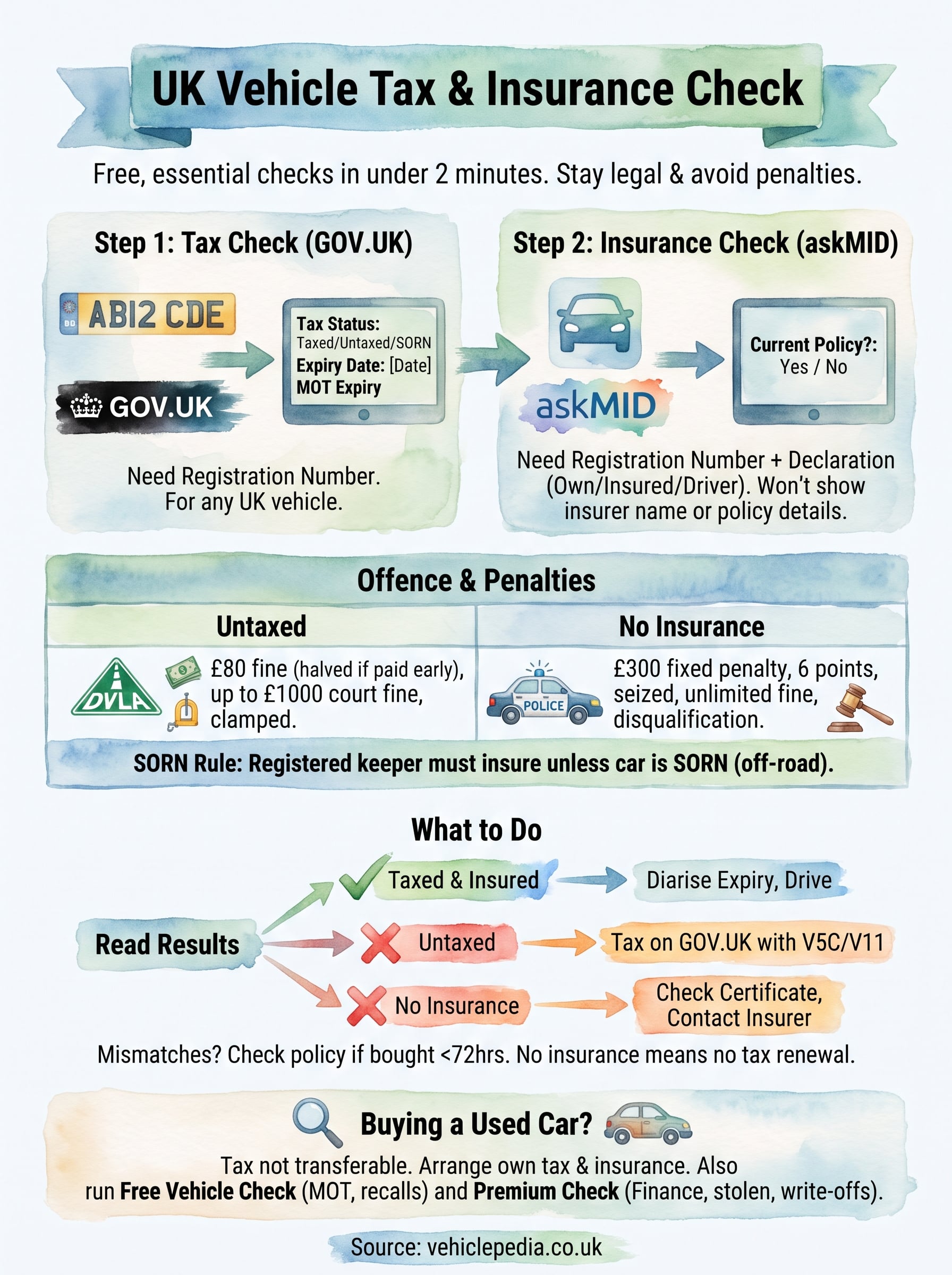
To check tax and car insurance on a UK vehicle, all you need is its registration number. Enter it into the free GOV.UK vehicle tax checker to see whether the car is taxed, when the tax runs out and whether it is declared SORN. Then enter it into the askMID (Navigate) check to see whether a current insurance policy is recorded. Each check takes under a minute and costs nothing.
The difficulty is that you can't see either answer by looking at the car. Paper tax discs were scrapped in 2014, and insurance has never been visible from the outside. Tax and insurance also sit in two separate databases run by different bodies, so a clean result on one tells you nothing about the other. Plenty of third-party sites also charge for data that the official sources give away.
This guide walks you through both checks in order, shows you how to read each result including the tax expiry date and SORN, and explains what to do when something looks wrong. Vehiclepedia's DVLA data comes directly from the DVLA API, so we also cover what these two checks can't tell you if you are buying a used car.
Before you start: what you need and why it matters
You need the car's registration number and about two minutes. Run both checks, because driving without tax and driving without insurance are separate offences with separate penalties.
What you need to hand
Start with the registration number exactly as it appears on the plate. That is all the tax check asks for. The insurance check also asks you to declare that the vehicle is registered to, owned by or insured by you or your employer, so use it for your own car or one you are permitted to drive.
If you plan to fix a problem straight away, have these ready too:
- The V5C logbook, which holds the 11-digit reference number used to tax a car online
- The V11 reminder letter from the DVLA, if you received one
- Your insurance certificate or policy documents
- The green "new keeper" slip, if you have just bought the car
Why both checks matter
Penalties differ for the two offences, and neither is small. The table below sets them side by side.
| Offence | What can happen |
|---|---|
| Untaxed vehicle | £80 DVLA penalty, halved to £40 if paid within 28 days. A court can fine up to £1,000. The car can be clamped. |
| No insurance | £300 fixed penalty and 6 penalty points. The car can be seized. A court can impose an unlimited fine and disqualify you. |
There is one more trap. Under the Continuous Insurance Enforcement scheme, the registered keeper must keep the car insured even when it is parked on the drive. The only way out is to declare it off the road with a SORN. You can be penalised for an uninsured car you never drove.
Tax and insurance are separate legal duties, so a clean result on one never covers the other.
Step 1. Check the tax status on GOV.UK
Go to the GOV.UK "Check if a vehicle is taxed" page, enter the registration number and confirm the vehicle details. The result shows the tax status and the date the current tax runs out.
Run the tax check
Follow these steps on the GOV.UK vehicle tax checker:
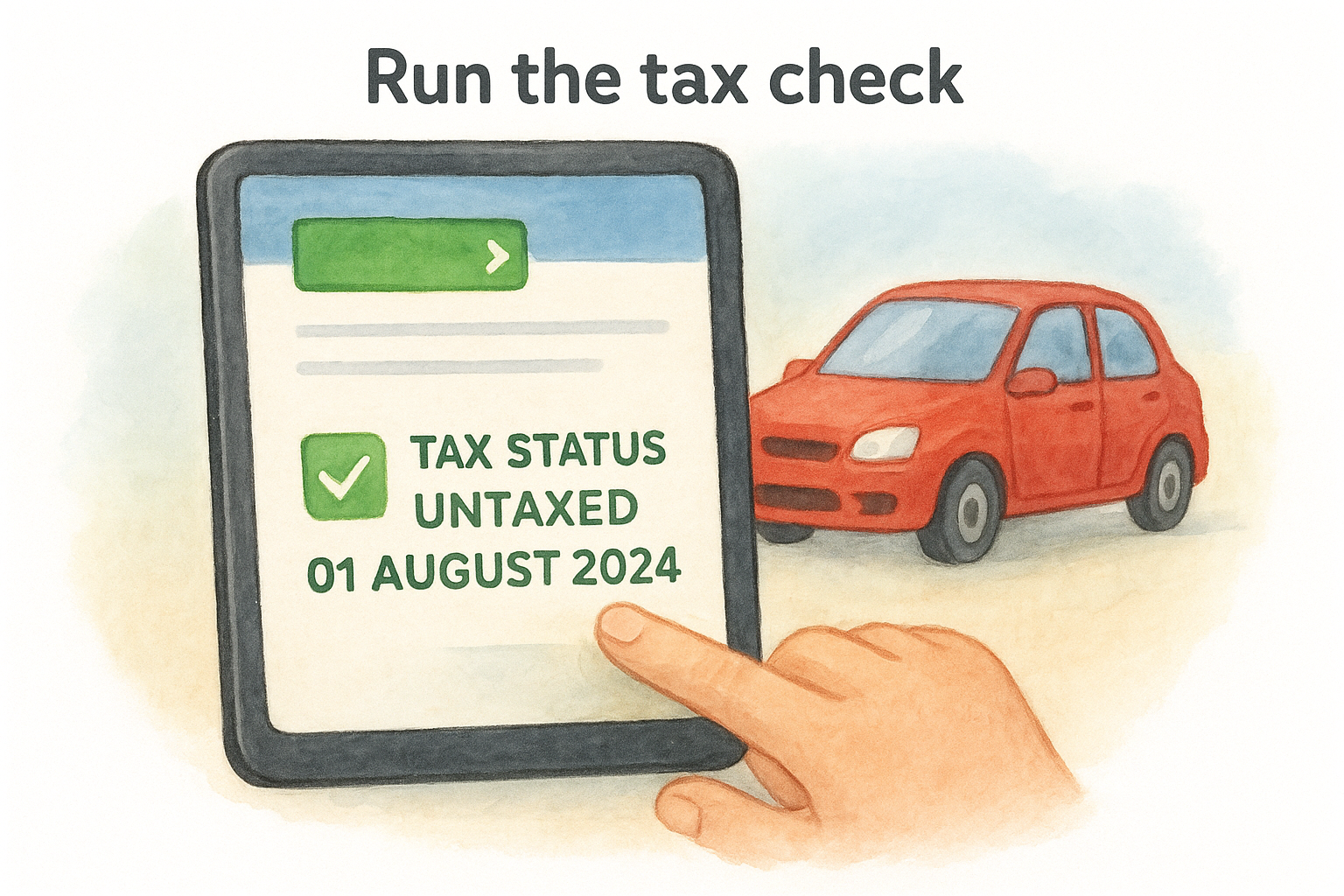
- Select the start button.
- Enter the registration number.
- Check that the make and colour shown match the car in front of you.
- Read the tax status and expiry date on the result page.
The service is free, and you can use it on any UK registration, not only your own. That makes it handy when you are looking at a car for sale. The same page also shows the MOT expiry date, along with details such as fuel type, year of manufacture and CO2 emissions. If a site asks for payment to show you the tax status, close it.
How to check the car tax expiry date
The expiry date on the result is the date the current tax runs out. Note it down or set a phone reminder a couple of weeks ahead. Since paper discs ended there is no grace period, so a car is untaxed the moment the tax lapses.
If you are the keeper, a V11 reminder letter from the DVLA also tells you when the tax is due. If you pay by Direct Debit, the tax renews automatically each year, but it is still worth checking the result after a bank or card change. A failed payment can leave you untaxed without you noticing.
The GOV.UK result tells you the tax status and the expiry date, and that date is the one to diarise.
Step 2. Check the insurance on askMID
Use the personal check on the askMID website, which leads to the Navigate "Check your vehicle" service run by the Motor Insurers' Bureau. Enter the registration number and you get a yes or no on whether the car has a current policy.
Run the insurance check
The Motor Insurance Database (MID) is the central record of insured vehicles in the UK. Insurers feed it, and it is the same record the police and the DVLA rely on. To run the check:
- Open the Navigate check your vehicle page and choose the personal check.
- Enter the registration number.
- Confirm the declaration that you own, are insured on or are permitted to drive the vehicle.
- Read the result.
The search is free. Treat any site that asks for card details to run it as a copycat.
What the check cannot tell you
The answer is a plain yes or no. You won't see the insurer's name, the policy number, the cover level or the renewal date. For that, look in your policy documents, your email or your bank statements.
The check also can't tell you whether you personally are covered to drive. A car can show as insured while you aren't on the policy, so ask to be added as a named driver or take out temporary cover if you borrow someone else's car. If you need the insurer's details after an accident with another driver, askMID has a separate enquiry tool for that, and it charges a fee.
The insurance check answers one question only: is this registration on a current policy?
Step 3. Read the results and act on them
Match what you see to the table below, then act before you drive. Most "bad" results turn out to be a lapsed renewal, a SORN or a recent policy that has not reached the database yet.
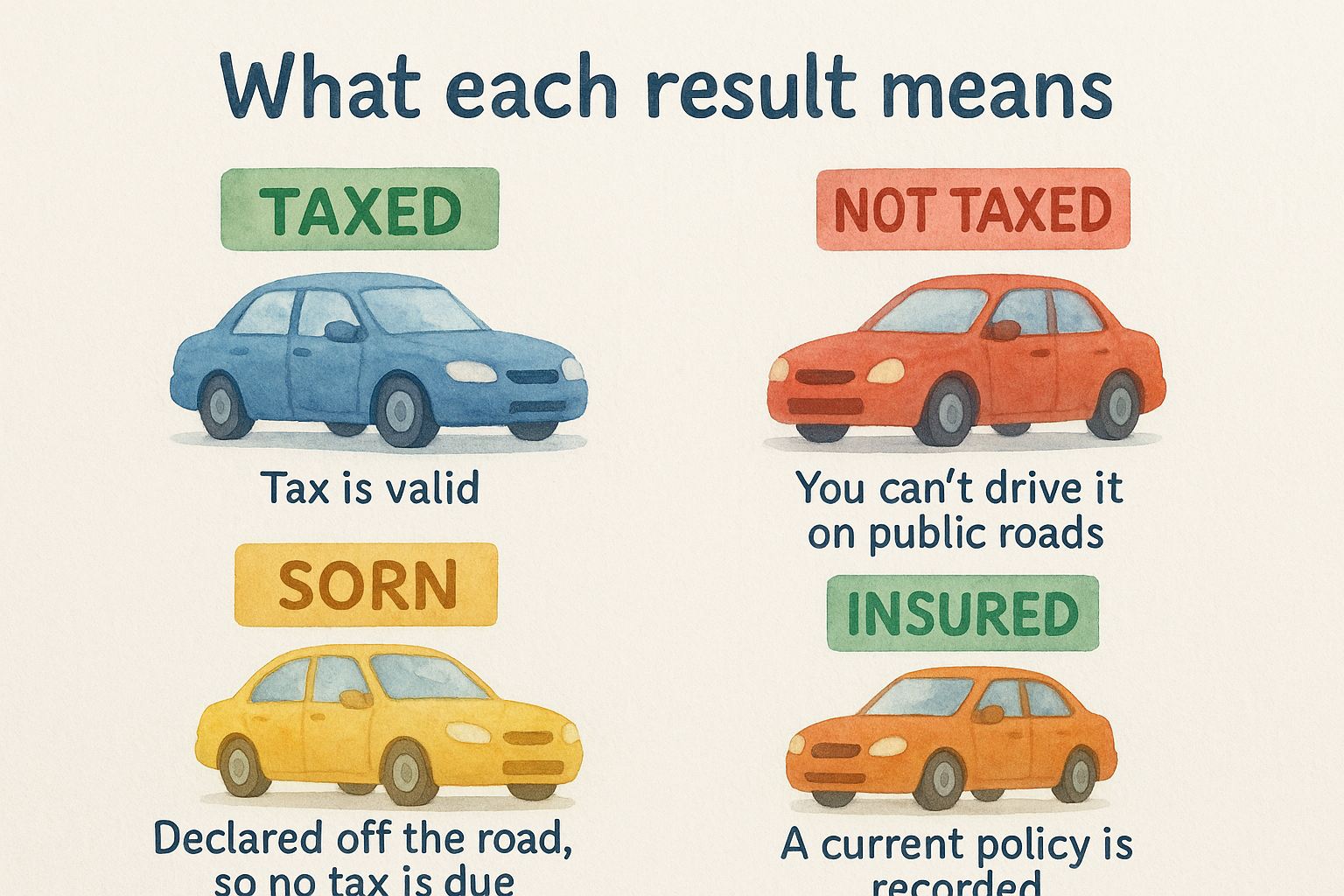
What each result means
| Result | What it means | What to do |
|---|---|---|
| Taxed, with a future expiry date | Tax is valid | Diarise the expiry date |
| Not taxed or expired | You can't drive it on public roads | Tax it at GOV.UK using the V5C or V11 reference |
| SORN | Declared off the road, so no tax is due | Keep it on private land. Tax and insure it before returning to the road |
| Insured: yes | A current policy is recorded | Nothing to do |
| Not insured, or not found | No policy is recorded, or it hasn't been uploaded yet | Check your certificate, then contact your insurer |
To bring a SORN car back, tax it, insure it and make sure it has a valid MOT. The online tax record can take up to five working days to update, so don't leave it to the morning you need the car.
Mismatches and special cases
If you can't tax a car online, check the insurance first. The DVLA checks the insurance and MOT databases when you tax a vehicle, so no insurance means no tax renewal. Sort the insurance, then the tax.
A policy bought in the last 24 to 72 hours may not show on askMID yet, and weekends and bank holidays can add delay. If you hold your certificate of motor insurance, you are covered from the start date. Only your insurer can update the database, so contact them if the car still doesn't show after 72 hours or the details look wrong.
A SORN car can be driven to a pre-booked MOT test, but only if it is roadworthy and insured. Driving it there without insurance is an offence.
Treat a missing result as a prompt to check your paperwork and call your insurer before you drive.
Step 4. Check the rest of the history before you buy
If you are checking a car you hope to buy, tax and insurance are the least of what you need to know. Tax and insurance don't pass to you with the car, and neither result tells you about the car's past.
Why these two checks fall short for buyers
Vehicle tax is not transferable. When a car is sold, the seller's tax ends, and you must tax it yourself before driving it away. Likewise, the seller's insurance doesn't cover you, so arrange your own policy before collection.
You also can't normally run the personal insurance check on a car you don't yet own, since the declaration covers cars you own, are insured on or may drive. As a buyer, lean on the tax result and a proper history check. A "taxed" car can still be a write-off, stolen or still on finance.
What a free vehicle check adds
Our free checks use DVLA data, taken directly from the DVLA API and updated nightly. The free check covers:
- MOT history
- Export status
- Recall check
- Make and model
- Tax and emissions
The free DVLA vehicle check adds plate and colour changes, import and scrapped status, and performance figures. For more on tax, the Car tax Check shows the expiry date, road tax band, outstanding tax, tax history and V5C details.
The premium report goes further. It checks outstanding finance through an Experian Automotive feed, stolen status through the Police National Computer via Experian, and insurance write-offs through the MIAFTR database. It comes with a data guarantee of up to £30,000 for non-trade users.
Tax and insurance results tell you whether a car is legal to drive today, not whether it is safe to buy.
Your next move
To check tax and car insurance, run the registration through the GOV.UK tax checker, then through askMID. Read the tax status and expiry date, treat SORN as "off the road", and don't drive until both results are clear. If a new policy hasn't shown up, your certificate and your insurer are the fastest route to an answer.
If you are buying rather than renewing, don't stop at those two results. A free check will show you the MOT, export and recall details, and the premium checks cover finance, theft and write-offs. To see exactly what a full report contains, look at our sample premium report before you commit to a car.