MOT Expiry Date Check: Find Your Due Date And Status
Find when your car's test is due with an MOT expiry date check. View your vehicle status, test history, and advisories to stay road-legal and avoid fines.

MOT Expiry Date Check: Find Your Due Date And Status
Driving with an expired MOT is illegal and can land you a fine of up to £1,000, yet thousands of UK motorists miss their renewal date each year simply because they didn't check in time. A quick MOT expiry date check using your vehicle's registration number is all it takes to stay on the right side of the law.
Whether you own the car or you're about to buy one, knowing the exact MOT due date matters. An expired or soon-to-expire certificate can flag potential issues with a vehicle's roadworthiness and, for buyers, it's a clear sign that further investigation is needed before handing over any money.
At Vehiclepedia, we pull MOT data directly from official DVLA records, so you can check any vehicle's MOT status and full test history for free using just the registration plate. This guide walks you through exactly how to do it, what the results mean, and what to do if your MOT is due soon or has already lapsed.
What you need before you check
The good news is that running an MOT expiry date check requires almost nothing on your part. You don't need the physical MOT certificate, your V5C logbook, or any account logins. The only thing you need is the vehicle's registration plate number, and you can get your results in seconds from official UK databases.
Your vehicle registration number
Your registration number (also called a number plate or reg) is the unique identifier tied to every vehicle registered in the UK. It appears on both the front and rear plates of the car, and it's also printed on your V5C registration certificate if you need to double-check it before you start.
UK registration plates follow specific formats depending on when the vehicle was first registered. Here are the most common formats you'll come across:
| Format | Example | Era |
|---|---|---|
| Current style (2 letters, 2 digits, 3 letters) | AB12 CDE | September 2001 onwards |
| Prefix style (1 letter, 1-3 digits, 3 letters) | A123 BCD | 1983 to 2001 |
| Suffix style (3 letters, 1-3 digits, 1 letter) | ABC 123D | 1963 to 1983 |
When you enter the registration number into any MOT checking tool, type it exactly as it appears on the plate. You don't need to include spaces, but the letters and digits must be correct. A single character error will return data for the wrong vehicle entirely.
Always read the registration directly off the vehicle itself rather than relying on a listing, advert, or paperwork, especially if you're checking a car you're considering buying.
What an MOT check can and cannot tell you
A standard MOT status check will show you the certificate's current expiry date, the date of the most recent test, the mileage recorded at each test, and any advisory notes or failure reasons logged during previous inspections. That gives you a clear picture of whether the car is currently legal to drive and how well it has held up over time.
What an MOT check will not reveal is whether the car has outstanding finance, whether an insurer has written it off as a total loss, or whether it appears on the UK Police stolen vehicle database. Those details sit in entirely separate systems and require a full vehicle history report to surface. If you're buying a used car, those checks matter just as much as confirming the MOT status, so treat them as essential rather than optional steps in your research.
Step 1. Check your MOT expiry on GOV.UK
The GOV.UK vehicle enquiry service is the official government tool for checking MOT status across the UK. It's completely free, pulls data directly from the DVSA database, and gives you the current expiry date plus a full record of past tests in under a minute.
How to run the check
Head to gov.uk/check-mot-status and enter your registration number into the search field. You don't need an account or any personal details to get results. Follow these steps exactly:
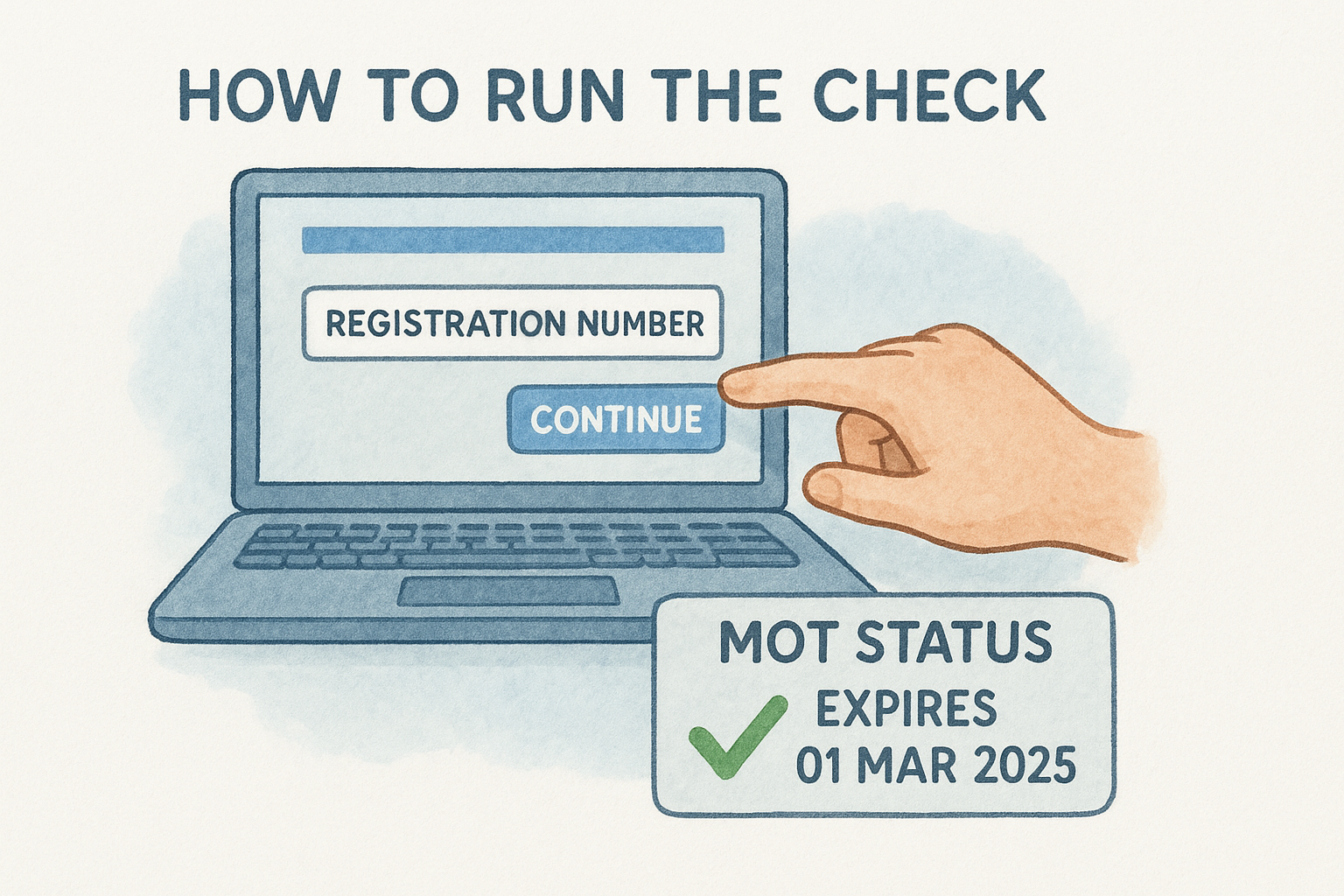
- Open gov.uk/check-mot-status in your browser
- Type your vehicle's registration number into the input box (spaces are optional)
- Click "Continue"
- Review the expiry date, test dates, mileage readings, and any advisory notes listed on screen
If the service returns "no MOT history found," the vehicle is likely exempt from testing, which applies to vehicles first used less than three years ago or those registered before 1 January 1960.
Reading your results
Your results page splits into two main sections: the current MOT status at the top and the full test history below it. The status block tells you whether the MOT is valid or expired, the precise expiry date, and when the most recent test took place.
The history section is where a mot expiry date check goes beyond a simple pass-or-fail answer. Each past test entry shows the mileage recorded at that point, any failure reasons, and advisory items that the tester flagged without failing the vehicle. Advisories are worth reading closely because they often point to parts that are wearing and will likely need attention before the next test.
Step 2. Use Vehiclepedia for MOT status and more
GOV.UK gives you the raw data, but Vehiclepedia combines a free mot expiry date check with additional vehicle details in a single lookup. Instead of running separate searches across different tools, you get the MOT status alongside road tax details, vehicle specifications, and ownership history all on one page.
How to run a Vehiclepedia check
Running a check takes under a minute. Enter your registration plate into the search bar on the Vehiclepedia homepage and click the search button. The results page loads immediately with your MOT data pulled directly from official DVLA records, so you're seeing the same underlying information the government database holds.
Here's what the results page shows you:
- MOT expiry date and current pass or fail status
- Full MOT test history including mileage at each test, advisory notes, and failure reasons
- Road tax status and renewal cost
- Vehicle age, engine size, and fuel type
What the premium report adds
The free check covers everything you need to confirm the MOT status and review test history. If you're buying a used car rather than checking your own vehicle, upgrading to a premium report gives you access to three additional checks that the MOT data alone cannot provide.
A car can hold a valid MOT and still carry serious hidden risks, including outstanding finance, an insurance write-off marker, or a stolen vehicle flag.
Those additional checks cover the UK Police stolen vehicle database, outstanding finance secured against the car, and any write-off category recorded by an insurer. Vehiclepedia also backs premium reports with a £30,000 data guarantee for non-trade buyers, giving you legal protection if the data turns out to be incorrect.
Step 3. Work out when to book your next MOT
After running your mot expiry date check, the next step is working out the right moment to book your test. Booking too early wastes time if the car isn't ready; booking too late risks leaving you with an expired certificate and an illegal vehicle on your hands.
The booking window
The DVSA allows you to book and sit your MOT up to one calendar month before the current certificate expires, and the new certificate runs from the original expiry date rather than the test date. That means you don't lose any time on your existing certificate by testing early.
Book within the one-month window so your new certificate starts from your current expiry date, not from the day you took the test.
For example, if your MOT expires on 15 August 2026, you can book and take the test any time from 15 July 2026 onwards. Your new certificate will still run through to 15 August 2027, giving you a full 12 months regardless of when in July you sit the test.
A practical booking timeline
Use this schedule to plan around your expiry date and avoid any last-minute pressure:
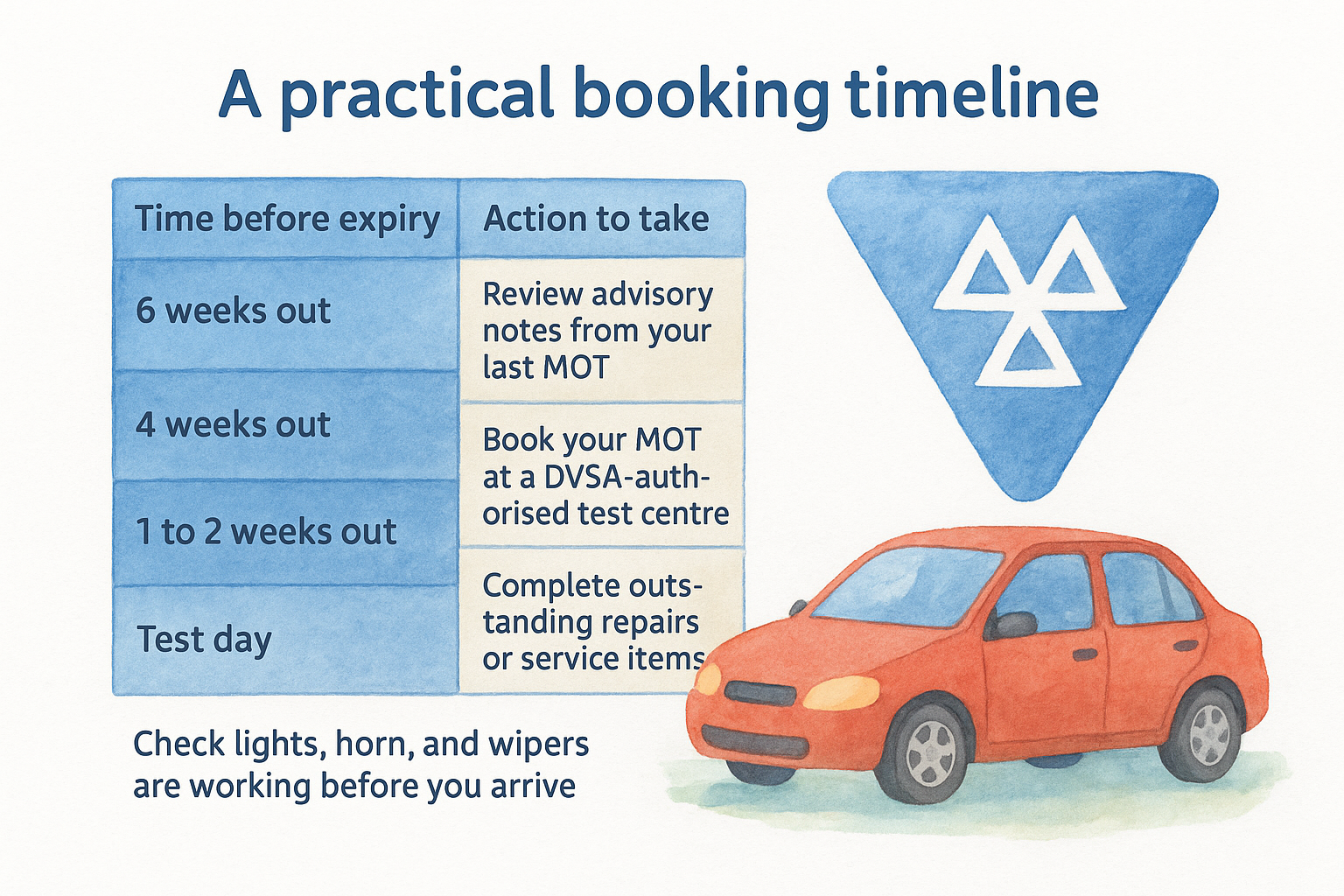
| Time before expiry | Action to take |
|---|---|
| 6 weeks out | Review advisory notes from your last MOT and arrange any repair work |
| 4 weeks out | Book your MOT at a DVSA-authorised test centre |
| 1 to 2 weeks out | Complete outstanding repairs or service items |
| Test day | Check lights, horn, and wipers are working before you arrive |
Following this schedule gives you enough time to address advisories from the previous test before the car goes in, which cuts the risk of a failure. Garages also tend to fill up fast in the final two weeks before common expiry months, so booking four weeks out usually gives you a better choice of slots and more flexibility on timing.
Step 4. If the MOT has expired or looks wrong
Running a mot expiry date check sometimes surfaces results you weren't expecting. Either the expiry date has already passed and the car is no longer legal to drive, or the data on screen doesn't match the certificate you hold in hand. Both situations need a clear response, and neither should be ignored.
If your MOT has already expired
A car with an expired MOT cannot legally be driven on public roads, with one exception: you can drive it directly to a pre-booked MOT test. That means no detours and no quick errands on the way. If police stop you outside of that specific journey, you face a fine of up to £1,000 and potential points on your licence.
Book your MOT appointment before moving the car, so you have a confirmed booking reference to show if you're stopped en route to the test centre.
Your immediate steps should be:
- Book an MOT at a DVSA-authorised test centre before driving the vehicle anywhere
- Check your insurance policy - some policies become void once the MOT lapses, even if an accident wasn't your fault
- Arrange recovery if the car cannot safely make the journey to the test centre under its own power
If the MOT data looks incorrect
Sometimes the database record doesn't match the paper certificate you hold. This can happen if a test centre submitted data late, or if a previous owner declared the vehicle off-road using a SORN (Statutory Off Road Notification), which affects certain records on file.
Contact the DVSA directly to raise a formal data dispute. You'll need your V5C logbook number, the registration plate, and a copy of the physical MOT certificate as supporting evidence. The DVSA can investigate and correct records that don't align with official test documentation.
Keep your car legal and ready to drive
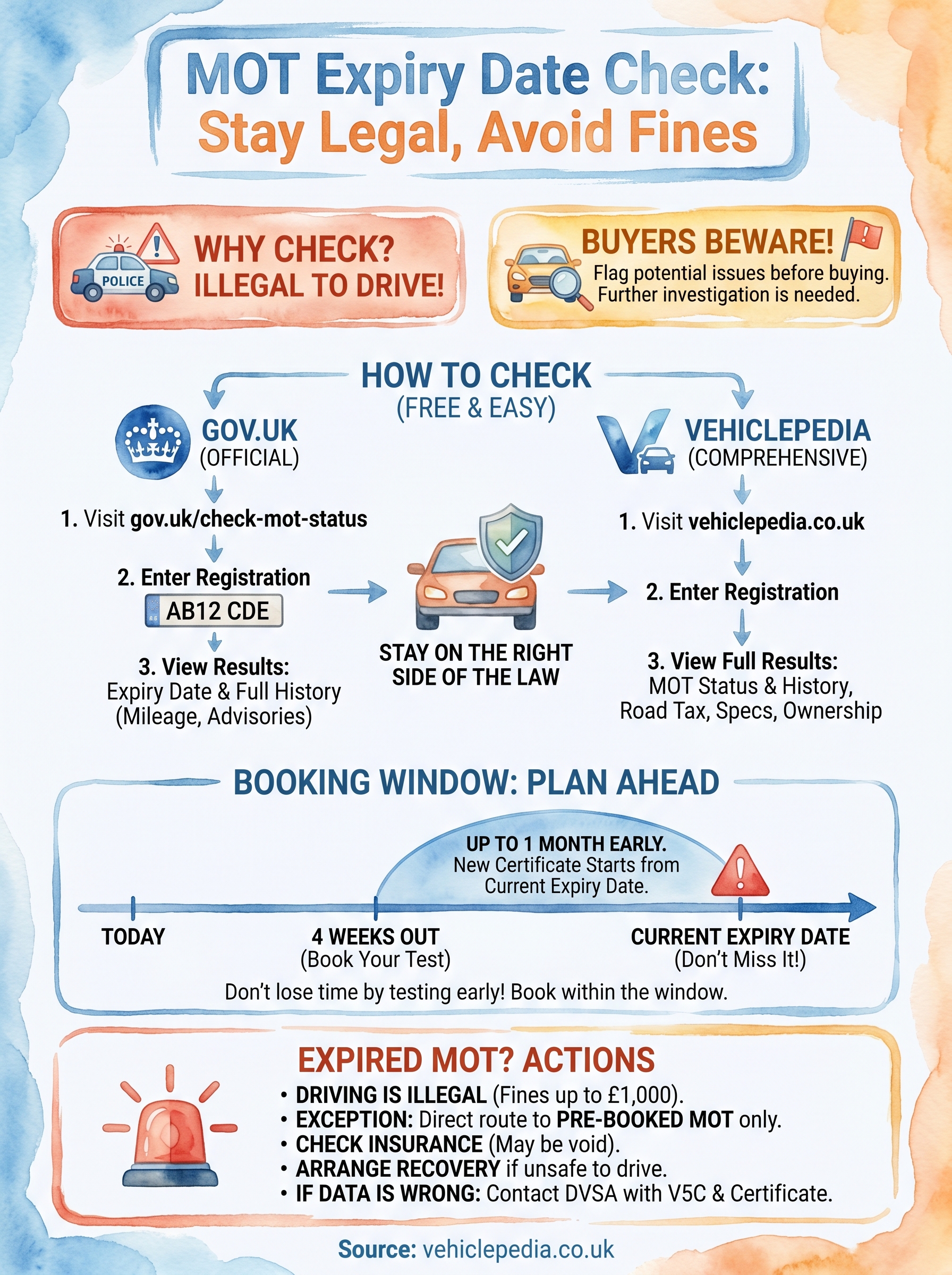
Staying on top of your MOT expiry date takes no more than a few minutes each year, and the steps in this guide give you everything you need to do it properly. Run your mot expiry date check now, note the date, set a reminder four weeks before it falls due, and book your test well inside the one-month window so your new certificate starts from the original expiry date. If you found any advisories from your last test, get those looked at before the car goes back in.
For a full picture of any vehicle's status, including road tax, full MOT history, and ownership records, a Vehiclepedia free check gives you all of that in a single lookup. Buying a used car? The premium report also covers stolen vehicle checks, outstanding finance, and write-off history, all backed by a £30,000 data guarantee. Check any vehicle now with a free report and know exactly what you're dealing with before you commit.