DVLA Scrapped Car Check: How to Do It Free on GOV.UK
Learn how to run a DVLA scrapped car check free gov uk, spot cloned plates, and why pairing it with Vehiclepedia's full history check matters.
DVLA Scrapped Car Check: How to Do It Free on GOV.UK
You're about to buy a used car, and something feels off. Maybe the seller is vague about the vehicle's past, or the price seems too good for the age and mileage. Before you hand over any money, a dvla scrapped car check free gov uk search can tell you whether that registration was ever officially recorded as scrapped, information that matters far more than a quick visual inspection ever could.
The good news is you don't need to pay anyone to find this out. GOV.UK gives you direct access to DVLA records, and checking a scrapped status takes less than a minute if you know where to look. This guide walks you through the exact steps, using the registration plate to pull official data straight from the source, so you're not relying on guesswork or a seller's word.
Below, we'll show you how to run the check yourself on GOV.UK, explain what a scrapped status actually means for your purchase, and cover what the free check won't tell you. That last part matters, because some vehicles slip through official scrapping records while carrying other serious problems, which is exactly where a fuller history check earns its keep.
Why checking for a scrapped car matters
A car that's been officially scrapped should no longer exist on UK roads, yet some registrations resurface on the used market through cloning, paperwork errors, or outright fraud. When you buy a vehicle carrying a scrapped or destroyed marker, you're not just risking a bad purchase. You could end up with a car that's illegal to drive, impossible to insure properly, and worthless if the police or DVLA catch up with it. This is precisely the scenario a dvla scrapped car check free gov uk search is designed to catch before you commit any money.
Cloned plates are a growing problem, and they often piggyback on scrapped vehicle records. A fraudster takes the identity of a legitimately scrapped car, welds it onto a stolen or rebuilt vehicle, and sells it on as if nothing's wrong. Without checking, you'd have no way of knowing the registration you're about to buy was supposed to be off the road for good. Running a free vehicle scrap status check through GOV.UK closes that gap in minutes, using data that comes directly from official DVLA systems rather than a seller's say-so.
A scrapped marker on a registration means that car is legally meant to be gone, so if it's sitting in front of you, something doesn't add up.
There's also a financial angle most buyers overlook. If DVLA has a Certificate of Destruction on file for that registration, any road tax, MOT history, or insurance you arrange afterwards is built on a car that officially shouldn't be roadworthy. That leaves you exposed if you're ever stopped by police or need to make an insurance claim, since insurers can void policies tied to fraudulent or cloned vehicles. Checking early protects you from that mess entirely.
Finally, this check gives you leverage in negotiations. Sellers who know their vehicle's history has nothing to hide won't object to you running a quick GOV.UK lookup before agreeing terms. Hesitation or vague answers about a car's registration history is often the clearest warning sign you'll get, and it costs you nothing to ask for that reassurance upfront.
Step 1. Get the vehicle's registration number and details
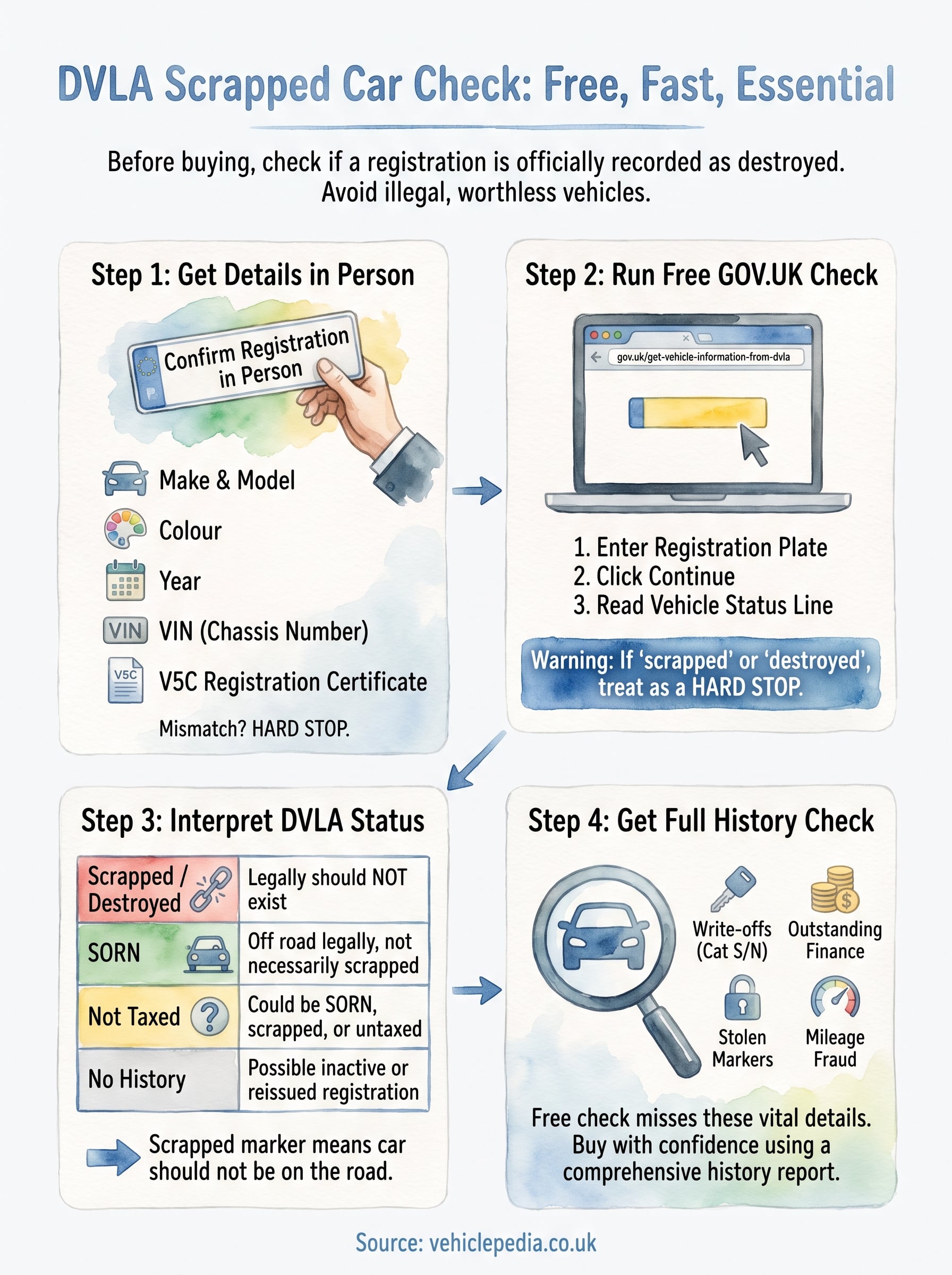
Before you run any check, get the registration number confirmed in person, ideally from the number plate itself rather than a listing or text message from the seller. Typos happen easily when details get passed along secondhand, and a single wrong character will pull up a completely different vehicle's history, giving you false confidence about the wrong car.
While you're at it, note down a few other details that help you sanity-check the results once you run the search. Cross-referencing these against what GOV.UK returns is your first line of defence against a cloned plate.
- Make and model, exactly as advertised
- Colour, since a mismatch here can flag a plate swap
- Year of registration, from the logbook or seller's description
- VIN (chassis number), stamped on the vehicle and shown on the V5C
If the registration on the plate doesn't match the V5C document in the seller's hand, stop and ask why before you go any further.
Ask to see the V5C registration certificate in person if you haven't already, and check the watermark and paper quality look genuine rather than photocopied. Genuine sellers with nothing to hide will have this ready without hesitation. If they're reluctant to produce it, or the document looks tampered with, treat that as a warning sign on its own, separate from whatever the DVLA check turns up.
Having these details sorted before you search saves you a second trip back to double-check something you missed, and it means you're reading the results against the correct vehicle from the start.
Step 2. Run a free check on GOV.UK
With your details confirmed, head straight to the official DVLA vehicle enquiry service at gov.uk/get-vehicle-information-from-dvla. This is the tool that answers a dvla scrapped car check free gov uk search directly, pulling live data from DVLA's own database rather than a third-party cache that might be out of date.
Running the lookup
Enter the registration number exactly as it appears on the plate, then submit the form. The process takes seconds, and you don't need to create an account or provide any personal details beyond the registration itself.
- Go to the GOV.UK vehicle enquiry page
- Type in the registration number, no spaces needed
- Click continue and wait for the results page to load
- Read the vehicle status line at the top of the results
If the status line mentions scrapped or destroyed, treat that as a hard stop, not a detail to negotiate around.
What the results actually show
The free results page covers tax status, MOT expiry, engine size, and colour on record. Somewhere in that summary, you'll see wording confirming whether DVLA holds a record marking the vehicle as scrapped. Match the colour and engine details against what you noted in Step 1, since discrepancies here often surface before the scrapped status does. Screenshot the results before closing the tab, since you'll want that record if you decide to walk away from the deal or report a suspicious listing.
Step 3. Read the results for signs the car was scrapped
Once the GOV.UK results load, don't just skim the tax and MOT figures. Look specifically at the wording DVLA uses to describe the vehicle's status, since a scrapped record won't always shout at you from the top of the page. The language tends to be understated, so you need to read the full status line rather than assume no news is good news.
What the wording actually means
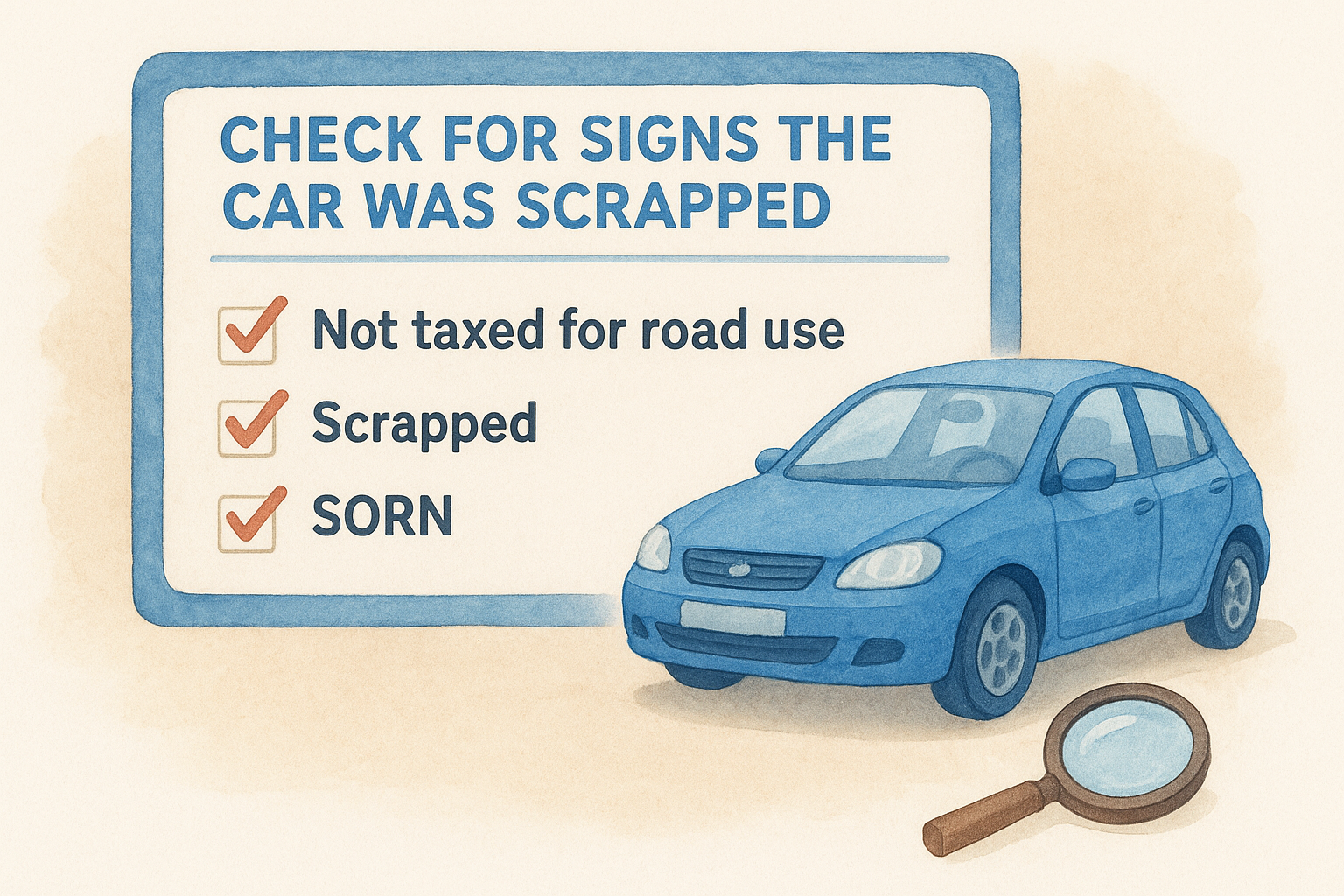
DVLA typically shows one of a few status phrases, and each carries a different implication for your purchase:
| Status shown | What it means |
|---|---|
| "SORN" | Off the road legally, not necessarily scrapped |
| "Not taxed for road use" | Could be SORN, scrapped, or simply untaxed |
| "Scrapped" or "destroyed" | DVLA holds a Certificate of Destruction |
| No MOT or tax history at all | Possible sign the registration is inactive or reissued |
Seeing "scrapped" anywhere on that results page means DVLA has already been told this car no longer legally exists.
A vehicle marked scrapped should have no current tax status and typically no upcoming MOT due date, since there's nothing left to test. If you see a scrapped marker alongside an active MOT or fresh tax payment, that mismatch is itself suspicious and worth investigating further before you consider the vehicle genuine. Note down exactly what the page says, word for word, because you may need to reference it later when reporting the listing or challenging the seller directly.
Step 4. Confirm with a full vehicle history check
Getting a clean result from GOV.UK feels reassuring, but it only tells you what DVLA has on file for scrapped status. It says nothing about whether the car's been written off in an insurance claim, reported stolen, still has finance owing on it, or has changed colour to dodge a cloned plate flag. A full vehicle history check fills in exactly those gaps, pulling from insurance registers, the police database, and finance company records that GOV.UK simply doesn't touch.
A clean scrap status from GOV.UK confirms one thing only, so treat it as a first filter, not a final answer.
Running a comprehensive history check through a service like Vehiclepedia takes the same registration number you already confirmed in Step 1 and cross-references it against those extra databases in one go. You'll see whether the vehicle's ever been marked a total loss, whether it's linked to outstanding finance that could leave you liable for someone else's debt, and whether the police have it flagged as stolen anywhere in the UK.
What to check alongside the scrap status
- Write-off category, since a Cat S or Cat N marker changes the car's real value
- Outstanding finance, which can follow the vehicle even after a private sale
- Stolen marker, checked directly against police records
- Mileage history, flagging any drop that suggests clocking
Start with Vehiclepedia's free car check to see baseline details instantly, then upgrade to the premium report if anything about the seller's story or the registration's history still doesn't sit right.
Buying with confidence
Running a dvla scrapped car check free gov uk search costs you nothing and takes less time than making a cup of tea. It's the single easiest way to rule out a car that legally shouldn't exist before you get emotionally or financially invested in it. Getting a clean scrap status from GOV.UK is a genuinely good sign, but it's not the whole picture, and treating it as final leaves you exposed to write-offs, finance, and stolen markers that DVLA simply doesn't track.
Pair that free check with a full history report and you're buying from a position of knowledge, not hope. Sellers respect buyers who ask the right questions, and you'll walk away from bad deals faster once you know what to look for. Want to see exactly what a full report covers before you commit? Take a look at our sample report and check for yourself.