How To Check A Car's History For Free By Reg In The UK
Learn how to check a car's history for free using official records. Access MOT, mileage, and tax data to spot red flags before buying your next car.

How To Check A Car's History For Free By Reg In The UK
Buying a used car without knowing its past is a gamble. Outstanding finance, hidden write-offs, dodgy mileage, these problems cost UK buyers thousands every year. The good news? You can check a car's history for free using nothing more than its registration number. A free reg check pulls data from official sources like the DVLA and MOT records, giving you key details about any vehicle before you hand over your money.
At Vehiclepedia, we built our service around exactly this. Enter a reg plate on our site, and you'll get instant access to MOT history, tax status, ownership changes, and more, without paying a penny. For buyers who want deeper checks (think stolen vehicle markers or outstanding finance), we offer premium reports backed by a £30,000 data guarantee.
This guide walks you through every free method available to check a car's history in the UK, step by step. You'll learn which details you can uncover at no cost, where the free checks fall short, and when it's worth going further.
What you can check for free by registration
A UK car's registration number connects to official databases that store years of records. When you run a free reg check, you're pulling data that the DVLA, DVSA, and other public bodies have logged throughout that vehicle's life. This gives you a solid starting point before you view the car in person, and in many cases it's enough to spot a problem without spending anything.
The key details available at no cost
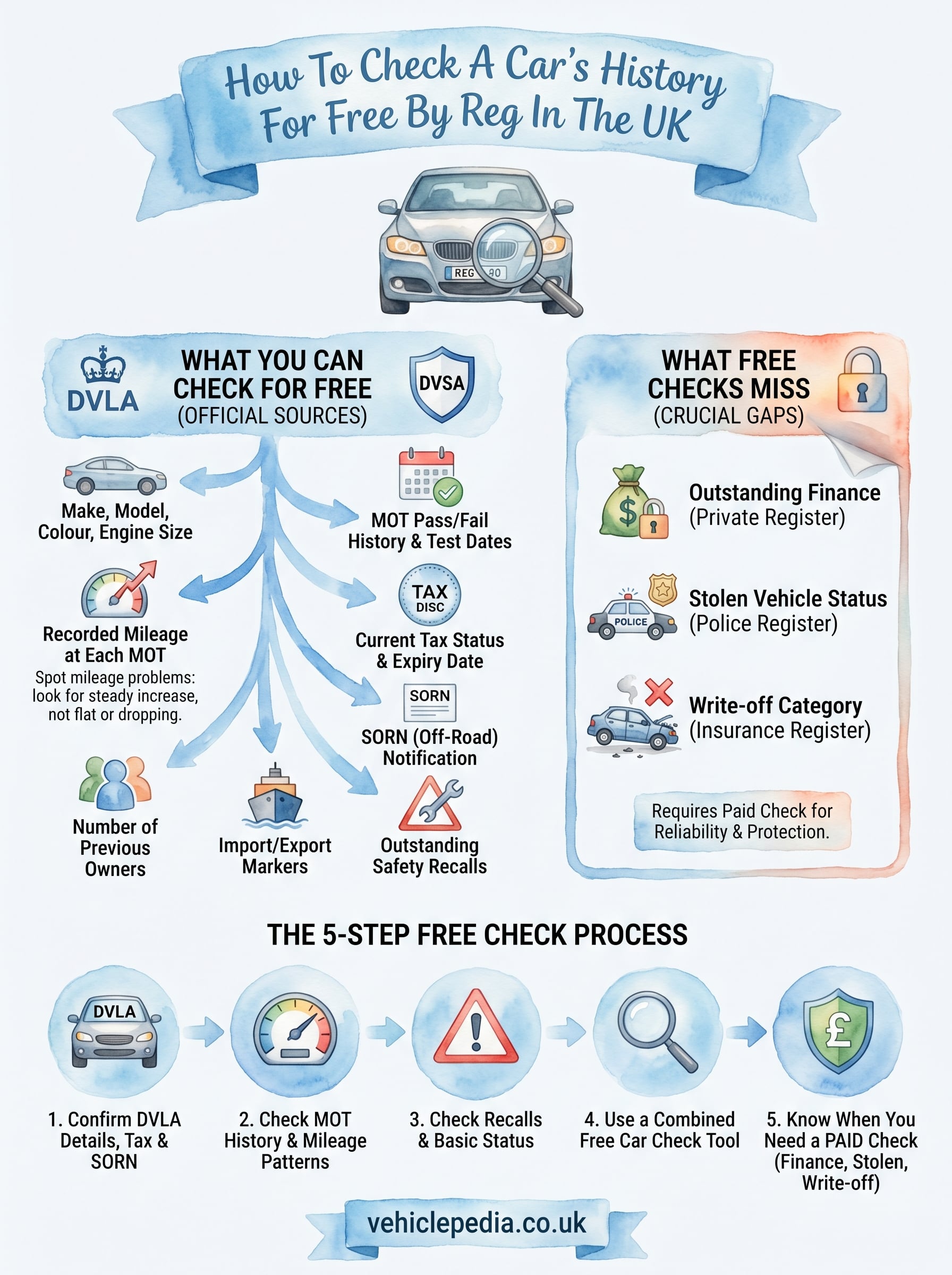
Learning how to check a car's history for free starts with knowing what data is actually available to you. The table below shows the key details you can access without paying, along with which official source holds each record.
| Data point | Source |
|---|---|
| Make, model, colour, and engine size | DVLA |
| MOT pass/fail history and test dates | DVSA |
| Recorded mileage at each MOT | DVSA |
| Current tax status and expiry date | DVLA |
| SORN (off-road) notification | DVLA |
| Number of previous owners | DVLA |
| Import and export markers | DVLA |
| Outstanding safety recalls | DVSA / manufacturer |
What free checks won't show you
Free checks cover a lot of ground, but they don't reach every part of a car's past. Outstanding finance and stolen vehicle markers sit in private insurance and police registers, which require a paid check to unlock. Written-off status is another gap: the insurance industry's write-off category is not publicly available through any official free service. If you need confirmation on any of these points, a premium history report is the only reliable route.
If a seller is reluctant for you to run any kind of check at all, treat that as a warning sign and walk away.
Step 1. Confirm DVLA details, tax and SORN
The DVLA's free vehicle enquiry service is the first place to start when you want to learn how to check a car's history for free. It takes under a minute to run and confirms whether the basic vehicle details match what the seller is telling you, which is a fast way to catch obvious fraud before you invest more time.
How to run the DVLA check
Go to the GOV.UK vehicle enquiry service and enter the registration number. The results show you:
- Make, colour, and engine size confirmed against DVLA records
- Current tax status and the date it expires
- SORN status, which tells you if the car is legally registered as off the road
If the colour or make shown by the DVLA does not match the physical car in front of you, stop the viewing and ask the seller for a clear explanation before going any further.
Check that the tax is live and valid before you arrange a viewing. Driving an untaxed vehicle is your legal responsibility the moment you take the wheel, even on a test drive.
Step 2. Check MOT history and mileage patterns
The DVSA's free MOT history service gives you a full record of every MOT test the car has ever had. This is one of the most useful steps when learning how to check a car's history for free, because it surfaces years of data in a single lookup, including test results, failure reasons, and mileage at each test date.
How to read the MOT results
Go to the GOV.UK MOT history service and enter the registration number. Each test record shows you:
- Pass or fail result and the exact test date
- Mileage recorded by the tester at the time
- Failure reasons and advisory notes flagged during the inspection
Spotting mileage problems
Look at the mileage readings across all tests in sequence. They should increase steadily over time. If the numbers drop or stay roughly flat between tests, that is a strong indicator the odometer has been wound back, and you should treat the car as high risk.
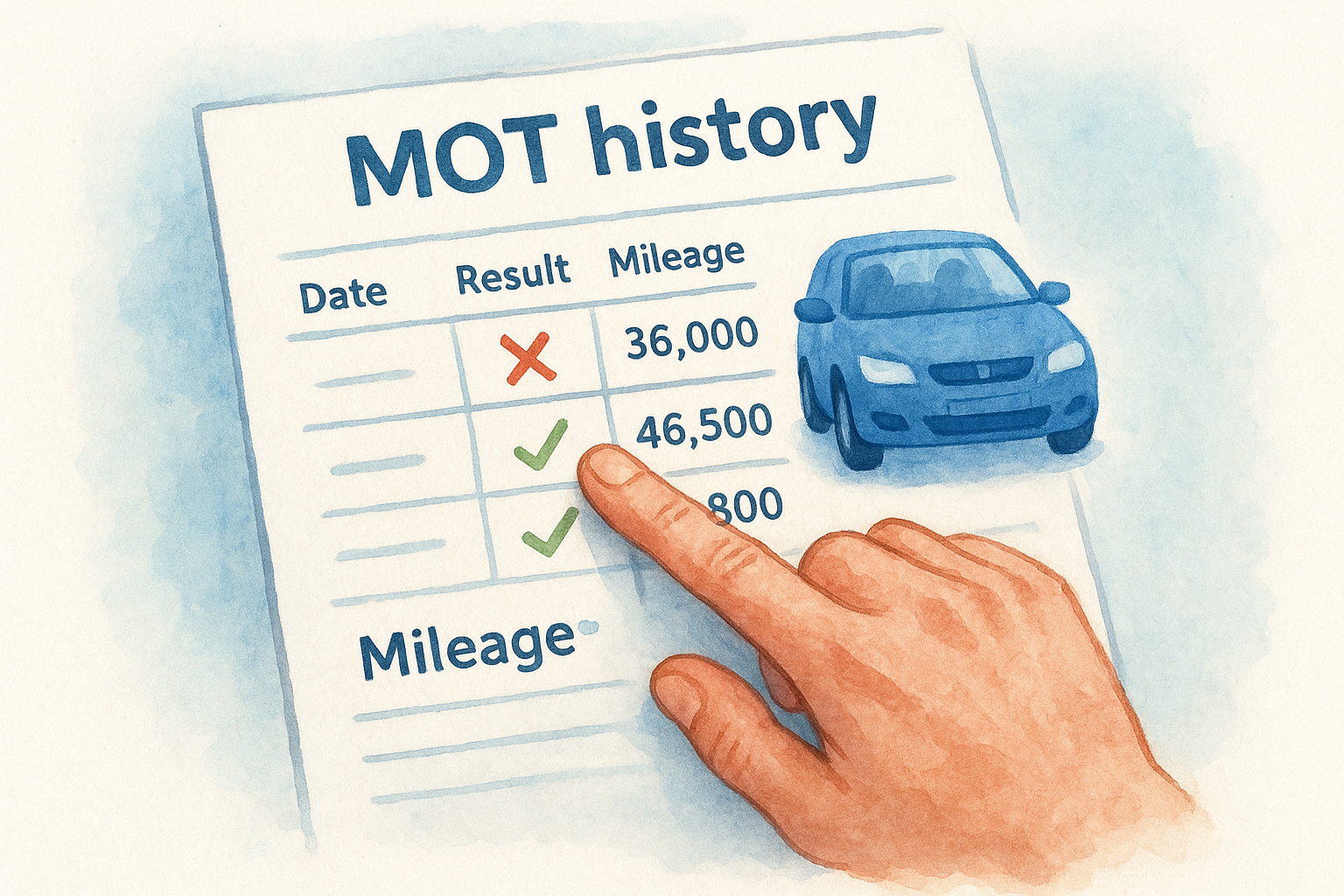
A car with a pattern of repeated MOT failures on the same component may have persistent mechanical issues that are costly to fix.
Pay attention to advisory notes too. A build-up of recurring advisories on items like brake wear or suspension tells you the previous owner consistently ignored maintenance warnings across several years.
Step 3. Check recalls and basic insurance status
Manufacturers are legally required to issue safety recalls, but not every owner acts on the notice. Part of learning how to check a car's history for free includes verifying whether any open recalls are attached to the registration you are looking at, before you arrange a viewing.
How to check for open recalls
The DVSA's free recall checker on GOV.UK lets you search by registration number. Enter the reg and you will see whether any outstanding safety recall is currently open on that vehicle. A recall does not mean the car is unsafe to buy, but it does mean you need to confirm the repair was completed before you commit.
If the seller claims a recall was fixed but has no paperwork, ask them to contact the manufacturer's dealer network and get written confirmation.
What free checks cannot tell you about insurance status
Write-off category data sits inside private insurance registers, which means no free public tool gives you confirmed write-off status. You need a paid report to get that information reliably, which is covered in Step 5.
Step 4. Use a free car check tool for extra context
A free car check tool pulls together the official data from Steps 1 to 3 and presents it in one place, saving you time. When you want to know how to check a car's history for free without jumping between multiple government sites, a single lookup gives you MOT history, tax status, ownership changes, and import records in seconds.
What to look for in the results
When you run the check, focus on key red flags rather than reading every data point in detail. Cross-reference the recorded mileage and ownership count against what the seller has told you about the car's age and history. A genuine private seller will rarely object to you running this lookup while they are present.
If the number of previous owners is significantly higher than the seller suggested, ask for a clear explanation before you proceed.
Check for any import or export markers in the results, as these affect the car's value and insurability and can indicate a more complicated history than the seller has described.
Step 5. Know when you need a paid history check
Free checks cover the publicly available data, but they leave three critical gaps that matter most when learning how to check a car's history for free. If any of the following situations apply to your search, a paid history report is the right next step.
Three situations that require a paid report
A paid check becomes essential when the risk of getting it wrong outweighs the cost of the report. The three scenarios below are the clearest signals that free tools are not enough.
- Outstanding finance: The car may still be legally owned by a lender, meaning you could lose it after purchase with no recourse.
- Stolen vehicle status: Only a check against the UK Police National Computer confirms whether a vehicle has been reported stolen.
- Write-off category: Category N or S write-offs affect safety, insurance costs, and resale value significantly.
A £30,000 data guarantee, like the one Vehiclepedia offers on premium reports, gives you legal protection if incorrect data leads to a financial loss.
Quick recap and what to do next
Free checks give you a solid foundation before you view any used car. The five steps in this guide cover DVLA vehicle details, MOT and mileage history, open safety recalls, and a combined free reg lookup that pulls it all together. Knowing how to check a car's history for free means you can spot the most obvious red flags before you invest time or money in a viewing.
For anything beyond what public records show, a paid report fills the gaps. Outstanding finance, stolen vehicle markers, and write-off categories are only accessible through private databases, and getting those wrong can cost you far more than the report itself.
Start with a free check on Vehiclepedia right now, and you will have the core facts in under a minute. If the results raise questions, view a sample premium report to see exactly what a full history check covers before you decide whether to go further.