Vehicle Tax Check: How to Check DVLA Tax Status by Reg
Learn how to run a vehicle tax check DVLA style, read all four statuses, and spot risks before buying, plus how to check MOT and history too.

Vehicle Tax Check: How to Check DVLA Tax Status by Reg
Buying a used car or just double-checking your own, a vehicle tax check dvla search should be one of the first things you do before handing over any money or driving off. Untaxed vehicles are easy to spot once you know where to look, and DVLA keeps this information public precisely so buyers and owners can verify it in seconds using nothing more than a registration number.
This guide shows you exactly how to check whether a car is taxed, SORN, or about to expire, using the official DVLA vehicle enquiry service and the plate on the number plate alone. You'll see what each status actually means, why a car might show as SORN even if it looks roadworthy, and how tax expiry dates tie into MOT and insurance checks that matter just as much when you're weighing up a purchase.
We'll walk through the exact steps, what the results tell you, and the red flags that suggest a seller isn't being straight with you. If you want the fuller picture, including ownership history and whether the car's ever been written off or reported stolen, a free Vehiclepedia check pulls that same DVLA tax data alongside everything else in one report.
What a DVLA vehicle tax check tells you
A DVLA vehicle tax check lets you check a car's tax status by registration and confirms whether it is legally allowed on the road right now, not just whether it was taxed at some point in the past. The result comes straight from DVLA's own vehicle enquiry database, so it reflects the current status rather than what a seller tells you or what the tax disc used to say back when those still existed. This single lookup answers the question that matters most before you commit to buying: can this car be driven and parked on a public road today without breaking the law?
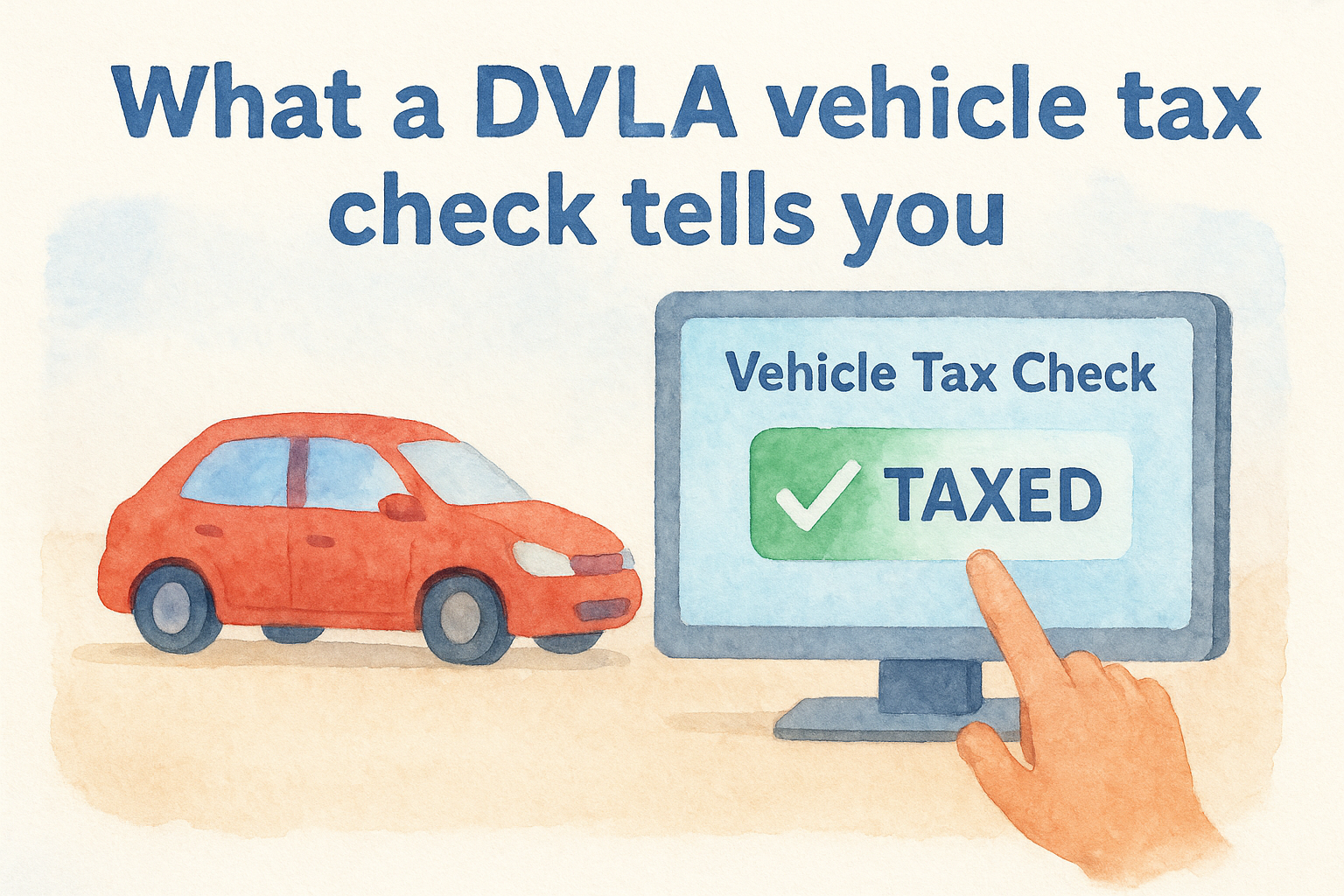
Each registration returns one of a small set of statuses, and knowing what they mean saves you from misreading a perfectly normal result as a problem, or missing a genuine warning sign.
The tax status categories explained
| Status shown | What it means | What you should do |
|---|---|---|
| Taxed | Vehicle Excise Duty is currently paid and valid | Note the expiry date and move on to other checks |
| SORN | Statutory Off Road Notification is active, car can't be driven or parked on public roads | Ask why, and whether it's been off-road for repairs, storage, or something else |
| Untaxed/Not Taxed | No valid tax and no SORN in place | Treat as a serious red flag, this is illegal to drive |
| Tax due within 14 days | Currently taxed but expiring soon | Factor the cost of re-taxing into your offer |
Beyond the status itself, the check also shows the tax expiry date, the vehicle's make and colour as registered with DVLA, the year of first registration, and sometimes the CO2 emissions band that determines what the car costs to tax each year. That last detail catches out a lot of buyers, since two similar-looking cars can sit in very different tax bands depending on engine size and emissions.
A taxed vehicle simply means someone's paid up to a date, it says nothing about whether the car is safe, roadworthy, or free of finance and write-off history.
What this check doesn't cover
Running a car tax check won't tell you about MOT history, outstanding finance, or whether the vehicle's ever been in an accident. It's one piece of a bigger picture, which is why serious buyers pair it with a free MOT status check and a fuller vehicle history report before agreeing a price. Treat the tax status as your first filter, not your last word on whether a car is worth buying.
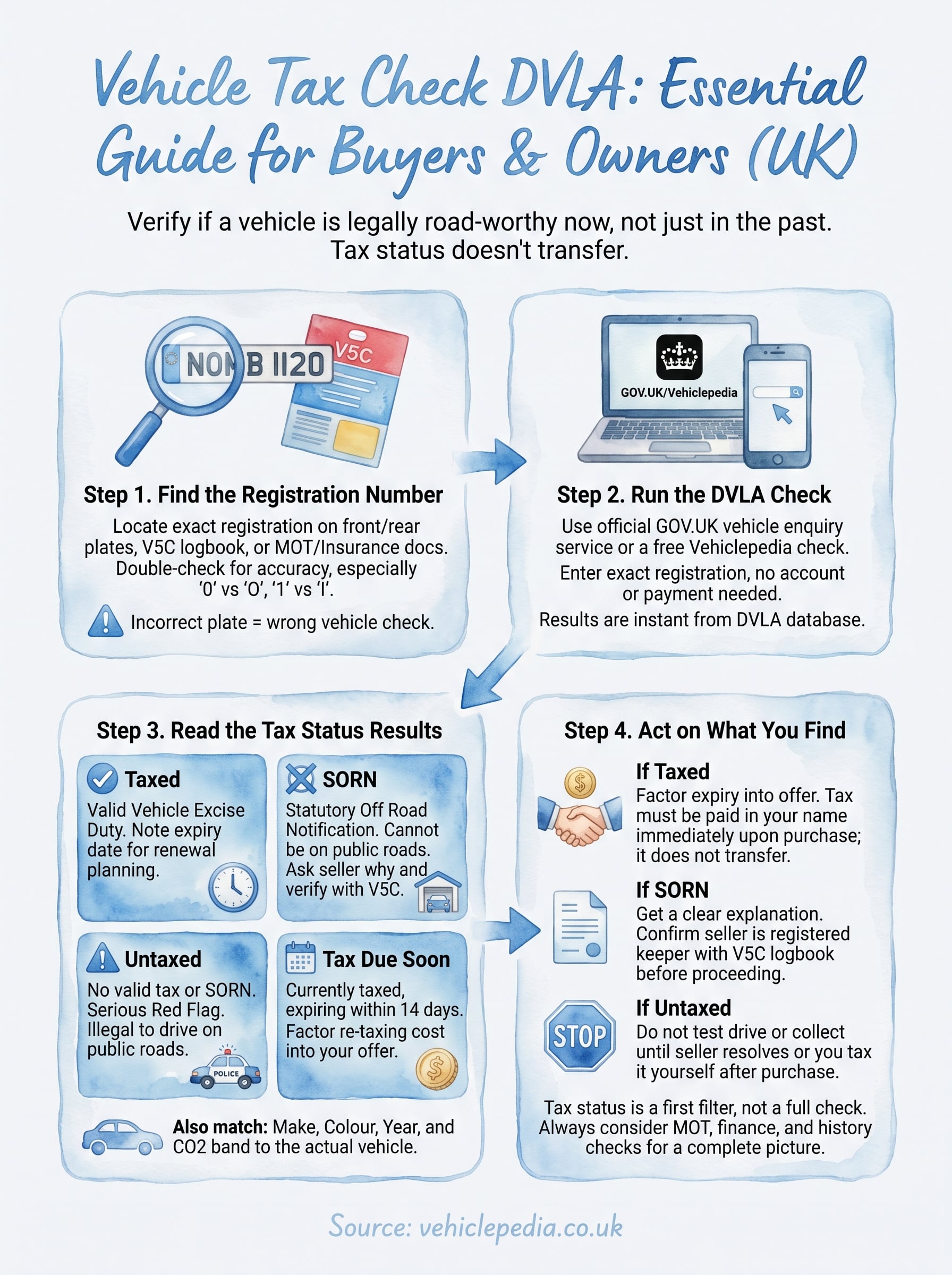
Step 1. Find the vehicle's registration number
Before you can run any DVLA vehicle tax check, you need the exact registration number as it appears on the car, not a rough guess or a photo taken from ten feet away. Every UK plate follows a set format, usually two letters, two numbers, then three letters, and DVLA's system is unforgiving about typos. Get one character wrong and you'll either pull up someone else's vehicle or get no result at all.
Get the plate wrong by even one character and you're checking a different car entirely.
Where to look
Grab the reg from the physical plates themselves, front and rear, and cross-check both match. Sellers occasionally swap a plate onto a different car, so a mismatch between the front and back plate is worth flagging immediately. If you're not viewing the car in person yet, ask the seller to send a clear photo of the number plate rather than typing it out for you.
- Front and rear number plates on the car itself
- The V5C logbook, in the top right corner of the front page
- Any recent MOT certificate or tax reminder letter, if the seller can provide one
- Insurance documents, if you're checking a car you already own
Double-check before you search
Read the plate back to yourself character by character, since 0 and O, or 1 and I, cause more failed lookups than anything else. If you're checking a car you're about to view, save the reg in your phone before you arrive so you're not fumbling for it standing next to the seller. Once you're confident it's correct, you're ready to run it through the official DVLA vehicle enquiry service.
Step 2. Run the DVLA vehicle tax check
With the registration confirmed, head to the official GOV.UK vehicle tax checker and type the plate into the search box exactly as it appears, no spaces added or removed beyond what the format needs. Results load instantly, and you don't need to create an account, enter your own details, or pay anything to see the current tax status. This is the same government-run vehicle enquiry service behind any free DVLA vehicle lookup that dealers and finance companies use, so there's no more authoritative source for this particular piece of data.
Running the check step by step
Follow these steps in order:
- Go to the GOV.UK vehicle tax checker page
- Enter the registration number in the search field
- Submit the search and wait for the result to load, usually within a second or two
- Note the tax status, expiry date, and any SORN flag shown
- Screenshot or write down the result if you're comparing several cars
One free lookup on the official checker gives you the tax status in seconds, no account and no payment needed.
Getting the fuller picture in one go
If you'd rather see the tax status alongside MOT history, mileage records, and ownership changes without running three separate checks, a free Vehiclepedia check pulls the same DVLA tax data into one report alongside everything else DVLA and the DVSA hold on that plate. Many buyers start with the government checker to confirm tax is valid, then run the fuller report before making an offer, since a taxed car can still hide problems the tax checker was never designed to catch. Either route draws from the same official source, so you're not trading accuracy for convenience.
Step 3. Read the tax status results
Once the page loads, you'll see the tax status displayed clearly at the top, followed by the make, colour, and year of manufacture as DVLA holds them on file. Compare these details against the car in front of you straight away. If the colour or make doesn't match what you're looking at, you've either mistyped the reg or you're looking at a car that's been altered, cloned, or misrepresented somehow.
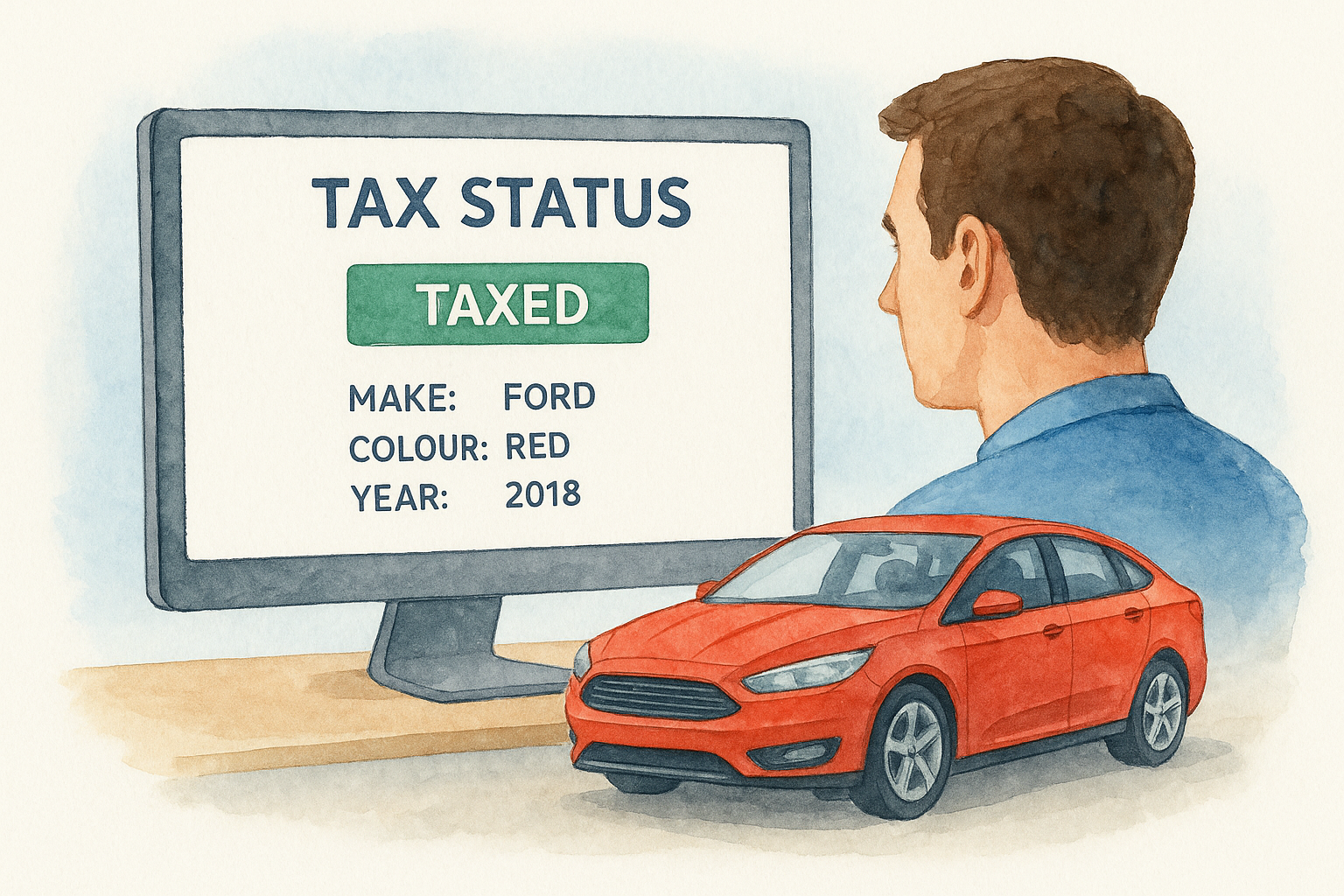
Matching the record to the car
Check these four details against the actual vehicle before you go any further:
- Make and model shown matches what's parked in front of you
- Colour matches, allowing for a genuine respray the seller's mentioned
- Year of manufacture lines up with the plate age identifier
- Engine size, if shown, roughly matches what the seller's told you
A mismatch between the DVLA record and the car in front of you matters more than the tax status itself.
Reading the expiry date properly
Next, look at the exact expiry date rather than just registering that the car shows as taxed. A car taxed until the end of this month is a very different proposition to one with eleven months left, especially if you're negotiating price or planning to drive it home immediately after purchase. Some sellers rely on buyers glossing over this detail, quietly factoring a near-term re-tax cost into their asking price without mentioning it.
Spotting SORN and its context
Finally, if the result shows SORN rather than taxed, note that this alone isn't automatically suspicious. Plenty of legitimate reasons explain it, a car sitting in a garage over winter, awaiting repair, or between owners, and it's worth knowing how long a SORN lasts before it ends or renews. What matters is whether the seller's explanation matches what you're seeing, and whether they can produce a V5C logbook confirming they're the registered keeper entitled to declare that SORN in the first place.
Step 4. Act on what you find
Finding the tax status is only useful if you actually act on it before the sale goes through. What you do next depends entirely on which result came back, and rushing past a warning sign because the car "looks fine" is how buyers end up with an untaxed vehicle sitting on their drive the next morning.
If the car shows as taxed
Great, but don't stop there. Check the expiry date against your plans for the car and factor any near-term renewal into your offer. Ask the seller directly whether they'll be transferring or cancelling the tax on sale, since vehicle tax doesn't transfer with the car anymore, and taxing a car in your name is something you must do the moment you become the registered keeper.
Tax never transfers with the car, you must tax it yourself as soon as you're the registered keeper.
If the car shows as SORN
Ask why, and get a straight answer before you go further. Legitimate reasons exist, but a seller who can't explain a SORN, or can't produce a V5C logbook proving they're entitled to declare it, is a seller worth walking away from, so check the V5C logbook online before you go further.
If the car shows as untaxed
Treat this as a hard stop until it's resolved. Driving an untaxed vehicle on a public road is illegal, and you shouldn't test drive, collect, or drive the car home until the seller sorts it, or you've taxed it yourself the instant ownership changes hands.
Before you commit
Run through this checklist once the tax status is clear:
- Confirm the seller's name matches the V5C
- Note the tax expiry date in writing
- Ask about SORN history if flagged
- Run an MOT and tax check by reg to confirm MOT status separately
- Consider a full vehicle history check before paying a deposit
A clean tax result clears one hurdle. It doesn't clear whether finance is still outstanding, write-off, or theft checks, which matter just as much.
Keeping your vehicle tax up to date
A quick DVLA vehicle tax check takes seconds and tells you whether a car is legal to drive today, but it's only one piece of due diligence. Taxed doesn't mean roadworthy, and SORN doesn't mean stolen or written off. Treat the tax status as your opening filter, then verify the rest before you hand over a deposit or drive anything home.
Once you're satisfied on tax, widen the check to cover MOT history, finance, and write-off status, since those are exactly the problems a tax lookup was never built to catch. Vehiclepedia pulls all of that together in one report, sourced from the same official DVLA and police databases, so you're not stitching together three separate searches under pressure at the seller's kerb. See what a full Vehiclepedia report includes before you commit to a purchase you can't easily undo.