How to Check Car Ownership Online in the UK
Learn how to check car ownership online free via DVLA reg lookup, spot seller lies, and upgrade to finance/write-off reports with Vehiclepedia.

How to Check Car Ownership Online in the UK
You've found a car you like, but before handing over any money you need to know who actually owns it and whether the seller is telling the truth. That's exactly why so many buyers check car ownership online before they commit. It's quicker than ringing the DVLA and it stops you finding out too late that something doesn't add up.
Here's the reality: there's no single government tool that hands you a stranger's name and address, that's protected under data laws. What you can do is verify the registration date, MOT history, tax status, and previous keeper changes, which together tell you if the seller's story checks out. This is how to find out when a car was registered, spot inconsistencies, and confirm the vehicle matches its paperwork.
In this guide, we'll walk through the exact steps to run a registration plate lookup, what free DVLA data actually shows you, when you need a classic car reg check for older vehicles, and where a full vehicle history check fills the gaps official records can't.
What you can check about car ownership online
Start with what's actually available, because it's easy to waste time chasing data that doesn't exist. The DVLA won't hand out a registered keeper's name or address to the public, full stop. What you can pull up instantly, using nothing but a number plate, is a solid set of facts that let you cross-check whatever the seller tells you. Think of it as verifying the story rather than getting a name on a doorbell.
Here's what a proper check car ownership online search gives you access to:
- Number of registered keepers and when the last change happened
- MOT history and current status, including advisories and failures
- Road tax status, whether it's SORN, taxed, or overdue
- Registration date and vehicle age, straight from DVLA records
- Colour changes, which often flag a respray after an accident
- Import or export markers, useful if the car's history spans borders
You can't get a stranger's name from a free check, but you can verify everything else the seller tells you about the car.
A free registration plate lookup covers most of this in seconds, no login needed. Combine that with a classic car reg check gov uk search if the vehicle is over 40 years old, since older cars often carry incomplete digital records and benefit from a manual paper trail through the DVLA's V5C history. Older logbooks sometimes list keeper changes that never made it into modern databases, so it pays to check both.
If you want more than the basics, a paid vehicle history report goes further, checking for outstanding finance, write-off markers, and stolen vehicle status against the police database. None of that comes from the free check, and none of it should be skipped if you're handing over serious money. Together, these tools answer almost every ownership-related question a buyer actually needs answered, without breaching anyone's privacy.
Step 1. Run a free DVLA vehicle check
Before anything else, run the number plate through a free vehicle check. This is the fastest way to confirm the basics match what the seller told you, and it takes under a minute. Vehiclepedia's instant DVLA vehicle check pulls straight from official DVLA and DVSA records, so you're not relying on the seller's word for tax status or MOT history.
Here's how to do it properly:
- Grab the exact registration number from the V5C or the plate itself, not from an advert, since typos in listings are common.
- Enter it into a registration plate lookup tool and check the results load a make, model, and colour that match the car in front of you.
- Check the MOT status and expiry date against what the seller claims.
- Look at the tax status, confirming it's taxed, SORN, or due soon.
- Note the number of previous keepers shown, since checking previous owners of a car by reg becomes useful later when you question the seller directly.
A free DVLA check won't name the owner, but it will catch a seller lying about tax, MOT, or keeper history in seconds.
Once you've done this, you'll already know if the basic facts hold up. Mismatched colours, expired tax, or a keeper count that doesn't match the seller's story are all red flags worth raising before you go any further. Getting this right early saves you wasted trips to view cars that were never going to check out.
Step 2. Get a full vehicle history report
Once the free check clears, move on to a full vehicle history report if you're serious about buying. Free data tells you about tax and MOT, but it says nothing about finance owed, write-off status, or whether the car's been reported stolen. Those three issues cause the most heartache for buyers who skip this step, because none of them show up on a basic registration plate lookup.
A premium report from Vehiclepedia checks the vehicle against the police stolen vehicle register, insurance write-off databases, and the finance history held by lenders. You'll also see a full check details of car owner style history covering every keeper change on record, plus import and export markers if the car's crossed borders at any point. Vehiclepedia backs its premium reports with a £30,000 data guarantee for non-trade buyers, so you're not just trusting a screen, you've got financial protection behind the result.
Skipping the finance and write-off check is how buyers end up owning someone else's debt or a car that should never be back on the road.
Before paying for anything, look at what a full Vehiclepedia report actually shows so you know exactly what you're getting. It takes the guesswork out of the purchase, and given the report costs a fraction of the car's value, there's little excuse to skip it once you're seriously considering a purchase rather than just browsing listings.
Step 3. Find the car's registration date and age
Knowing how to find out when a car was registered matters more than most buyers realise, because it confirms the model year and helps you spot a cloned plate. The registration date sits on the V5C logbook, but you don't need paperwork in hand, a quick check of a car's registration date shows it instantly alongside the vehicle's age in years.
Reading the age identifier
UK plates encode the registration date directly, so you can cross-check the DVLA result yourself without trusting anyone's word for it.
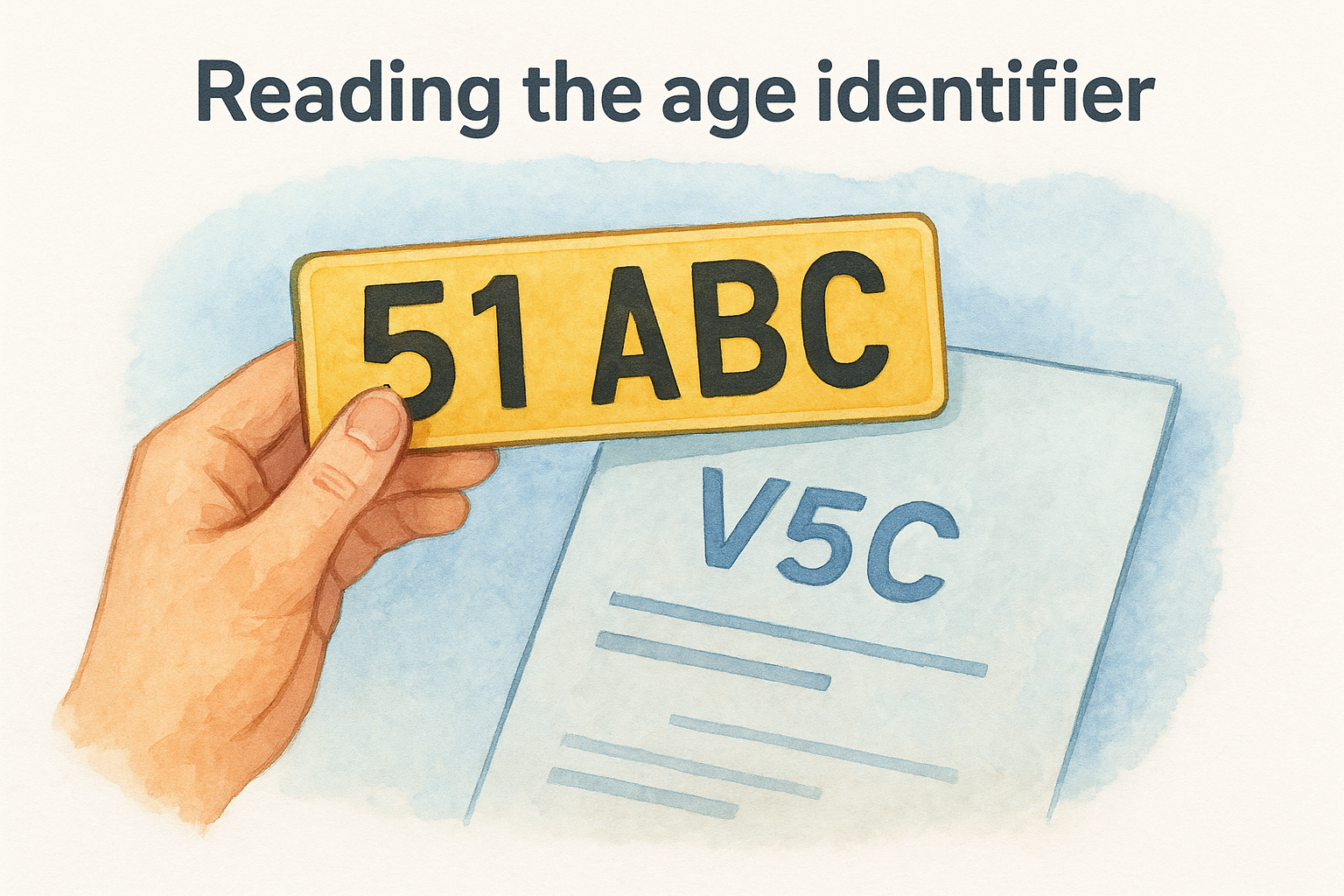
| Plate format | Example | Registered between |
|---|---|---|
| Two-letter, two-number, three-letter | A123 BCD | Pre-2001 |
| Age identifier, two letters | 51 ABC | Sept 2001 to Feb 2002 |
| Age identifier, two letters | 02 ABC | March 2002 to Aug 2002 |
| Current format | AB12 CDE | March 2012 to Aug 2012 |
If the plate format doesn't match the registration date on the DVLA check, walk away, that's a cloned or reworked vehicle.
Why the date matters for classic cars
Older vehicles need extra care, since digital records thin out the further back you go, and anything over 40 years old may also qualify for classic car tax exemption. Running a classic car reg check gov uk pulls whatever DVLA holds electronically, but genuinely old cars, particularly anything pre-1983, sometimes carry incomplete data online. Requesting the paper V5C history through the DVLA fills those gaps, giving you a verified registration date even when the digital trail runs cold.
Step 4. Request registered keeper details from the DVLA
Sometimes you need more than a digital lookup, and that's where the formal DVLA request comes in. If you've been in an accident, need to trace a previous keeper for a legal claim, or you're chasing someone who owes you money connected to a vehicle, you can apply directly to the DVLA for keeper information using form V888. This isn't a free-for-all though, the DVLA only releases these check details of car owner requests when you can show a genuine legal reason, such as pursuing an unpaid parking charge on private land or resolving an insurance dispute, so it's worth understanding whether you can check who owns a car by number plate first.
The DVLA will only hand over a registered keeper's details when you can prove a legitimate legal reason, not simple curiosity before a purchase.
Here's what the request process actually involves:
- Download form V888 from GOV.UK and fill in your reason for the request in full
- Provide evidence supporting your legal ground, such as a police report reference or a signed parking contract
- Pay the fee, which the DVLA sets and reviews periodically
- Wait for processing, which typically takes several weeks rather than days
For most buyers doing pre-purchase research, this route is overkill. It exists for specific legal disputes, not for satisfying curiosity about who currently owns a car you're thinking of buying. Stick with the registration plate lookup and full history report for that, and save the formal DVLA request for situations where you genuinely need it, such as chasing a hit-and-run driver or pursuing a civil claim through the courts.
Checking ownership before you buy
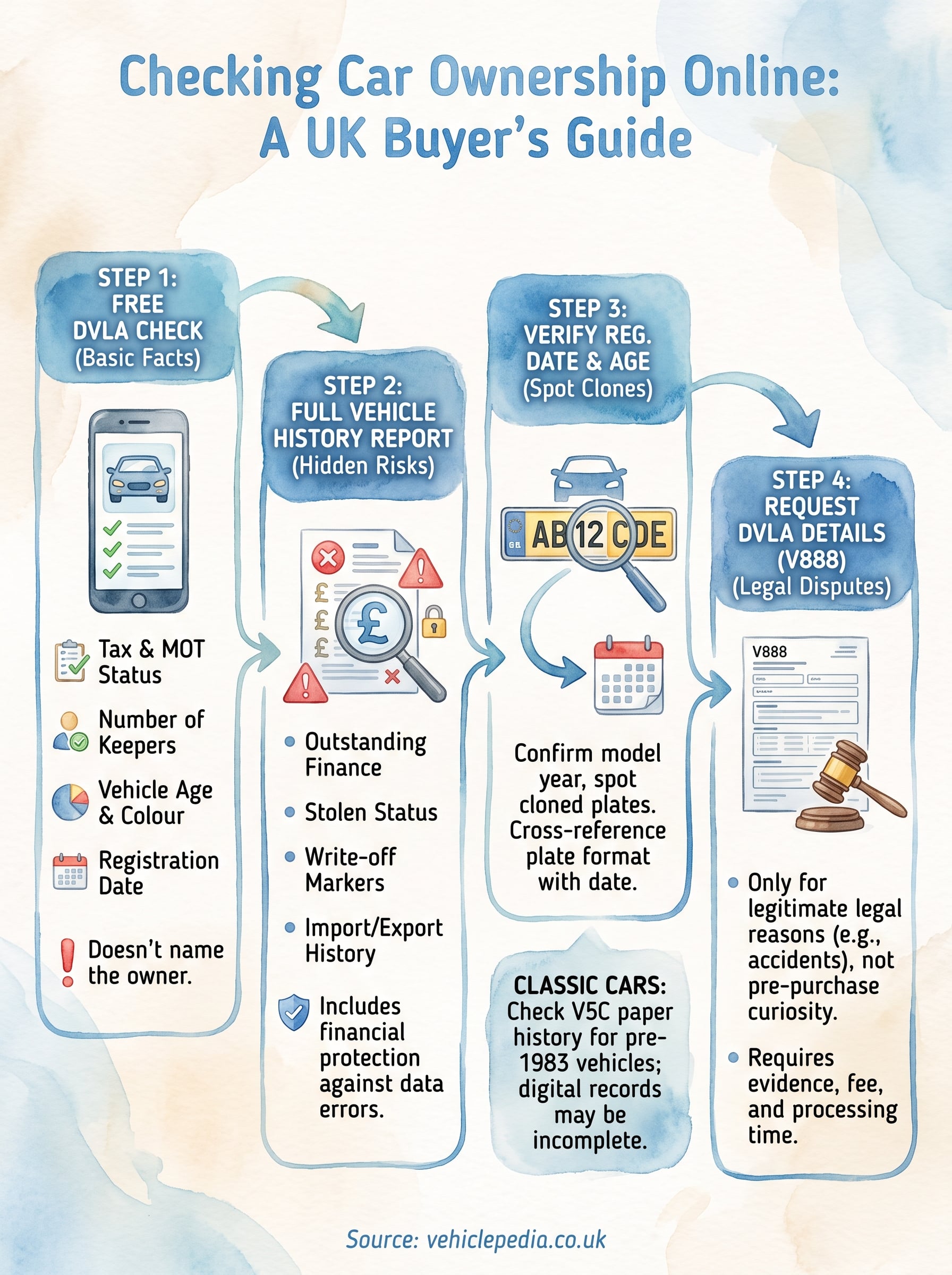
Getting this right isn't complicated once you know which tool answers which question. A free registration plate lookup confirms tax, MOT, and the car's full ownership history in seconds. A full history report catches finance, write-offs, and stolen markers that never show up on the basic check. And if you're buying something older, a classic car reg check through DVLA records fills in gaps the digital databases miss.
None of this requires special access or legal grounds, you just need the registration number and a few minutes before you view the car. Skip it and you're trusting a stranger's word on a purchase that could cost thousands if something's wrong.
Run the free check first, then decide whether the full report makes sense for your situation. If you're still weighing up which option suits your budget, see how much a full ownership and history check costs before you commit to anything.