Car Service History Check: How to Verify Your Vehicle's Record
Learn how to check service history of car using MOT data, dealer portals and garage calls, plus Vehiclepedia's free lookup for full peace of mind.
Car Service History Check: How to Verify Your Vehicle's Record
Buying a used car without knowing how well it's been looked after is a gamble. A missing service stamp or a suspiciously tidy logbook can hide years of neglect, and that catches up with you in garage bills later. If you want to check service history of car records before you hand over any money, you need to know where the genuine data actually lives, because it isn't all in one tidy place.
Here's the reality: there's no single free gov.uk portal that shows a full service history the way people expect. What you can do is run a free service history check and gather clues through DVLA-linked MOT records, dealer service books, and manufacturer databases, then cross-check them against each other. Anyone searching to check car service history online free uk gov uk is really looking for MOT and mileage records, which do exist and are genuinely useful.
This guide walks through every legitimate route: official MOT history, manufacturer service records, dealer network checks, and how a full vehicle history check from Vehiclepedia fills in the gaps those free tools can't cover.
What is a car service history and why it matters
A car's service history is simply the record of every maintenance visit it's had since it left the factory: oil changes, filter swaps, cambelt replacements, brake work, and the annual checks a manufacturer recommends. Garages log this work in a service book or, increasingly, in a digital service record tied to the registration plate, and our guide on how to check a car's service history in the UK explains what each format proves. When you're trying to check service history of car records before buying, that paperwork is your best evidence that the engine, gearbox and safety systems have been looked after properly rather than run into the ground.
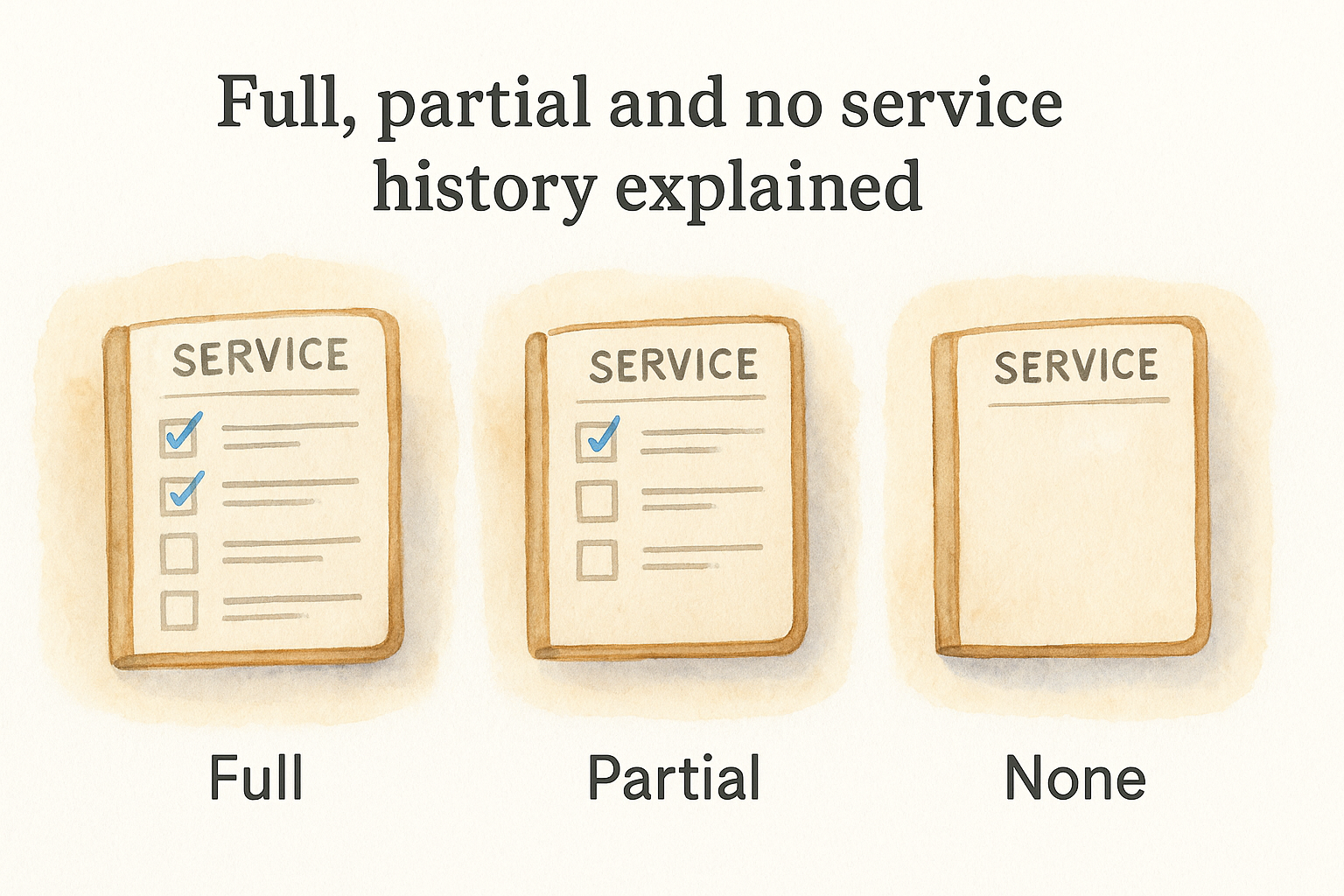
Full, partial and no service history explained
Not every service history looks the same, and the gaps matter more than most buyers realise. Use this as a quick reference when a seller hands you a logbook.
| Service history type | What it usually means | What it tells a buyer |
|---|---|---|
| Full | Stamped at every interval, often across multiple garages | Maintained to schedule, lower risk of hidden wear |
| Partial | Some services logged, gaps or missed intervals | Some maintenance may have lapsed, worth investigating why |
| None | No book, no stamps, no digital record | Proceed carefully and budget for unknown repair costs |
Getting a car with a full service history doesn't guarantee a perfect vehicle, but it removes a lot of guesswork about how it's been treated.
Why it matters for price and reliability
Insurers, warranty providers and the next buyer all care about this record as much as you do. A car with a documented service history typically holds its value better at resale, and if something major fails while it's still under a manufacturer or extended warranty, missing service stamps can be grounds for the claim to be refused. Dealers also use a thin service history as leverage to justify a lower part-exchange price, so having proof in hand protects your negotiating position too.
A car's service history is the single best clue to how it's actually been treated, not just how it looks in the photos.
What service history can't tell you
However thorough the stamps and receipts look, a service book only covers routine maintenance, it says nothing about whether the car has outstanding finance, was declared a write-off after an accident, or is currently flagged as stolen. Those risks sit in entirely separate databases that a garage never touches. That's why the steps below start with the genuinely free official sources, then move on to a proper vehicle history check for the things a service book was never designed to reveal.
Step 1. Check MOT and tax status on gov.uk
Start with the only truly free, official government tool available: the MOT history checker on gov.uk, or use our free MOT check tool for the same data. It won't show you a service book, but it gives you a verified timeline of mileage readings and advisory notes going back to the car's first MOT, which is often enough to spot a neglected vehicle or a clocked odometer before you even view it.
Running the check
Go to the gov.uk MOT history service, enter the registration plate, and you'll get a free report within seconds. Look out for:
- Mileage jumps or drops between tests, which can flag odometer fraud, worth confirming with a mileage check by registration
- Repeated advisories for the same fault, suggesting a car that's patched up rather than properly repaired
- Failed tests followed immediately by a pass with no obvious repair listed
- Gaps in testing dates, which can mean the car was off the road or unused for long stretches
Anyone trying to check my car service history online free gov uk is usually hoping for exactly this data, and it's genuinely reliable because DVSA collects it directly from testing centres.
The MOT record won't confirm servicing was done, but it will expose the wear and tear that poor servicing leaves behind.
Confirming tax and roadworthiness
While you're on gov.uk, run the vehicle tax checker too. It confirms whether the car is currently taxed, its CO2 emissions band, and its MOT expiry date in one screen. If the tax has lapsed or the MOT is close to running out, factor that into your offer.
Cross-reference these two free checks against each other before you move on. Vehiclepedia's combined MOT and tax check pulls the same DVLA-linked data into a single report, alongside vehicle age and performance details, so you're not juggling two separate government pages while you research.
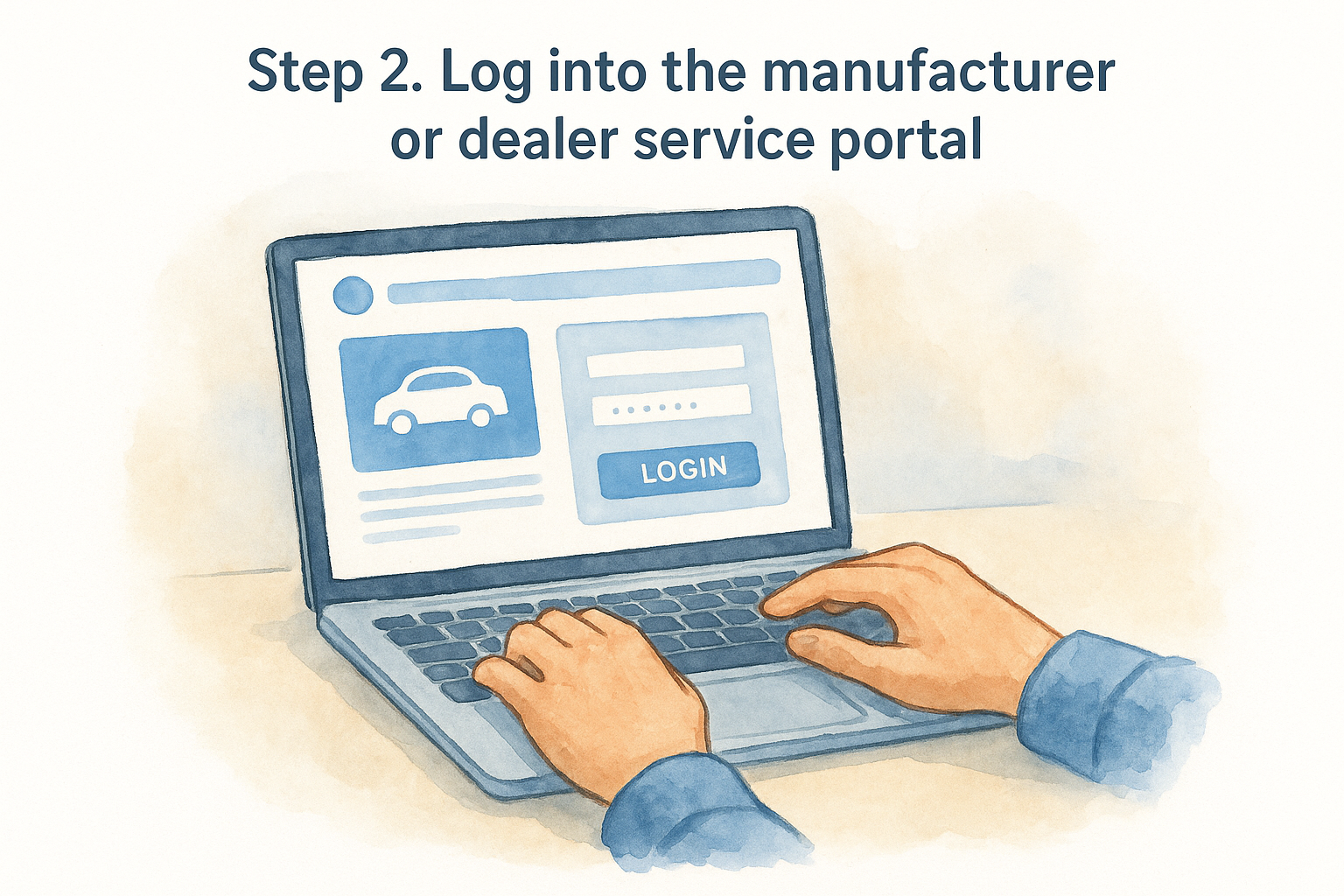
Step 2. Log into the manufacturer or dealer service portal
Most mainstream manufacturers now keep a digital service record tied to the VIN, updated automatically whenever the car visits a franchised dealer. Brands like BMW, Mercedes, Ford, and Volkswagen all run their own portals, and if the seller can give you the registration and VIN, you can often log in yourself or ask them to screenshot the service timeline. This is usually more reliable than a paper book because a dealer's workshop system uploads the record the moment a technician closes the job, so there's no scope for a missing stamp or a forged entry.
Finding the right portal
Search "[manufacturer name] service history check" plus the word "portal" and you'll usually land on the official page within a couple of clicks. Have these details ready before you start:
- Vehicle registration number
- VIN (where to find the VIN on your logbook or on the windscreen plate)
- Owner's postcode or name, which some portals ask for as a security check
A dealer-uploaded digital record beats a paper stamp every time, because nobody can quietly skip an entry.
When the portal comes up empty
Gaps here don't automatically mean the car was neglected. Independent garages, not just franchised dealers, do plenty of servicing, and their work rarely makes it onto a manufacturer's system. Older cars, cars imported from overseas, or vehicles serviced mainly outside the main dealer network will often show a thin or empty digital record even when the actual maintenance was fine. Treat a blank portal as a prompt to dig further with the seller rather than a red flag on its own, and don't let it override a paper book with genuine, dated stamps from a recognised local garage. If the seller can't produce login access or a printout, ask them to phone the dealer with you present, since most service departments will confirm dates and mileage over the phone once they've verified the registration.
Step 3. Contact previous garages, dealers or owners
When the digital portal is thin and the service book has gaps, the fastest fix is often the oldest one: pick up the phone. Garages keep job records for years, tied to the registration or VIN, and most will happily confirm dates, mileage and work carried out once you explain you're buying the car. This step matters most when you're trying to check vehicle service history for an older car or one that's changed hands a few times, since paperwork tends to go missing exactly when ownership does.
Who to call and what to ask
Start with any garage stamps or invoices you already have, then work backwards through the V5C logbook to previous keepers if the seller can share that detail. A short, direct call gets better results than an email that might sit unread.
- The garage named in the service book: ask them to confirm the date, mileage and work done on their last few visits
- The selling dealer, if it's a trade sale: ask whether they inspected or serviced the car before listing it
- The previous private owner, if contactable through the seller: ask why they sold and whether they have any old invoices, using the same questions to ask a private car seller
A five-minute phone call to a garage can confirm more than a stack of unstamped receipts ever will.
Reading between the lines
Be wary if a seller can't or won't help you trace previous garages at all, especially on a car that's supposedly had regular main dealer servicing. Genuine sellers tend to have at least one contact detail, an old MOT certificate with a garage's name on it, or a folder of invoices they're proud to hand over. If every lead goes cold, that's not proof of a problem, but it does mean you're relying more heavily on the MOT history and mileage data from Step 1 to judge the car's condition, so weigh that gap into your offer before you commit to buying.
Step 4. Verify the records with a vehicle history check
Once you've gathered MOT data, dealer portal screenshots and a few phone confirmations, run a proper vehicle history check to fill in everything a service record can never show, and it helps to know what a vehicle history check reveals first. This is where you confirm the car isn't hiding outstanding finance, a write-off marker, or a police flag for theft, none of which live in a garage's paperwork. A free registration lookup from Vehiclepedia pulls DVLA-linked MOT history, tax status, ownership changes, and colour changes into one report, so you're not stitching together data from three different tabs.
What a premium report adds
The free check confirms the mechanical and administrative side, but a premium report is where the financial and legal risks surface. Vehiclepedia's premium check adds:
- Outstanding finance check, confirming whether there is finance still owed on the car by a previous owner
- Write-off status, showing if the vehicle was ever declared a total loss by an insurer
- Stolen vehicle check, so you can confirm a car isn't reported stolen against the UK police database
- Import and export records, useful for spotting cars brought in from overseas with an unclear history
A clean service book means nothing if the car is still on finance or was written off two years ago.
Cross-checking against your paper trail
Compare the premium report against everything you collected in Steps 1 to 3. If the mileage on the vehicle history report doesn't match the last service invoice, or the ownership history shows more keepers than the seller admitted to, treat that as a serious warning sign rather than a clerical error. Genuine sellers rarely mind you running this check, and Vehiclepedia lets you preview a sample premium report first, so you know exactly what you're paying for before you commit. With the mechanical picture from the service history and the legal picture from the vehicle check both confirmed, you've done everything a careful buyer reasonably can.
Staying on top of your car's history
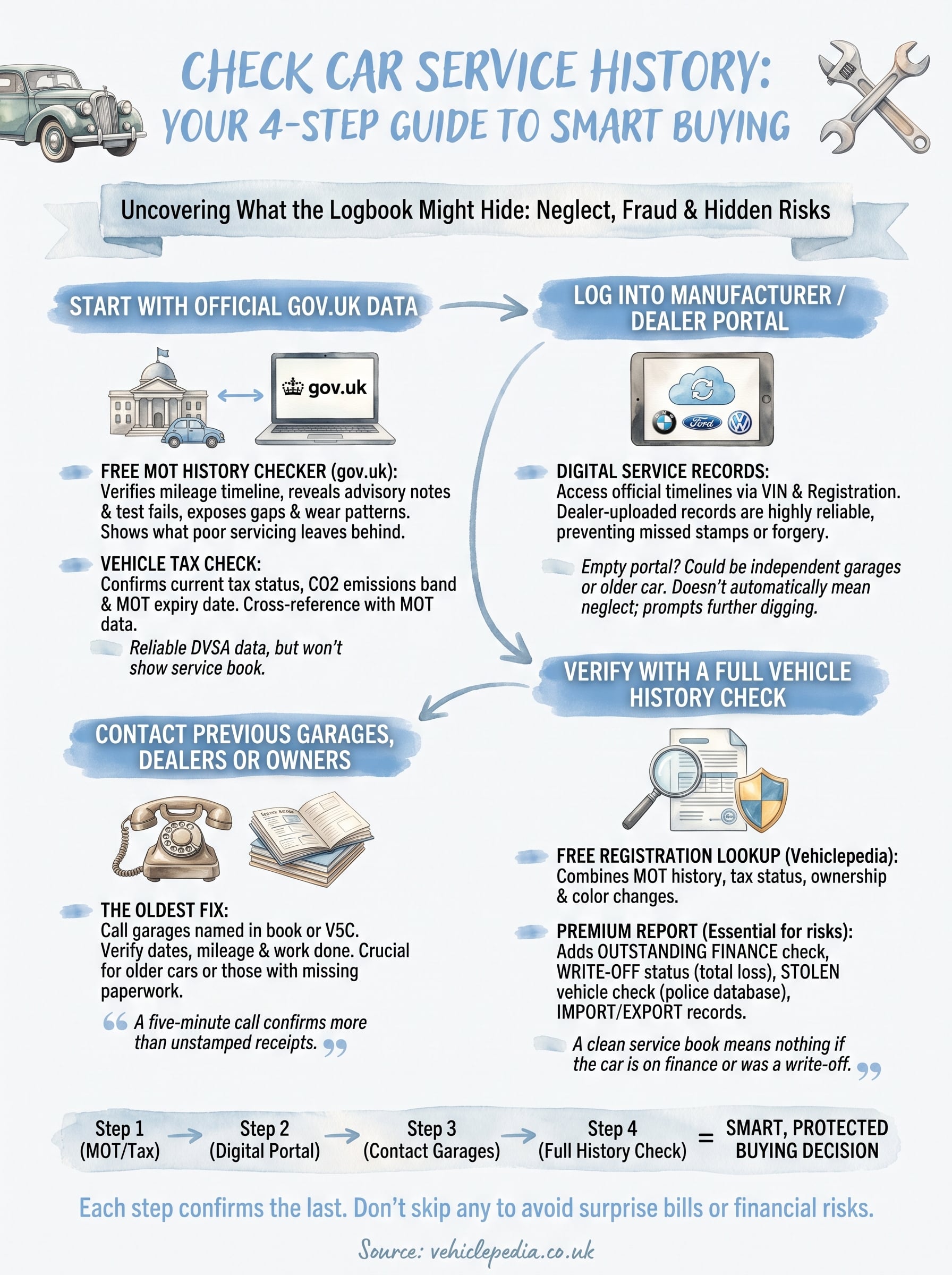
Verifying a car's past isn't a single click, it's a short sequence: check MOT and tax on gov.uk, log into the manufacturer portal, call a garage or two, then run a full vehicle history check to catch what paperwork can't. Skip any one step and you're trusting a stranger's word over verified data, which is exactly how buyers end up with surprise repair bills or a car still on finance.
Treat each stage as confirmation of the last rather than a one-off task, and you'll walk into any purchase knowing precisely what you're getting. The free checks cover mileage and roadworthiness well, but finance, write-off and theft records need a proper report behind them. Before you commit to buying, see a full example vehicle report to know exactly what's included, then decide which level of check suits the car in front of you.