Road Tax Status: How To Check If Road Tax Is Paid
Learn how to check if road tax is paid with just the reg plate, and what taxed, untaxed or SORN means for buyers. Free DVLA data, no account needed.

Road Tax Status: How To Check If Road Tax Is Paid
Driving without valid road tax (officially called Vehicle Excise Duty) can land you a fine of up to £1,000, and if you're buying a used car, the seller's tax doesn't transfer to you. Knowing how to check if road tax is paid on any vehicle before you hand over your money isn't just smart; it's essential.
The good news is that checking is straightforward. The DVLA makes tax status publicly available, and you only need a registration number to look it up. At Vehiclepedia, we pull this data directly into our free vehicle check alongside MOT history, registration details, and more, giving you a complete picture of any car's standing in seconds.
This guide walks you through every method available to check a vehicle's road tax status, what the results actually mean, and what to do if something doesn't look right. Whether you're verifying your own car or vetting one you're about to buy, you'll have clear answers by the end.
What you can check and what you need
Before you look up a vehicle, it helps to know exactly what the check covers. The DVLA holds real-time data on every registered vehicle in the UK, and when you query a registration plate, you get back the current tax status along with a few other key pieces of information. You don't need an account, a subscription, or anything other than the registration number itself. Road tax, car tax and VED all mean the same thing, so any of these checks answers the question "is my car taxed?".
The DVLA updates tax and SORN records automatically when payments are processed or declarations are made, so the data you see reflects the vehicle's status at the point you check it.
What the check reveals
A standard road tax lookup pulls back more than a simple yes or no. Depending on which method you use, you can see whether the vehicle is currently taxed, the date the tax expires, whether a Statutory Off Road Notification (SORN) is in place, and in some cases the annual tax cost based on the vehicle's CO2 emissions and fuel type.
Here is a summary of what each data point tells you:
| Data point | What it means |
|---|---|
| Taxed | The vehicle has valid VED and can be driven legally on public roads |
| Tax expiry date | The date the current tax period ends |
| Untaxed | No valid VED is in place; driving it on public roads is illegal |
| SORN | The owner has declared it off the road; it cannot be used on public roads |
| Tax cost (annual) | Based on CO2 output and fuel type; useful for estimating running costs |
Knowing the exact expiry date matters because a car can show as taxed right now but expire in three days. It is also how you check when your car tax is due: the expiry date is the day the current tax runs out. If you're buying a vehicle, you need to tax it in your own name from the moment you take ownership anyway, but the current status tells you whether the seller has been running it legally up to the point of sale.
What you need before you start
The only thing you need is the vehicle's UK registration number (the number plate). You don't need the V5C logbook, the owner's name, or any payment details for the basic check. All the methods covered in this guide on how to check if road tax is paid work from the registration number alone.
If you're checking a car you're thinking of buying, take a photo of the plate or jot it down first. Vehiclepedia's free check uses the same registration number to return MOT history and registration details alongside the tax status in a single lookup.
Step 1. Check road tax on GOV.UK
The DVLA's free Vehicle Enquiry Service is the most direct way to check a vehicle's tax status. Think of it as the official DVLA road tax checker. It uses official government records, updates in real time, and requires nothing more than a registration number. You can access it from any browser on a phone, tablet, or computer with no login required.
How to use the DVLA Vehicle Enquiry Service
Go to the official DVLA vehicle enquiry page at gov.uk/check-vehicle-tax. Once there, follow these steps:
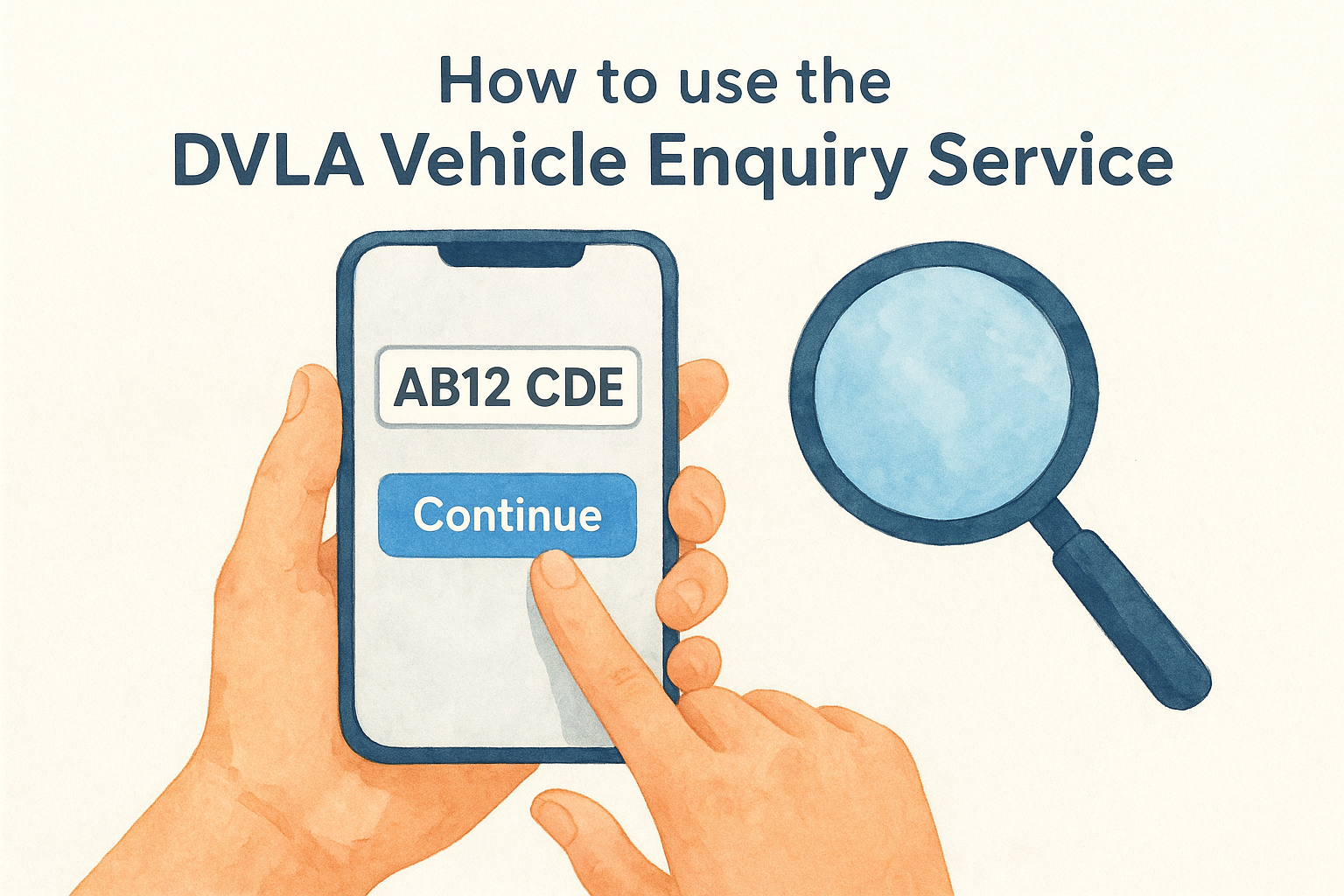
- Enter the vehicle registration number in the search field exactly as it appears on the plate, including any spaces (for example, AB12 CDE).
- Click "Continue" to submit the query.
- Review the results page, which loads within a few seconds.
That's the entire process. The service is free, so you can check as many vehicles as you need to.
Always use the official GOV.UK address when looking up how to check if road tax is paid, rather than third-party sites that may charge fees for the same information.
What the results page shows you
The results page displays the current tax status (taxed or untaxed), the tax expiry date, and whether a SORN is active. You also see the vehicle's make, colour, and engine size, which lets you confirm the registration actually matches the car you're looking at in person. If those details don't line up with the physical vehicle, that's a serious red flag worth investigating before you go any further.
One limitation of the GOV.UK service is that it does not show the full MOT history, ownership records, or outstanding finance. For a more complete picture before buying a used car, you'll want to pair this check with a broader vehicle history lookup, which is covered in Step 2.
Step 2. Check road tax with Vehiclepedia
Vehiclepedia's free vehicle check pulls the same DVLA data as the GOV.UK tool, but it also returns MOT history, registration details, and performance data on the same results page. If you want to know how to check if road tax is paid while also getting a broader picture of a vehicle's background, running a Vehiclepedia check saves you from repeating the same lookup across multiple services.
How to run a Vehiclepedia check
The process takes under a minute and requires only the vehicle's registration number. Follow these steps to complete your free Vehiclepedia check:
- Go to vehiclepedia.co.uk and find the registration lookup field on the homepage.
- Enter the full registration number exactly as it appears on the plate (for example, AB12 CDE).
- Click the search button to submit your query.
- Review the results, which load immediately on a single page.
You do not need to create an account or enter any payment details to access the free road tax status and MOT history results.
What Vehiclepedia shows alongside the tax status
Your results page displays the current tax status and expiry date alongside MOT pass and failure history, the recorded colour, fuel type, and engine size. This combination is particularly useful when you're checking a car before buying, because it confirms whether the plate matches the vehicle's recorded description at the same time as confirming the tax status.
For buyers who want to go further, Vehiclepedia's premium report adds written-off status, outstanding finance, and a stolen vehicle check sourced from the UK Police Database. The free check covers the essentials, but the premium report gives you a complete record in one place before you commit to a purchase.
Step 3. Understand your result: taxed, untaxed, SORN
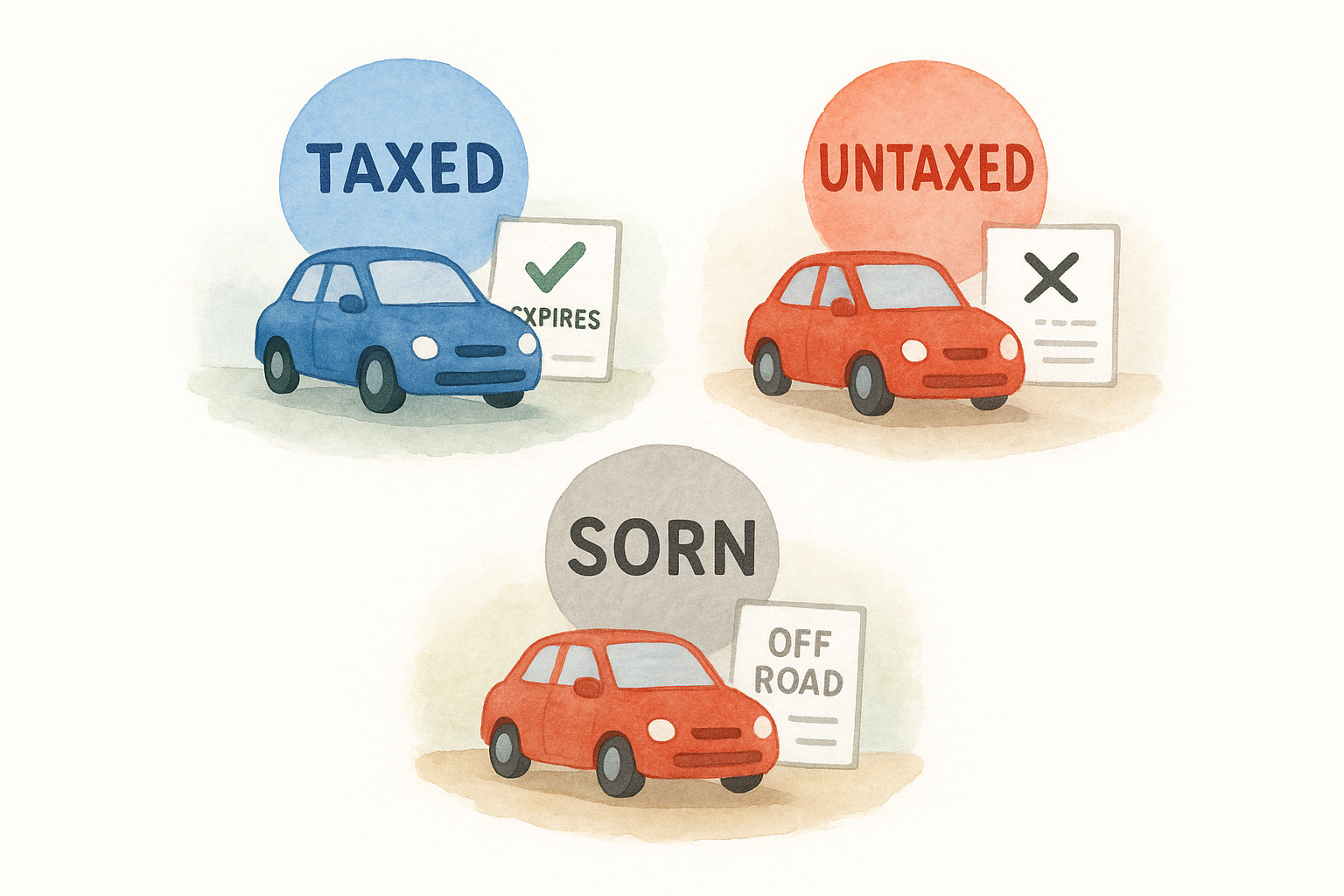
Once you get your result from either method covered in this guide on how to check if road tax is paid, you'll see one of three statuses: taxed, untaxed, or SORN. Each one tells you something different about the vehicle's legal standing, and understanding the difference helps you decide what to do next.
Taxed
A taxed result means the vehicle has valid Vehicle Excise Duty in place and is legally permitted to drive on public roads. The results page also shows the exact expiry date, so check it carefully. A car can show as taxed today but expire within days. If it's your own car, put the date in your calendar. The DVLA usually posts a reminder to the registered keeper before the tax runs out, but don't rely on it arriving.
Tax does not transfer between owners. The moment you take ownership of a vehicle, you need to tax it in your name before driving it, regardless of how much time is left on the previous owner's tax.
Untaxed
An untaxed result means there is no valid VED on the vehicle right now. Driving it on a public road in this state can lead to a fine of up to £1,000, clamping, or impounding. Even a car parked on the road can bring an automatic DVLA penalty of £80, reduced to £40 if you pay within 14 days. It isn't always a dealbreaker when buying, but ask the seller why it has lapsed.
If the car is untaxed, also confirm it has a valid MOT before you arrange to drive it away, as both are required to use the vehicle legally on UK roads.
SORN
SORN stands for Statutory Off Road Notification. The registered keeper has formally told the DVLA that the vehicle is not being driven or kept on a public road. A SORN vehicle cannot be driven until a new tax payment is made.
If you're buying a car with a SORN status, factor in the time and cost to re-tax it before you can drive it home. You'll also need a valid MOT in place before taxing it online through the DVLA.
Step 4. What to do if tax status looks wrong
Sometimes the result you see won't match what the seller or registered keeper tells you. Knowing how to check if road tax is paid is only half the job; knowing what to do with a mismatched result is equally important. Most discrepancies come down to a processing delay or a genuine problem, and the steps below help you tell the difference.
If the vehicle shows as untaxed but the owner says it is taxed
The DVLA updates its records within a few hours of a tax payment going through, but delays can occasionally occur, particularly over bank holidays. Ask the seller to show you proof of payment, such as a Direct Debit confirmation email or a DVLA payment receipt. If they can produce that evidence and the date is very recent, a short processing lag is a reasonable explanation.
If the seller cannot show any payment evidence and the vehicle appears untaxed, do not drive it away from the sale, as you could face an immediate fine or clamping.
If the SORN status seems incorrect
A SORN that the seller claims they cancelled may still appear active if the re-taxing payment has not cleared. Ask them to log in to the DVLA's online service at gov.uk/vehicle-tax while you're present so you can confirm the payment went through. If the SORN is active and no payment exists, factor in the cost and time to tax the vehicle before you agree a price.
If the registration details don't match the physical car
This is the most serious scenario. If the make, colour, or engine size returned by the check does not match the car in front of you, the plate may have been cloned or swapped. Stop the purchase immediately and report your concerns to Action Fraud or your local police before taking any further steps.
Quick recap and next step
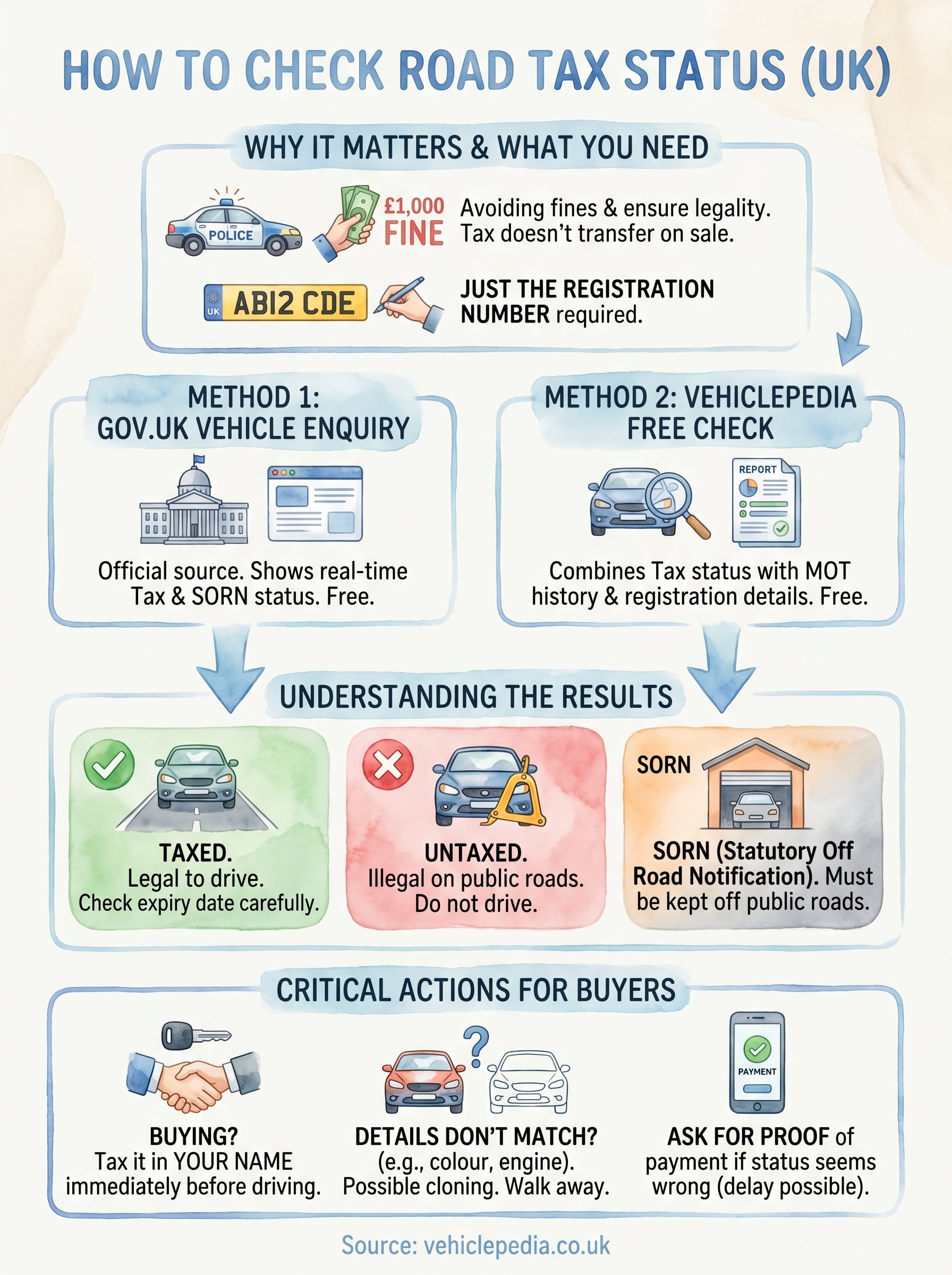
You now have everything you need to know about how to check if road tax is paid on any UK vehicle. The GOV.UK Vehicle Enquiry Service gives you a quick, official status check in seconds, while Vehiclepedia combines that same data with MOT history and registration details in a single free lookup.
Keep the three possible results in mind: taxed means the vehicle is legal to drive on public roads, untaxed means it is not, and SORN means the keeper has formally declared it off the road. If the status does not match what you are told, always ask for proof of payment. Stop the purchase entirely if the vehicle's recorded details do not match the physical car in front of you.
Running a full check before you buy is the simplest way to protect yourself. View a sample Vehiclepedia premium report to see exactly what Vehiclepedia uncovers about any vehicle's history before you commit.