How to Check on Car History in the UK for Free
Learn how to check on car history for free using DVLA and MOT data, then verify documents, insurance and finance before you buy.
How to Check on Car History in the UK for Free
Buying a used car without checking its background is a gamble. A clocked odometer, a hidden write-off, or an outstanding finance agreement can turn a decent-looking deal into a costly mistake. If you want to run a check on car history before handing over any money, you need to know exactly which registration lookups actually work and which ones just repeat what you can already see on the MOT certificate.
The good news is you can carry out a proper vehicle history check UK wide without paying a penny for the basics. Enter the reg number into the right tools and you'll get MOT history, tax status, and registration details straight from official DVLA records within seconds, no guesswork involved.
This guide walks through how to check a vehicle history step by step, from the free checks everyone should run before viewing a car to the deeper premium reports worth paying for when stolen status, write-offs, or finance are on the line. By the end, you'll know exactly which checks to trust and which corners never to cut.
What a free car history check can tell you
A vehicle history free check run through Vehiclepedia's free car history check UK tool pulls straight from DVLA and DVSA records, so you're not relying on a seller's word for any of it. Type in the registration and within seconds you'll see the car's make, model, colour, engine size, fuel type, and year of first registration. You'll also get the current road tax status and cost band, plus the exact date the MOT is due to expire. None of this data is guesswork or crowd-sourced; it comes from the same government databases that DVLA and MOT testing stations use themselves.
What's included in the free report
Beyond the basics, a decent free check goes further than most people expect. You get a summary of the MOT history, including pass and fail results going back years, which flags recurring problems like worn brakes or persistent advisories on the same component. You'll also see whether the vehicle has ever been imported or exported, whether it's changed colour at any point (a red flag if the seller can't explain why), and an estimate of fuel efficiency based on the engine and model. Some checks include a rough figure for the number of previous keepers, which helps you gauge whether the mileage and usage history look consistent with a private owner or a fleet vehicle.
A free check already tells you enough to walk away from a bad deal before you've left the house.
Here's a quick breakdown of what you can expect from a number plate check free UK buyers can run on most lookup tools:
| Data point | Included free? | Source |
|---|---|---|
| Tax status and due date | Yes | DVLA |
| MOT expiry date | Yes | DVSA |
| Full MOT history and advisories | Yes | DVSA |
| Make, model, engine, fuel type | Yes | DVLA |
| Import/export status | Yes | DVLA |
| Colour change history | Yes | DVLA |
| Estimated fuel efficiency | Yes | DVLA/manufacturer data |
| Number of previous keepers | Sometimes | DVLA |
| Stolen marker | No, premium only | Police National Computer |
| Write-off/insurance category | No, premium only | Insurance industry registers |
| Outstanding finance | No, premium only | Finance industry registers |
What a free check won't tell you
Government sources deliberately keep certain data behind paywalls, and that's worth understanding before you assume a free lookup covers everything. The official car check free gov uk service, run directly by DVLA, gives you tax and MOT status but stops well short of anything to do with stolen vehicles, insurance write-offs, or outstanding finance, and the same limits apply to any instant DVLA vehicle information check. That's not an oversight; it's because those checks pull from separate commercial and police databases that charge for access, and no free tool in the UK legally bypasses that.
This matters because the three things most likely to cost you serious money after purchase (finance still owed, a hidden write-off, or a stolen car you unknowingly bought) simply won't show up when you run a free car data check UK search by reg. If a seller seems evasive about letting you see the V5C or won't wait while you run checks, treat that as a warning sign regardless of what the free report says. We'll cover exactly how to close that gap with a premium check in step five, once you've worked through the free checks that come first.
Knowing the boundaries of a free uk car data check stops you from getting a false sense of security. Use it to rule out obvious problems quickly, then decide whether the car is worth paying a small fee to check properly for the risks that a free lookup simply can't see.
Step 1. Gather the registration number and documents
Before you type anything into a search box, get the paperwork in front of you. Every meaningful check on car history starts with the number plate, and while the best car history check UK sites all work from the reg, a proper pre-purchase check needs more than that if you want to catch a mismatch between what the seller tells you and what the DVLA has on file. Ask the seller for the registration number, the V5C log book, the MOT certificate, and any service history before you arrange a viewing. If they hesitate or claim the documents are "at home" when you visit, that's worth noting before you go any further.
What to have ready
Getting organised at this stage saves you from running checks twice or missing something obvious later on. Here's what to collect:
- Registration number exactly as it appears on the number plate, no spaces added or removed
- V5C log book (the registration certificate), ideally the full document, not just a photo of one page, so you can check the V5C logbook against DVLA records
- VIN (vehicle identification number), stamped on the chassis and printed on the V5C
- MOT certificate or a note of the MOT test number, useful for cross-checking against DVSA records
- Service history book or invoices, if the seller has them
- Finance agreement paperwork, if the seller mentions the car was ever on finance
Get the paperwork before the viewing, and half your checks are done before you even see the car.
Why the details need to match
Cross-referencing these documents against each other catches problems that a registration lookup alone can't. The registration number on the V5C should match the number plate on the car itself, and the VIN on the log book should match the VIN stamped on the vehicle, usually visible through the windscreen or under the bonnet. Discrepancies here, even small ones like a transposed digit, sometimes point to cloned plates or a car that's been through an unusual paper trail. This is also the moment to confirm the seller's name matches the keeper listed on the V5C. If it doesn't, ask why, since a private seller who isn't the registered keeper needs a reasonable explanation.
Spelling out these checks now means the registration lookups in the next steps actually mean something. Running a how to check vehicle history in UK search against a reg number that doesn't match the physical car in front of you gives you false confidence, not real answers. Once you've confirmed the documents line up, you're ready to move on to the DVLA data itself.
Step 2. Check the car's tax and basic DVLA details
With the paperwork confirmed, run the registration through the free vehicle check and look first at the DVLA's own data set. This is the fastest way to confirm you're looking at a genuine, legally roadworthy car rather than something with a lapsed tax disc or a mismatched logbook. Punch in the reg for a free car tax check by registration and you'll get back the exact tax status, the date it was last taxed, and when it's due again, all pulled directly from DVLA records rather than anything the seller has told you.
Reading the tax and registration data
Check that the tax status reads as "Taxed" or "SORN" (Statutory Off Road Notification), not "Untaxed", since driving an untaxed vehicle on public roads is illegal even if you've just bought it. Compare the year of first registration against what the seller told you, because a car described as "nearly new" that's actually five years old is a common trick to inflate the asking price. The engine size, fuel type, and colour listed should also match what you saw in step one; if the DVLA shows the car as silver and it's sat in front of you in blue, ask why, since an unexplained respray sometimes hides accident repairs.
If the DVLA record and the car in front of you don't match on the basics, stop and ask questions before you go any further.
What to note down at this stage
Keep a running list of what you find so you can compare it against the MOT history and V5C checks later on. At minimum, record:
- Tax status and the date it's next due
- Year of first registration, checked against the seller's claim
- Engine size and fuel type, checked against the V5C
- Colour, checked against the physical car and any colour-change flag
- Vehicle excise duty (VED) band, which tells you what road tax will cost you going forward
This step only takes a minute or two, but it's the foundation for everything that follows. A uk car data check that stops here still leaves the bigger risks unexamined, so treat this as confirmation of the basics, not the full picture. Once the tax and registration details check out, move on to the MOT history, where you'll get a much clearer sense of how the car has actually been maintained over the years rather than just how it's classified on paper.
Step 3. Check the full MOT history and test results
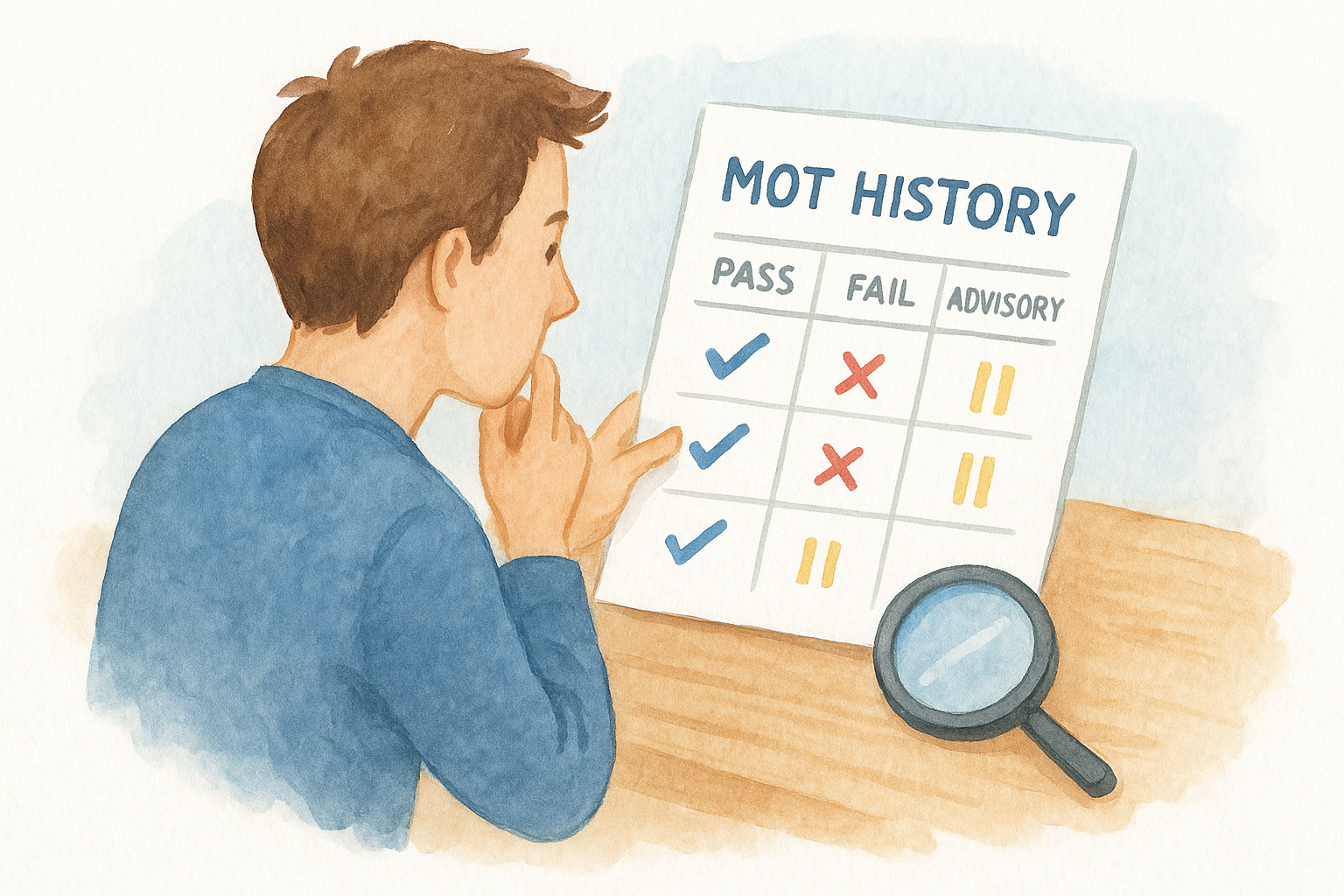
Once the DVLA basics check out, dig into the MOT record properly, not just the expiry date you already noted. The full test history, available through the government MOT checker and mirrored in Vehiclepedia's free lookup, shows every test the car has sat, the mileage recorded at each one, and whether it passed, failed, or passed with advisories. This is where an MOT history check by reg actually tells you how the car has been looked after, not just whether it's currently legal to drive.
Reading the pattern, not just the last result
Going back five or more years of MOT results reveals patterns a single certificate never will. Look for the same advisory appearing test after test without ever being fixed, which suggests a seller who patches problems just enough to pass rather than repairing them properly. Watch the mileage figures too: they should climb steadily year on year, and any drop, or a jump that doesn't match the car's age and use, is worth questioning with a free mileage check before you go any further.
A history of ignored advisories tells you more about a seller than any sales pitch will.
What to flag in the MOT history
Work through the record with these specific checks in mind:
- Repeated advisories on the same component (brakes, suspension, tyres) across multiple tests
- Mileage that doesn't increase consistently, or jumps that look implausible for the car's age
- Sudden failures followed immediately by a pass, which sometimes means a rushed or minimal repair
- Gaps in testing, where the car went untested for longer than the standard MOT cycle allows
- The testing location, useful if you want to ask the garage directly about a specific fault
Cross-checking against the paperwork
Compare the mileage on the most recent MOT against the odometer reading in front of you, and against any service history you collected in step one. A car showing 60,000 miles on last year's MOT but 55,000 on the clock today has almost certainly been clocked, and knowing how to tell if a car has been clocked gives you a straightforward reason to walk away regardless of how good the price looks. This single cross-check catches more odometer fraud than any other part of a vehicle history check UK buyers typically run, so don't skip it even when everything else about the car looks fine.
Step 4. Check if the car is currently insured
Insurance status isn't something most buyers think to check, but it's a useful early warning sign when you're running a check on car history before a purchase. Every car legally on UK roads needs continuous insurance under the Continuous Insurance Enforcement rules, so a car with no insurance on record either isn't being driven, is SORN, or is being sold by someone who's cutting corners. None of this shows up in the DVLA tax record or the MOT history, so it's worth a separate look at whether the car is insured.
Using the Motor Insurance Database
You can check this directly through askMID, the official Motor Insurers' Bureau database that every UK insurer feeds into by law. Enter the registration number and you'll see whether the car currently has an active insurance policy, though not the policy details themselves or who holds it. This matters because a seller offering to let you take a test drive "on their insurance" needs a genuinely active policy, not just a verbal promise, and askMID confirms that in seconds.
No insurance on record for a car that's supposedly being driven daily is a question worth asking before you get in it.
What an insurance gap tells you
Gaps in cover often line up with other problems you've already flagged, so treat this as one more cross-reference rather than a standalone check. A car that shows as uninsured despite the seller claiming regular use might have been sitting unused for longer than they're letting on, which raises questions about why it's suddenly for sale. Look out for these patterns:
- No current insurance despite claims the car is driven regularly
- Insurance that lapsed around the same time as a gap in the MOT history
- A recent policy start date that doesn't match how long the seller says they've owned it
Running this alongside your MOT and tax checks builds a fuller picture of how the car's actually been used, not just how it's described in the advert. On its own, an insurance gap doesn't confirm anything sinister, but combined with a patchy MOT record or mileage inconsistencies, it's another reason to slow down before you commit to buying.
Step 5. Check for stolen, write-off and finance markers
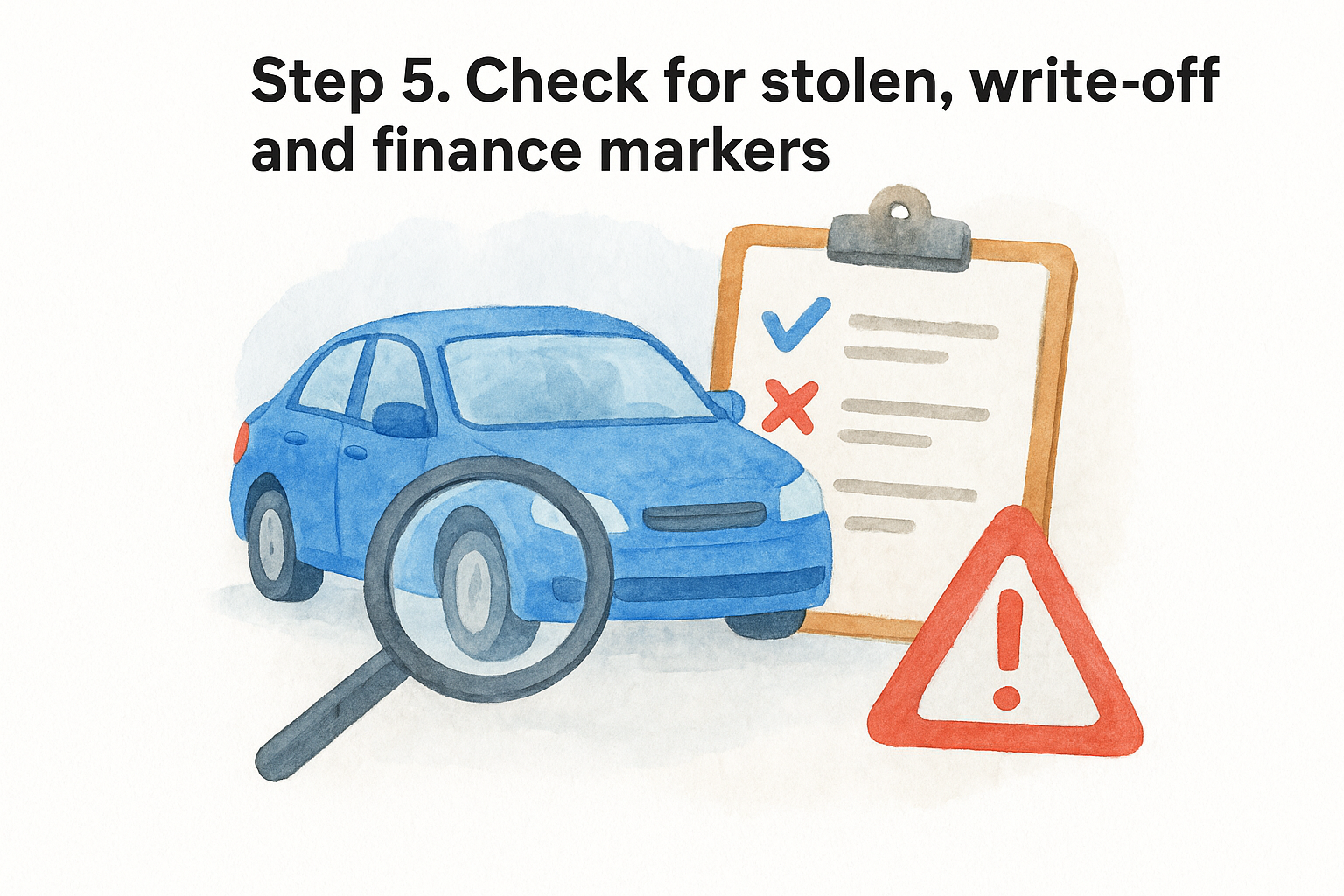
This is the point where a free lookup stops being enough. Everything you've checked so far comes from open DVLA and DVSA records, but stolen vehicle, insurance write-off, and outstanding finance markers sit in separate databases that charge for access, and no legitimate UK service gives them away for free. Skipping this step is how buyers end up owning a car that gets seized by police, or repaying someone else's finance agreement on a vehicle they thought they bought outright.
Running the premium check
Gathering the previous four steps into one report is exactly what Vehiclepedia's premium vehicle history check does, pulling from the Police National Computer, insurance industry write-off registers, and finance industry databases in a single search against the registration number. You can preview a sample report before paying, so you know exactly what you're getting. Vehiclepedia backs the premium report with a £30,000 data guarantee for non-trade buyers, which gives you legal recourse if the data turns out to be wrong.
Paying a few pounds for a finance and write-off check is cheaper than discovering either problem after you've handed over the cash.
What each marker actually means
Understanding what you're looking at matters just as much as running the check itself:
| Marker | What it means | Why it matters |
|---|---|---|
| Stolen | Currently listed on the Police National Computer | Police can seize the car with no compensation to you |
| Category A/B write-off | Scrapped for parts or crushed, should never be back on the road | Illegal to drive; often points to a fraudulently re-registered car |
| Category S/N write-off | Structurally or non-structurally damaged, repaired and returned to the road | Value should be significantly lower; ask for repair evidence |
| Outstanding finance | Loan or HP agreement still owed against the vehicle | The finance company can repossess the car even though you paid the seller |
What to do if something flags
Finding a marker doesn't automatically mean walk away, but it changes the conversation entirely. If an outstanding finance check flags an agreement, ask the seller to settle it before you pay, or arrange for the finance company to be paid directly from the sale price. If a vehicle write-off check returns a Category S or N marker, ask for photos of the damage and the repair invoice, and get an independent inspection before you commit. A stolen car check by reg returning a theft marker, or a Category A/B write-off, means you stop the transaction outright and report it, since no legitimate seller can explain those away.
Step 6. Verify the V5C log book, VIN and mileage
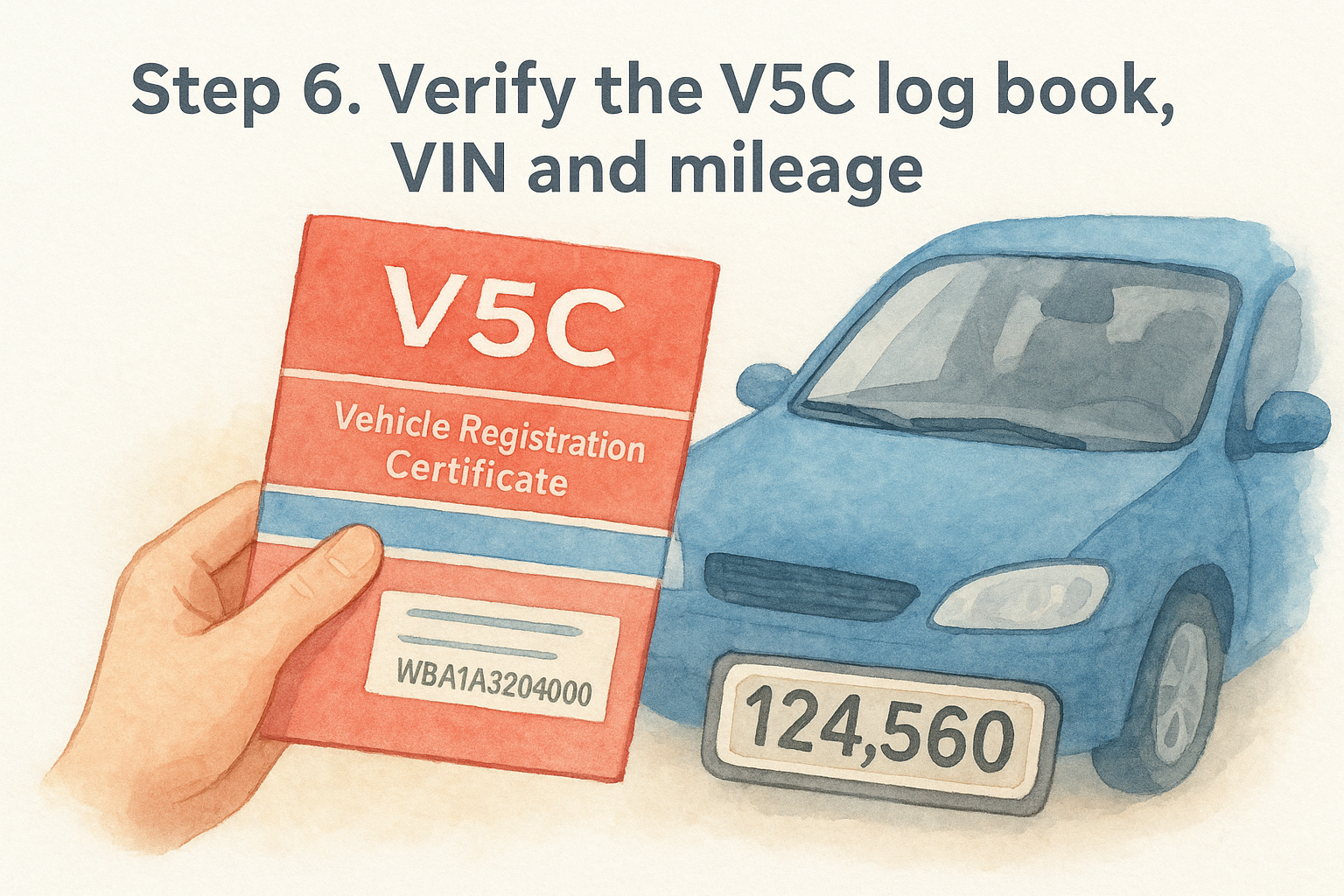
Even after a clean premium report, one last physical check catches problems that no database search ever will. You've already confirmed the registration and paperwork match in step one, but now go back to the V5C log book itself and look for tampering. Genuine V5C documents carry a DVLA watermark and a specific serial number printed in red in the top right corner; if that number falls within a range DVLA has publicly flagged as stolen blank logbooks, walk away immediately. You can cross-check this by asking DVLA directly if you're unsure, but a document that looks photocopied, laminated, or altered around the keeper details is reason enough to stop.
Matching the VIN in three places
Verifying the vehicle identification number properly, whether by eye or with a free VIN check, means checking it in more than one location, not just glancing at the log book. A genuine car has the same 17-character VIN stamped on the chassis, printed as the VIN number on the logbook, and usually etched onto a plate under the bonnet or visible through the windscreen. Look for these three points:
- VIN on the V5C log book, printed in the vehicle details section
- VIN stamped on the chassis, typically found under the bonnet, on the driver's side door pillar, or beneath carpet near the front seats
- VIN etched into the windscreen, common on cars over a decade old and a quick visual check from outside the car
Any mismatch between these three, even a single transposed digit, points to a cloned or ringed vehicle, and that's not something you fix with a conversation. Report it and move on to a different car.
Three VINs that don't match each other is the clearest sign you're looking at a cloned car, not a genuine one.
Sanity-checking the mileage one final time
Before you commit, do one last mileage comparison across everything you've gathered. Line up the odometer reading against the most recent MOT mileage, the service history figures from step one, and any mileage stated in the seller's advert. Numbers that don't climb consistently, or that contradict what the seller told you when you first enquired, are a clocking red flag regardless of how convincing the car looks in person. Given how much work goes into a proper vehicle history check UK buyers rely on, skipping this final physical comparison undoes most of the value of the checks that came before it.
Putting it all together before you buy
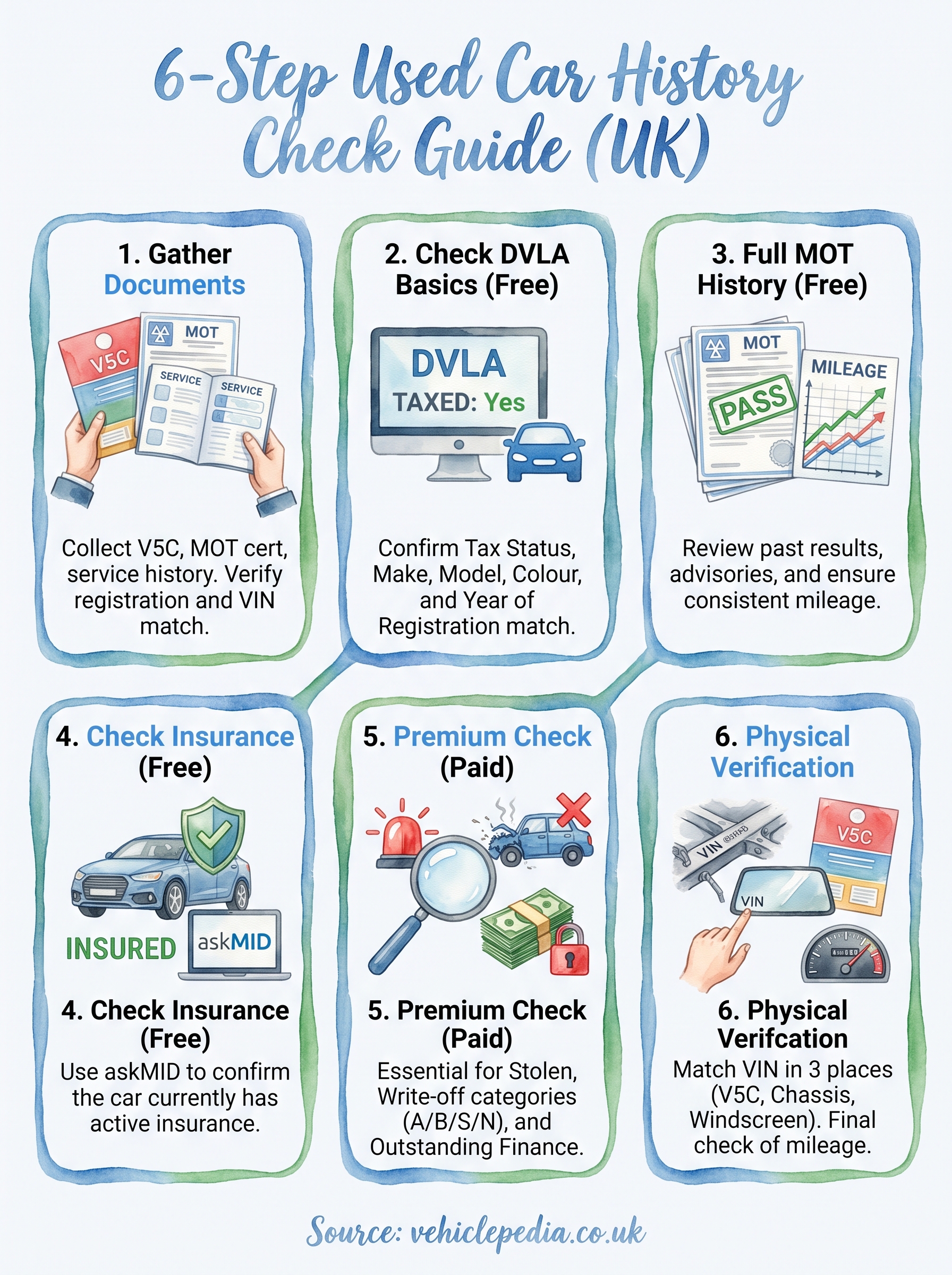
Six steps sounds like a lot until you realise most of them take minutes. Gather the documents, run the free DVLA and MOT checks, confirm insurance, then pay for the one report that actually protects you against stolen, written-off, or financed cars. Skip that premium step and you're relying on hope rather than evidence, which defeats the point of doing any check on car history in the first place.
Treat every mismatch you find, whether it's mileage, VIN, or a colour that doesn't match the log book, as a reason to slow down rather than a detail to explain away. Sellers with nothing to hide won't mind you taking the time to check properly, and the ones who do mind are usually telling you something important without saying a word.
When you're ready to see exactly what a full report covers, see what a Vehiclepedia premium report reveals before you pay for anything.